

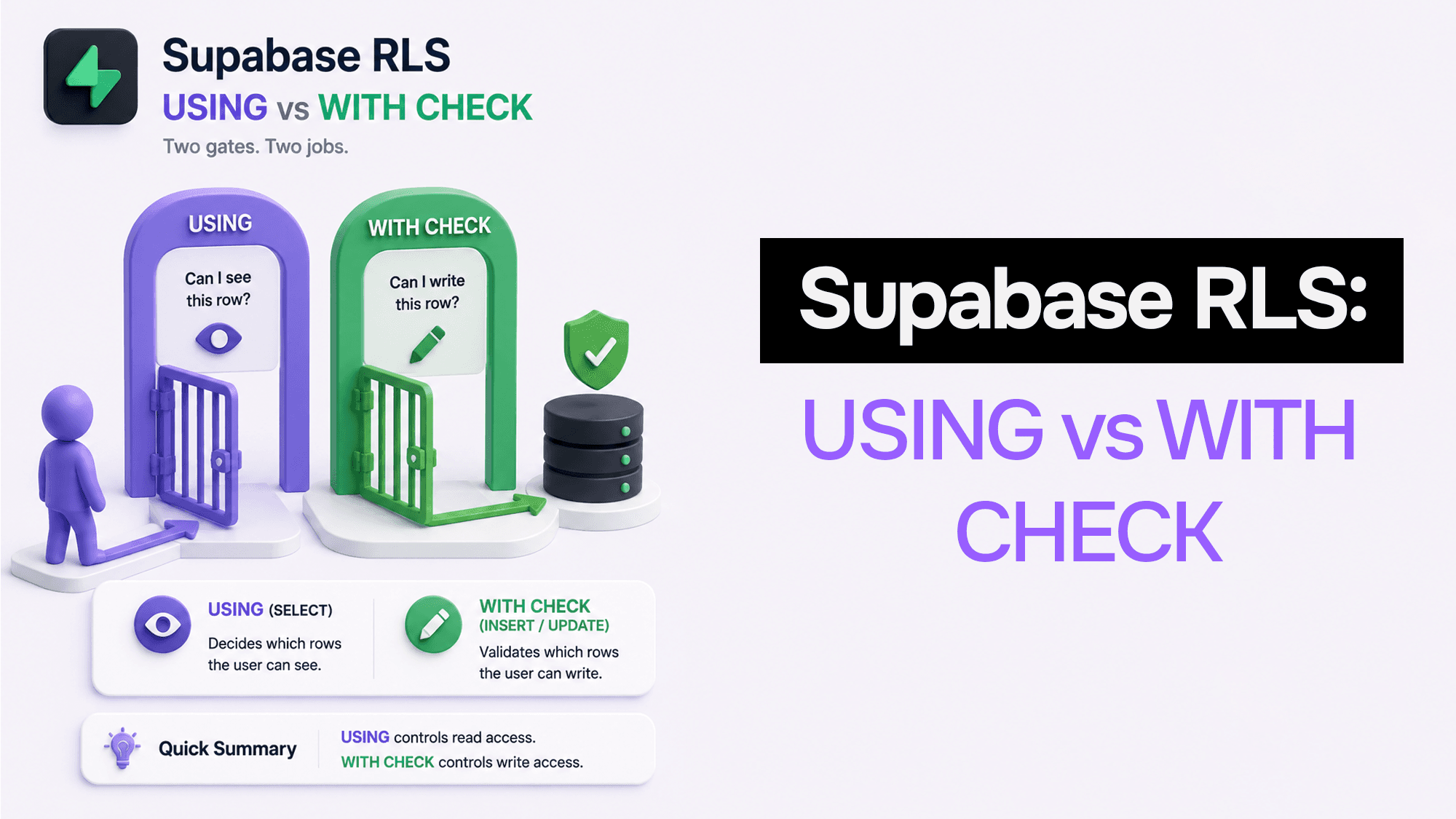
Supabase RLS Simplified: USING vs WITH CHECK (SQL + Next.js SSR)
Supabase RLS (Row Level Security) is powerful — but most teams only experience it as:
- Fear: “what if we leak user data?”
- Pain: “why does
.insert()keep failing?”
This post is a comprehensive, production-focused guide that covers:
- the mental model (what RLS actually does)
- the difference between
USINGandWITH CHECK - correct policies for single-tenant and org/team multi-tenant apps
- Supabase Storage RLS patterns
- Next.js SSR patterns (so auth + RLS work correctly)
The mental model
RLS policies are not magic.
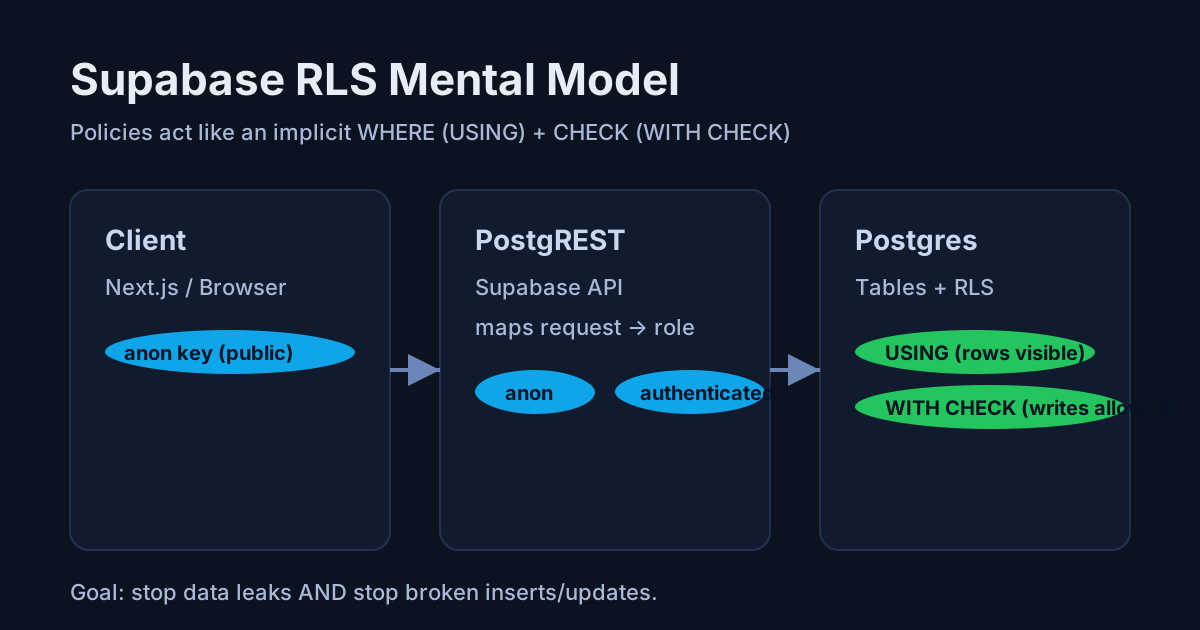
Think of them as an implicit WHERE and/or CHECK that Postgres applies automatically when your app queries a table through Supabase.
 Supabase RLS mental model
Supabase maps every request to a Postgres role:
anon(not logged in)authenticated(logged in)
When RLS is enabled on a table, no rows are accessible via the anon key until you add policies.
USING vs WITH CHECK (the part everyone confuses)
 USING vs WITH CHECK
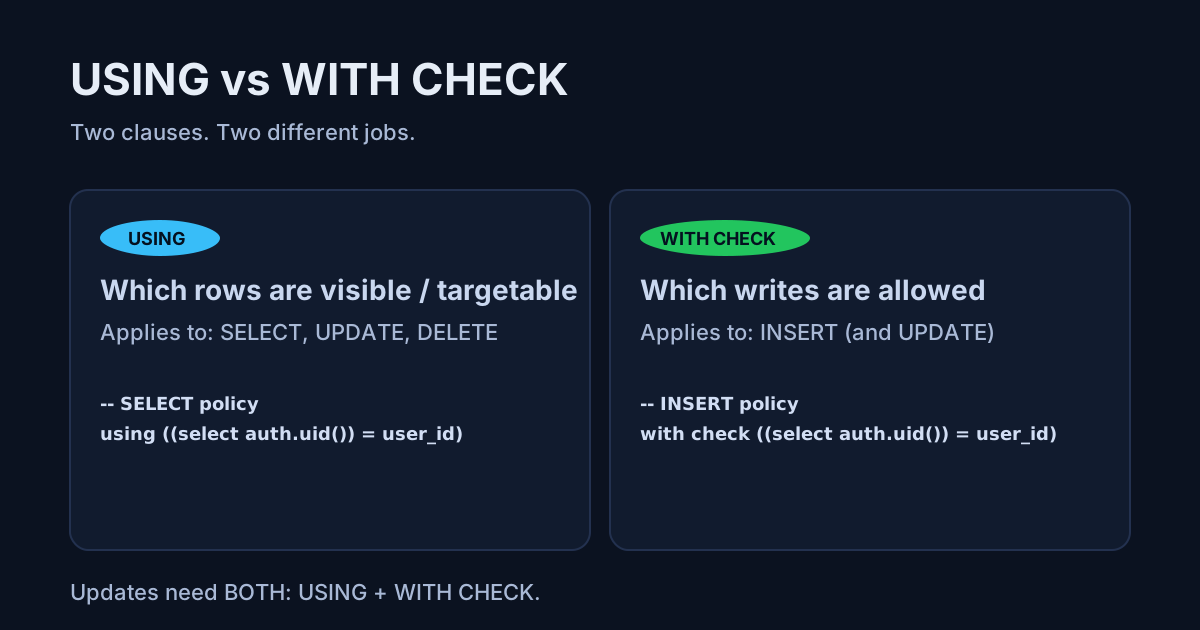
Quick rules
USINGdecides which existing rows are visible / targetable- used for:
SELECT,UPDATE,DELETE
- used for:
WITH CHECKdecides which writes are allowed- used for:
INSERT(and alsoUPDATE)
- used for:
Cheatsheet
| Operation | Clause you need |
|---|---|
SELECT | USING |
INSERT | WITH CHECK |
UPDATE | USING + WITH CHECK |
DELETE | USING |
Updates need both because you’re (1) targeting existing rows and (2) writing a new version of the row.
RLS theory (why it behaves “weird”)
If you want to really understand RLS, stop thinking in terms of “policies” and start thinking in terms of predicates.
Theory #1: every query becomes original_predicate AND rls_predicate
At a high level, RLS is like Postgres automatically rewriting your query:
- Your query provides a predicate (explicit
WHERE, or an implicitWHERE true). - RLS adds another predicate (your policy).
- Postgres evaluates the combined condition.
So conceptually:
-- What you write
select * from todos where id = 123;

-- What Postgres effectively enforces (conceptually)
select * from todos
where (id = 123)
  and (/* RLS policy predicate */);
This is why:
- “It works in SQL editor but not in app” can happen (different role/JWT).
- “It returns empty but no error” can happen (your
USINGpredicate hides rows).
Theory #2: USING is about row visibility (existing rows)
For SELECT, UPDATE, and DELETE, USING decides whether a row is eligible.
A simple way to think about it:
- If
USINGis false for a row → that row effectively doesn’t exist for that user.
So even an admin UI query like “give me row 123” can return nothing if USING blocks it.
Theory #3: WITH CHECK is about state transitions (new row values)
WITH CHECK is like an authorization constraint on the new row.
This is why you can see behavior like:
- “I can update the row, but changing
org_idfails”
Because Postgres checks:
USINGon the old row (are you allowed to target it?)WITH CHECKon the new row (is the new version allowed?)
Theory #4: multiple policies combine (and one bad one can ruin everything)
Policies can be PERMISSIVE (default) or RESTRICTIVE.
- PERMISSIVE policies are effectively combined with OR
- RESTRICTIVE policies are effectively combined with AND
Practical consequence:
- A single permissive policy that’s too broad can open access wider than you intended.
- A restrictive policy can silently block access and make your app look “randomly broken”.
Theory #5: threat model — assume attackers can call PostgREST directly
Supabase exposes Postgres through PostgREST. Your anon key is public.
So a good default mental model is:
- RLS is your database firewall.
- Assume anyone can query your REST endpoints.
- Your security must hold even if the client is malicious.
Single-tenant policies (user owns rows)
1) Table schema
create table public.todos (
  id bigint generated always as identity primary key,
  user_id uuid not null references auth.users(id),
  title text not null,
  created_at timestamptz not null default now()
);

alter table public.todos enable row level security;

-- RLS performance baseline: index columns used in policy predicates
create index todos_user_id_idx on public.todos(user_id);
2) SELECT (read your own rows)
create policy "read own todos"
on public.todos for select
to authenticated
using ((select auth.uid()) = user_id);
3) INSERT (create rows only for yourself)
create policy "insert own todos"
on public.todos for insert
to authenticated
with check ((select auth.uid()) = user_id);
4) UPDATE (update only your rows, and don’t let the row change owners)
create policy "update own todos"
on public.todos for update
to authenticated
using ((select auth.uid()) = user_id)
with check ((select auth.uid()) = user_id);
5) DELETE (delete only your rows)
create policy "delete own todos"
on public.todos for delete
to authenticated
using ((select auth.uid()) = user_id);
Why the (select auth.uid()) form?
In practice it can help Postgres treat the value as stable for the query plan instead of calling it per-row.
Next.js basics: browser client vs server client
Browser client (safe)
Only ever use:
NEXT_PUBLIC_SUPABASE_URLNEXT_PUBLIC_SUPABASE_ANON_KEY
import { createBrowserClient } from "@supabase/ssr";

export function supabaseBrowser() {
  return createBrowserClient(
    process.env.NEXT_PUBLIC_SUPABASE_URL!,
    process.env.NEXT_PUBLIC_SUPABASE_ANON_KEY!
  );
}
Never put the service role key in client-side code. It bypasses RLS.
Server client (SSR)
In Next.js, SSR breaks easily if you don’t forward cookies.
Create a server client that reads/writes cookies using next/headers.
import { cookies } from "next/headers";
import { createServerClient } from "@supabase/ssr";

export function supabaseServer() {
  const cookieStore = cookies();

  return createServerClient(
    process.env.NEXT_PUBLIC_SUPABASE_URL!,
    process.env.NEXT_PUBLIC_SUPABASE_ANON_KEY!,
    {
      cookies: {
        getAll() {
          return cookieStore.getAll();
        },
        setAll(cookiesToSet) {
          try {
            cookiesToSet.forEach(({ name, value, options }) => {
              cookieStore.set(name, value, options);
            });
          } catch {
            // In some Next.js runtimes you can't set cookies (e.g. during static generation).
            // That’s fine for read-only requests.
          }
        },
      },
    }
  );
}
Example: SSR-safe query
// app/todos/actions.ts
import { supabaseServer } from "@/lib/supabase/server";

export async function getTodos() {
  const supabase = supabaseServer();
  const { data, error } = await supabase.from("todos").select("id,title,created_at");
  if (error) throw error;
  return data;
}
Org / team multi-tenant policies (member of org can access org rows)
For multi-tenant apps, the best production pattern is:
- tables have an
org_id - membership lives in
org_members
Schema example
create table public.organizations (
  id uuid primary key default gen_random_uuid(),
  name text not null,
  created_at timestamptz not null default now()
);

create table public.org_members (
  org_id uuid not null references public.organizations(id) on delete cascade,
  user_id uuid not null references auth.users(id) on delete cascade,
  role text not null default 'member',
  created_at timestamptz not null default now(),
  primary key (org_id, user_id)
);

create table public.projects (
  id uuid primary key default gen_random_uuid(),
  org_id uuid not null references public.organizations(id) on delete cascade,
  name text not null,
  created_at timestamptz not null default now()
);

alter table public.org_members enable row level security;
alter table public.projects enable row level security;

create index org_members_user_id_idx on public.org_members(user_id);
create index projects_org_id_idx on public.projects(org_id);
Policy: org members can read projects
create policy "org members can read projects"
on public.projects for select
to authenticated
using (
  org_id in (
    select om.org_id
    from public.org_members om
    where om.user_id = (select auth.uid())
  )
);
Insert policy (write only into orgs you belong to)
create policy "org members can create projects"
on public.projects for insert
to authenticated
with check (
  org_id in (
    select om.org_id
    from public.org_members om
    where om.user_id = (select auth.uid())
  )
);
Later (in the performance post) we’ll refactor this into a
security definerhelper for speed + cleaner policies.
Supabase Storage RLS (private uploads that stay private)
Storage is where accidental leaks happen.
A safe default:
- bucket:
user-files - path:
<uid>/<filename>
Read your own files
create policy "read own files"
on storage.objects for select
to authenticated
using (
  bucket_id = 'user-files'
  and (select auth.uid())::text = (storage.foldername(name))[1]
);
Upload only into your folder
create policy "upload own files"
on storage.objects for insert
to authenticated
with check (
  bucket_id = 'user-files'
  and (select auth.uid())::text = (storage.foldername(name))[1]
);
Next.js upload example
import { supabaseBrowser } from "@/lib/supabase/browser";

export async function uploadAvatar(file: File) {
  const supabase = supabaseBrowser();

  const {
    data: { user },
    error: userErr,
  } = await supabase.auth.getUser();

  if (userErr) throw userErr;
  if (!user) throw new Error("Not logged in");

  const path = `${user.id}/${crypto.randomUUID()}-${file.name}`;

  const { error } = await supabase.storage
    .from("user-files")
    .upload(path, file, { upsert: false });

  if (error) throw error;
  return path;
}
Debugging checklist (when RLS “doesn’t work”)
- Is RLS enabled on the table?
- Does the policy include
to authenticated(or the right roles)? - For inserts: do you have a
WITH CHECK? - For updates: do you have both
USINGandWITH CHECK? - Are your ownership columns correct (
user_id,org_id)? - Did you add indexes on columns used in policies?
- For performance: do you also filter in your query (RLS is for security, not filtering)?
Want a second set of eyes on your policies?
If you’re a founder/CTO and you want your Supabase RLS + Storage policies reviewed for data leaks, broken writes, and performance, I offer fixed-scope audits.
Is your AI app leaking something?
A practical security pass for AI apps: auth boundaries, secrets handling, prompt abuse, and cross-tenant data exposure.
If you found this article helpful, consider buying me a coffee to support more content like this.
Related Articles
After building dozens of client projects in both, here's the exact framework I use to pick between Webflow and Next.js — and why the answer is almost never obvious.

Unlock the power of tRPC and the T3 Stack for modern web development in 2025. Discover how type safe APIs, modular architecture, and the latest trends like AI integration and Jamstack are transforming how developers build fast, scalable, and maintainable applications.
Most AI courses teach clever prompts. Real jobs run on messy GST invoices, vendor contracts, and WhatsApp threads with actual consequences. Here's why I built Praxismith: two courses on turning fragile AI chats into systems you can defend to your manager.
Is your AI app leaking something?
A practical security pass for AI apps: auth boundaries, secrets handling, prompt abuse, and cross-tenant data exposure.