

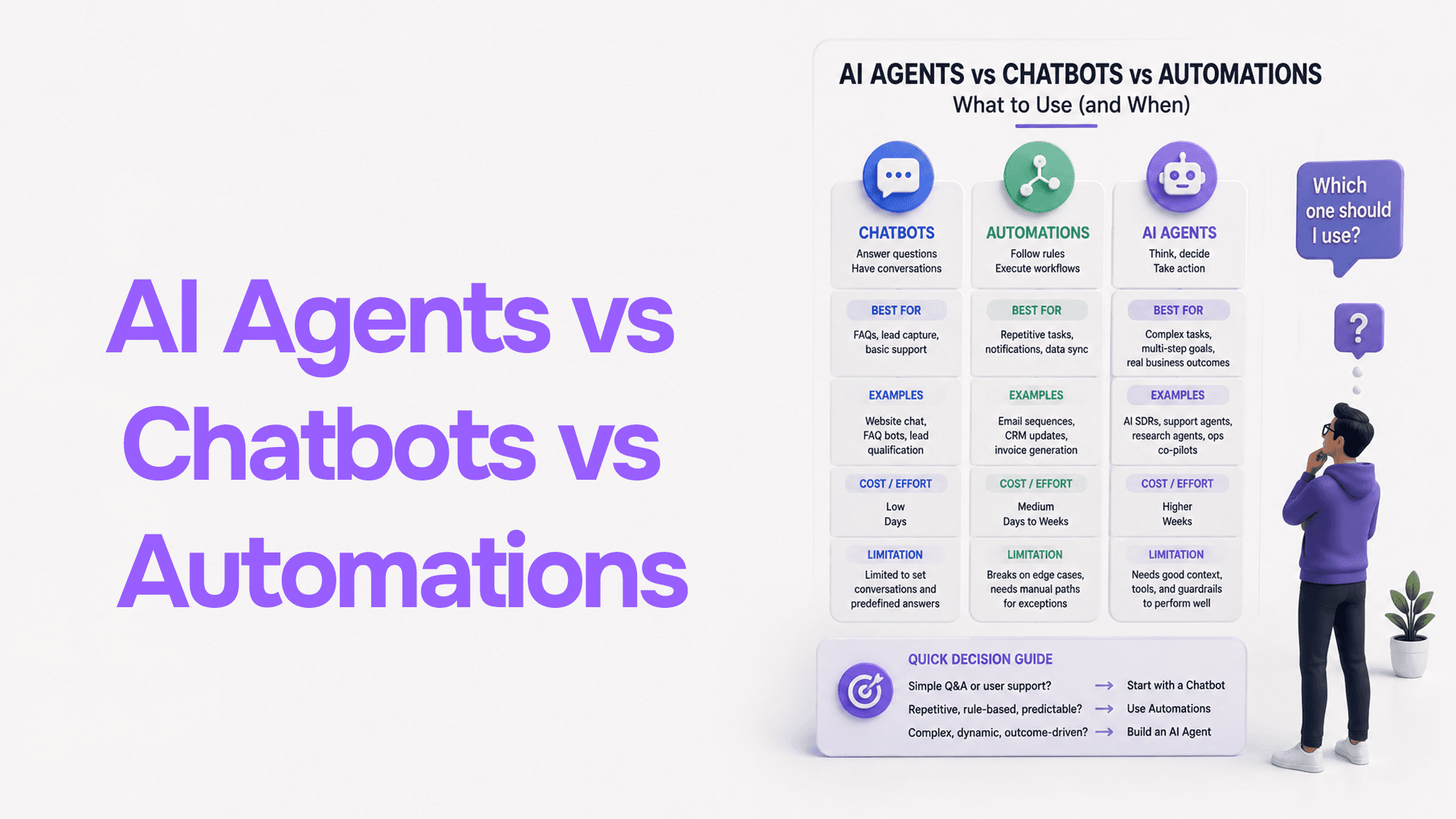
AI Agents vs Chatbots vs Automations: What to Use (and When)
If you’re a founder, you’ve probably had this moment:
- You try a chatbot on your website. It answers a few FAQs… but doesn’t move the business needle.
- You set up automations (Zapier/n8n). They work… until the workflow hits an edge case.
- Everyone starts talking about AI agents. Sounds powerful, but also vague and risky.
This post will make the decision simple. You’ll learn what each option really is, where each one wins, typical cost/effort, and a practical checklist to pick the right approach—especially if you sell in the US/Canada and want automation that improves speed, customer experience, and revenue.
Quick definitions (plain English)
1) Automation (rules-based workflow)
Best for: repeatable processes with clear inputs/outputs.
Example: “When a lead fills a form → create a HubSpot contact → send a Slack alert → add them to a sheet.”
Automations follow rules. They’re deterministic, fast, and cheap to run. But they don’t “think.” If your input is messy (free-text emails, invoices, weird PDFs), automations break unless you add lots of conditions.
2) Chatbot (conversation interface)
Best for: answering questions and guiding users in a narrow lane.
Example: “Answer pricing questions, share plan details, capture contact info.”
A chatbot is a conversational layer. It can be scripted or AI-powered, but it usually doesn’t own a multi-step business process end-to-end.
3) AI Agent (goal-driven worker)
Best for: tasks where the goal is clear, but the steps vary and require decisions.
Example: “Qualify inbound leads from emails + forms + calls, research the company, draft a tailored reply, schedule a call, and log everything in the CRM.”
An AI agent is a system that:
- receives a goal
- uses tools (CRM, email, calendar, web, databases)
- decides the next step
- completes a multi-step workflow
- logs actions and asks for approval when needed
Think of an AI agent as a junior ops teammate that can work 24/7—but it needs guardrails.
The founder’s decision rule (90% accurate)
- If the process is clear and stable, use Automation
- If the job is mostly answering questions, use a Chatbot
- If the work requires judgment + multiple steps + tool use, use an AI Agent
Comparison (fast, practical)
Automation (Zapier / n8n / Make)
Strengths
- Predictable and easy to test
- Very cheap to run
- Great for “connect X to Y” workflows
Weaknesses
- Breaks with messy inputs (free text, PDFs, odd formats)
- Complex processes turn into “spaghetti logic” fast
Great use cases
- Lead routing
- Payment confirmations
- Data syncing
- Notifications
- Simple approval flows
Not great for
- “Read this email and decide what to do”
- “Understand intent and choose a process”
- “Handle exceptions gracefully”
Chatbot (Website chat / WhatsApp bot / Support bot)
Strengths
- Great UX: people already know how to chat
- Reduces basic support load
- Can increase conversion by guiding the user
Weaknesses
- Often stays shallow: answers questions but doesn’t finish workflows
- If not grounded properly, can hallucinate or mislead
Great use cases
- FAQs, policies, pricing
- Lead capture + qualification questions
- Pre-sales triage (“Are you a good fit?”)
Not great for
- Deep ops work across systems
- Back-office workflows where accuracy matters
AI Agent (Tool-using agentic workflow)
Strengths
- Handles variation and messy input
- Can complete end-to-end processes (with approvals)
- Big leverage for founders: reduces time spent on repetitive thinking tasks
Weaknesses
- Needs careful design (permissions, logging, fallback rules)
- Requires monitoring + iteration early on
- Tool access must be secured (non-negotiable)
Great use cases
- Lead qualification + follow-ups
- Sales ops assistance (research + personalized outreach drafts)
- Support triage + resolution suggestions
- Recruiting screening + scheduling
- Finance ops (invoice parsing, reconciliation suggestions)
Not great for
- Mission-critical actions with zero tolerance for errors unless approvals are enforced
- Fully autonomous production changes without human review
Real-world examples (what founders in US/Canada actually benefit from)
Example 1: Inbound leads (the “make me money” workflow)
Outcome: respond faster, qualify better, book more calls.
Automation-only approach
- Form submit → Slack + CRM entry + template email
- Works, but replies are generic and low conversion.
Chatbot approach
- Chat qualifies the user and captures details.
- Good, but still needs manual follow-up.
AI Agent approach (best for growth)
- Reads inbound message (form/email/DM)
- Enriches company (website, LinkedIn, ICP signals)
- Classifies intent (pricing, custom build, integration, support)
- Drafts a tailored reply + proposes call times
- Logs everything into the CRM + creates follow-up tasks
- Adds an approval step before sending (recommended early)
Example 2: Customer support triage (reduce founder interruptions)
Automation-only
- Ticket comes in → assign to queue → auto-acknowledgement
- Still leaves humans to read/understand.
Chatbot
- Answers common FAQs and collects details.
AI Agent
- Reads ticket + past conversation + product docs
- Identifies likely cause
- Suggests resolution steps and drafts a reply
- If needed, creates a bug report with reproduction steps
Example 3: Recruiting screening + scheduling
Automation-only
- Typeform → sheet → email
- Still manual evaluation.
AI Agent
- Scores resumes against requirements
- Summarizes candidate fit + red flags
- Drafts outreach
- Proposes interview slots and schedules via calendar
Most businesses need a hybrid
A solid modern system is often:
- Automation handles the plumbing (routing, logging, alerts)
- Chatbot handles the front door (collecting info, FAQs)
- AI Agent handles the middle thinking (triage, decisions, drafting, enrichment)
This hybrid gives you reliability and flexibility.
“Should I use an AI agent?” checklist
You’re a strong candidate for AI agents if:
- You have tasks where the goal is clear, but the steps vary
- Your team spends time on reading + interpreting + deciding
- Your inputs are messy: emails, PDFs, free text, mixed channels
- You care about speed (reply time, scheduling, triage)
- You can enforce guardrails (approvals, logs, limited permissions)
You should stick to automations (for now) if:
- The workflow is already stable and rule-based
- Errors are extremely costly and you can’t add approvals
- You don’t have clear SOPs or decision rules yet
What “good” AI agents look like (so they don’t become risky)
A production-worthy agent is not just “ChatGPT with access.” It needs:
- Clear scope
- what it can do
- what it must not do
- Tool permissions (least privilege)
- separate credentials
- restricted access
- no “god mode” tokens
- Human approval gates
- especially for: sending emails, refunds, cancellations, deployments, data deletions
- Logging + traceability
- what the agent saw
- what it decided
- what it changed
- Fallbacks
- when uncertain: ask a human
- when APIs fail: retry or create a task
Cost & effort (realistic expectations)
Automation
- Time: hours to a few days
- Cost: low
- Maintenance: low to medium
Chatbot
- Time: days to 2–3 weeks (depends on content + integrations)
- Cost: medium
- Maintenance: medium (knowledge + flows)
AI Agent
- Time: 2–6 weeks for a solid v1 (faster if scope is tight)
- Cost: medium to high (but ROI can be huge)
- Maintenance: medium early; low once stabilized
A strong v1 agent doesn’t try to do everything. It wins one workflow (e.g., lead triage) and expands.
Founder takeaway: choose based on outcome, not hype
Don’t ask: “What’s the coolest technology?”
Ask:
- “Where am I losing time every day?”
- “Where are we slow?”
- “Where are we inconsistent?”
- “Where does speed directly increase revenue or retention?”
That’s where AI agents shine.
Want help picking the right approach for your business?
If you want, I can map your workflow and recommend the best mix of automation + chatbot + AI agent—with the right approvals/guardrails.
Book a discovery call: https://cal.com/rajesh-dhiman/15min
If you share your bottleneck (leads/support/ops/recruiting) and the tools you use (HubSpot/Gmail/Slack/Notion), I’ll suggest a practical v1 plan you can ship fast—and scale safely.
Stuck on a web app, automation, or AI project?
Fifteen minutes, free. You describe the blocker, I tell you what I would fix first. No deck, no pitch — and if I am not the right fit, I will say so.
Book Your Free 15-Min Strategy CallRelated to: AI Agents vs Chatbots vs Automations: What to Use (and When)If you found this article helpful, consider buying me a coffee to support more content like this.
Related Articles
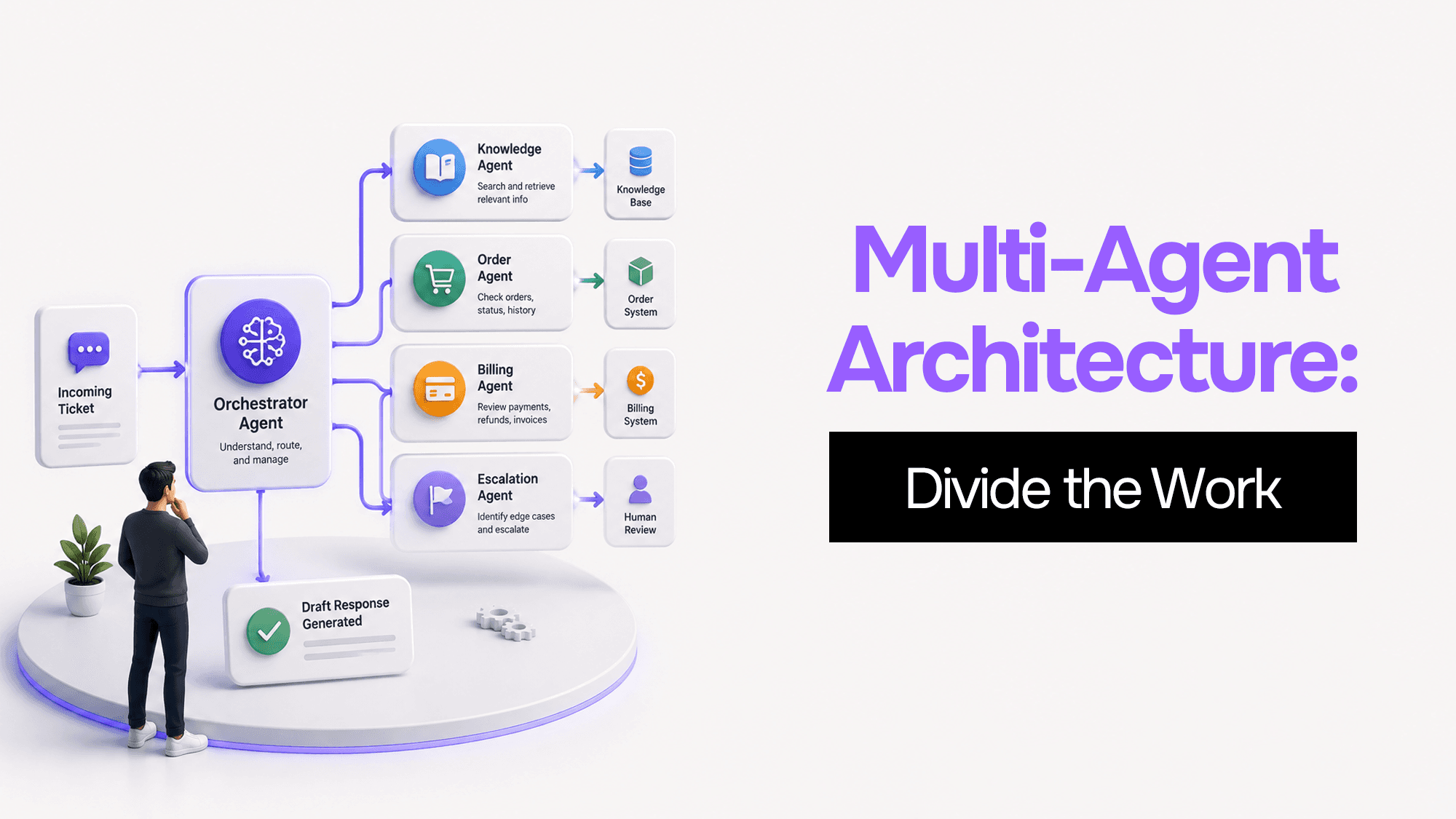
You built one AI agent and it worked. Then it got slower, started forgetting things, and ended up with access to databases it shouldn't touch. Here's what's actually happening — and four coordination patterns to fix it.
Most AI courses teach clever prompts. Real jobs run on messy GST invoices, vendor contracts, and WhatsApp threads with actual consequences. Here's why I built Praxismith: two courses on turning fragile AI chats into systems you can defend to your manager.
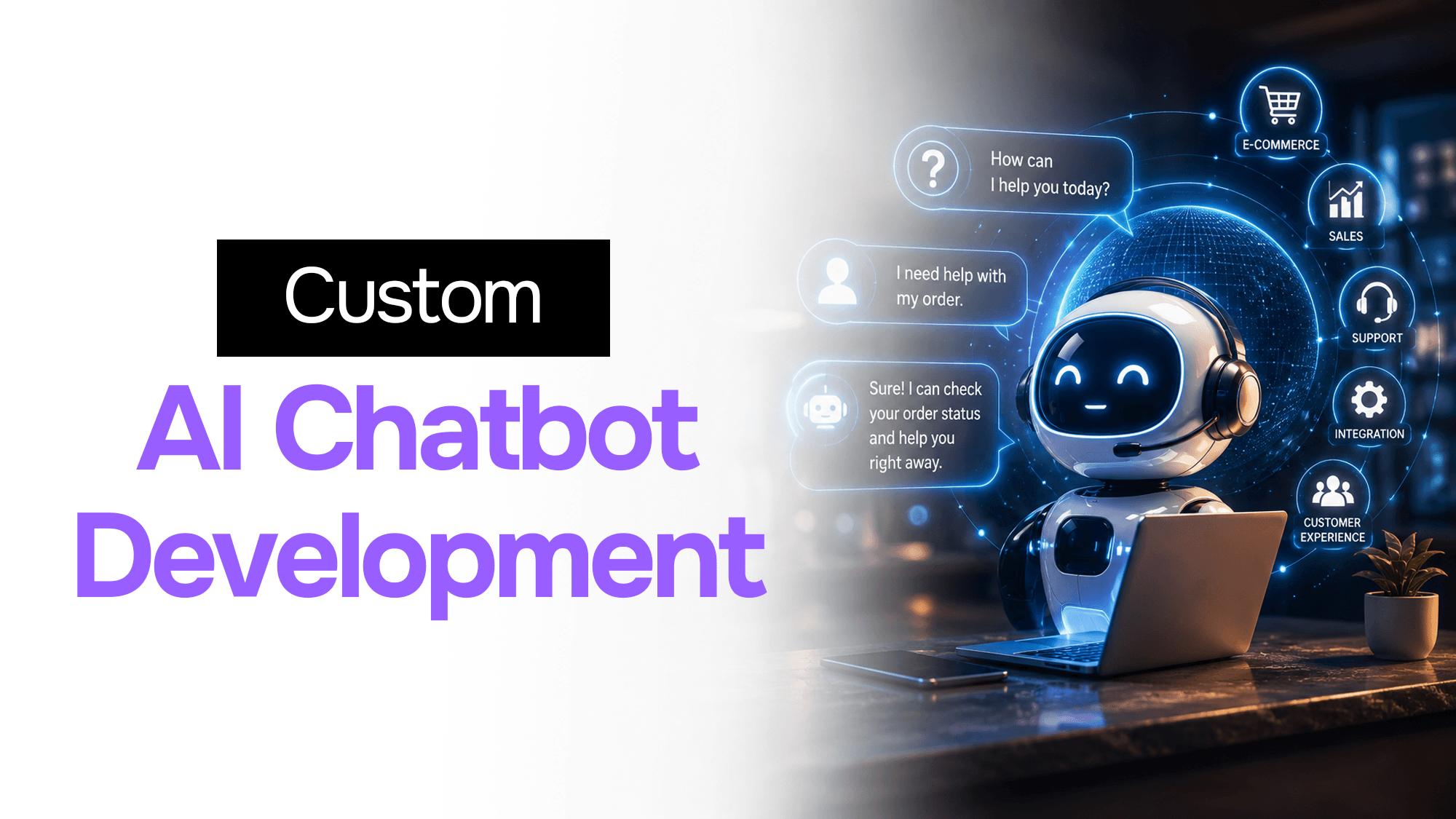
AI chatbot development services explained: how they work, rule-based vs AI, cost, ecommerce use cases, and how to choose the right development partner.
Stuck on a web app, automation, or AI project?
Fifteen minutes, free. You describe the blocker, I tell you what I would fix first. No deck, no pitch — and if I am not the right fit, I will say so.
Book Your Free 15-Min Strategy CallRelated to: AI Agents vs Chatbots vs Automations: What to Use (and When)