

Software 3.0 for Developers: The AI Engineering Concepts That Actually Matter
"The hottest new programming language is English."
Andrej Karpathy
That line gets repeated so often that it is easy to flatten it into AI hype. But the underlying point is real: software engineering has changed.
We are no longer living in a world where every important system behavior is encoded only in hand-written logic. More and more production systems now depend on models, context, retrieval, evaluation, and tool orchestration. That changes what good engineering looks like.
This post is for developers who want a clean mental model for that shift.
My thesis is simple:
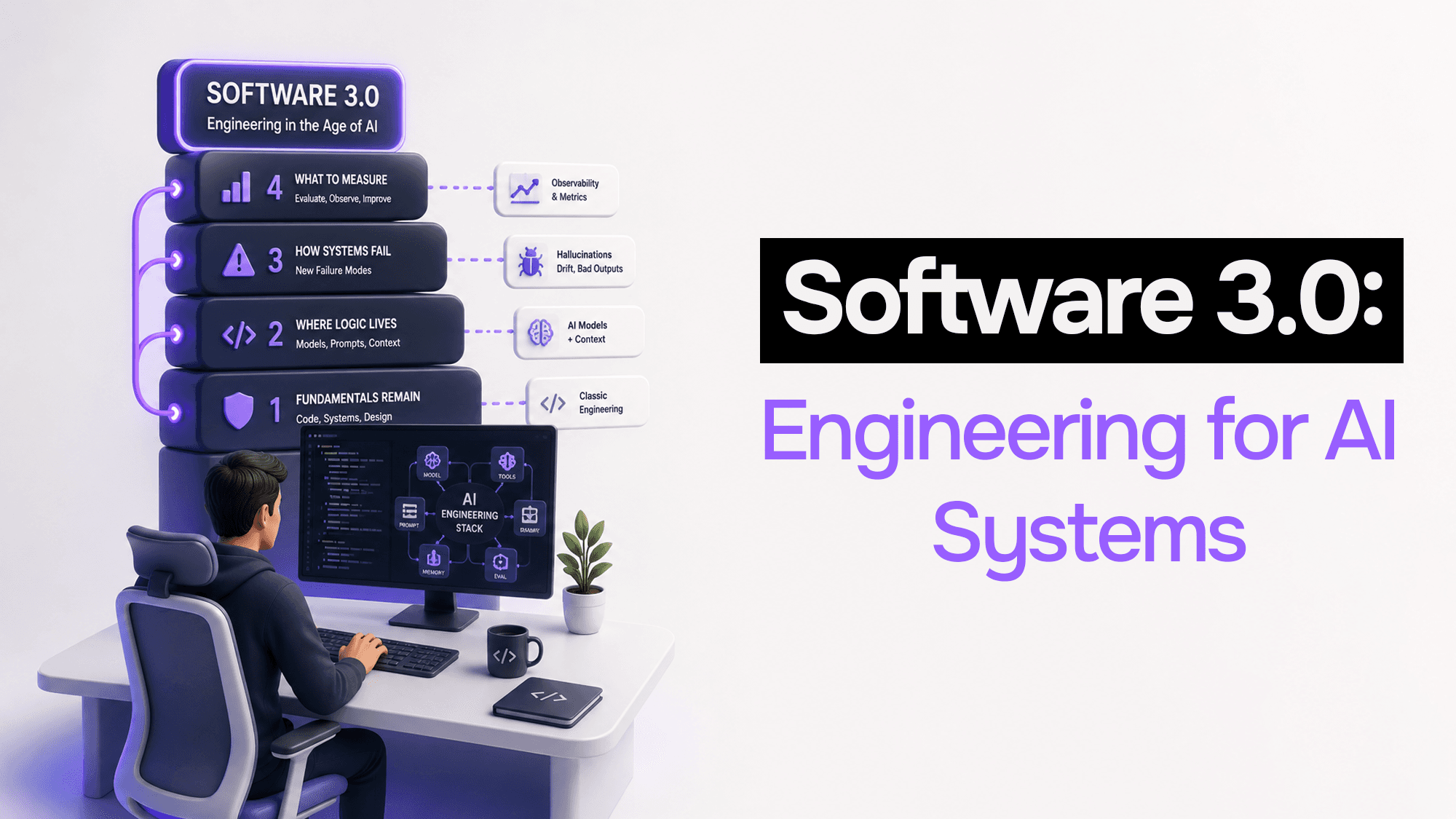
- Software 3.0 does not replace engineering fundamentals
- It changes where logic lives
- It changes how systems fail
- It changes what you have to measure to trust production behavior
If you understand the concepts below, you will be much more effective building, reviewing, and debugging modern AI systems.
1. Software 1.0, 2.0, and 3.0
Karpathy's framing is useful because it explains three different ways software can "contain logic."
Software 1.0: logic written by humans
This is the classic programming model:
- you write explicit instructions
- the computer follows them deterministically
- behavior comes from source code
If you want a program to sort a list, validate a request, or calculate a tax amount, you express the logic directly in code.
This is still the foundation of almost all software.
Software 2.0: logic learned from data
In Software 2.0, behavior is not fully hand-authored. Instead:
- you choose an architecture
- you gather and clean data
- you train a model
- the model learns statistical patterns from examples
The logic is no longer just in the source code. Some of it is now encoded in model weights.
That is why machine learning changed engineering long before ChatGPT. Vision, recommendation, ranking, forecasting, fraud detection, and speech systems all fit this pattern.
Software 3.0: natural language becomes part of the control surface
Software 3.0 does not mean "English replaces code."
It means natural language now acts as an interface layer for directing general-purpose models. You are no longer only programming behavior through:
- source code
- database queries
- config files
You are also programming behavior through:
- prompts
- context construction
- tool schemas
- retrieval pipelines
- evals
- orchestration logic
That is the real shift.
In Software 1.0, you wrote the logic. In Software 2.0, you trained the logic. In Software 3.0, you increasingly compose systems around probabilistic reasoners.
That distinction matters because it changes how you think about bugs, control, and reliability.
2. LLMs Are Better Understood as Non-Deterministic Runtimes
A lot of confusion around AI systems comes from treating LLMs like magic oracles.
A better framing is this:
An LLM is a probabilistic runtime that predicts the next useful token based on the input it sees.
That sounds abstract, but it helps explain the behavior developers actually observe:
- the same prompt can produce different outputs
- phrasing matters
- missing context matters
- model choice matters
- small changes can create large behavioral shifts
I think "LLM as runtime" is the most useful primary metaphor for engineers.
Why?
- A runtime executes work based on the input you give it
- Different runtimes have different tradeoffs
- You design your application around its capabilities and constraints
The "LLM as non-deterministic database" analogy is also useful, especially when explaining prompt design. A prompt is a lot like a query: it is your attempt to extract the right behavior in the right format. But as a primary mental model, runtime is better because it emphasizes execution, decisions, and tradeoffs.
Why model choice feels like infrastructure selection
Choosing an LLM is not just picking "the smartest model."
You are making an engineering tradeoff across:
- latency
- cost
- context size
- tool-calling quality
- structured output reliability
- reasoning depth
- provider availability and failure modes
That is much closer to choosing infrastructure than choosing a library.
The practical lesson: do not build your system around generic "AI." Build it around a specific model behavior profile.
3. Context Is the New Bottleneck
Most teams spend too much time talking about prompts and not enough time talking about context.
Prompts matter. But context matters more.
An LLM can only reason over what is currently inside its working set. That working set is the context window.
What context really is
All input gets converted into tokens. The model processes those tokens together and uses attention to determine which parts relate to which other parts.
That means the model's performance depends heavily on:
- what information is present
- what information is missing
- how information is ordered
- how much irrelevant noise you include
Developers often discover this the hard way. The model is not "forgetting" in a human sense. It is just not reasoning over the right state.
Context does not persist the way people assume
An LLM does not naturally maintain long-term memory across sessions.
If your application needs:
- user history
- workflow state
- past decisions
- prior documents
- account-specific knowledge
you need to manage that explicitly.
Why context quality beats prompt cleverness
A mediocre prompt with the right context will usually outperform a clever prompt with the wrong context.
This is one of the biggest practical differences between toy demos and production systems. Real AI engineering is often not prompt engineering. It is context engineering.
Practical context management techniques
If a task is too large or noisy, reduce the load:
- Summarize aggressively: compress what matters and drop the rest
- Split work into scoped subagents: one task, one context window
- Store state outside the model: bring it in only when needed
- Trim irrelevant history: more tokens is not always better
The key idea is simple:
Put only the information in context that the model needs to make the next correct decision.
That is the AI equivalent of good memory management.
4. Embeddings and Retrieval Are How Systems Remember
You cannot keep everything in context forever. So production systems need a way to find the right information when needed.
That is where embeddings and retrieval come in.
What an embedding is
An embedding turns data into a vector that represents meaning.
You can think of it like this:
- items with similar meaning end up close together
- items with unrelated meaning end up farther apart
So:
- "deploy a microservice"
- "ship a container to production"
should land near each other.
While:
- "deploy a microservice"
- "quarterly revenue forecast"
should not.
This gives systems a way to search by meaning instead of exact string match.
What vector databases are for
Vector databases are optimized to store embeddings and retrieve similar ones quickly.
That gives you the common retrieval loop:
- Index documents by embedding them
- Embed the incoming query
- Retrieve the most relevant chunks
- Add those chunks to the model context
- Generate the response
That pattern is so common because it solves a real systems problem:
the model does not know what matters until you fetch it.
Where this matters in real software
Retrieval is not just for "chat with your docs" demos.
It matters anywhere the system needs dynamic working memory, such as:
- support systems searching a knowledge base
- internal copilots grounded on engineering docs
- ops assistants retrieving runbooks
- AI workflows pulling prior account state
- document-heavy apps working with contracts, PDFs, and tickets
The operational lesson: if your AI system needs memory, design the retrieval layer as seriously as you would design a database access layer.
5. Latency Changes UX Design
A model can be technically correct and still make your product feel broken.
Why? Latency.
AI systems introduce latency characteristics that traditional CRUD applications usually do not have.
Two metrics matter a lot:
- Time to First Token (TTFT): how long until the model starts responding
- Tokens Per Second: how fast it continues once generation starts
Why TTFT matters so much
TTFT controls perceived responsiveness.
If the model takes several seconds before showing anything, the experience feels uncertain even if the final answer is good. That is why streaming is not just a nice feature. It is often a UX requirement.
Streaming lets the product behave more like video playback:
- start output early
- keep the user engaged
- hide part of the backend latency
Why model choice is also a product choice
A slower, more capable model is not always the right answer.
Sometimes a smaller model with lower TTFT is better because:
- the interaction is short
- the user needs quick guidance
- the response can be refined in steps
Sometimes the right architecture is hybrid:
- fast model for triage
- stronger model for high-stakes reasoning
- background processing for slow or expensive tasks
The main point is this:
Latency is not a model concern alone. It is a product design concern.
If you ignore it, users will experience your system as sluggish or unreliable even when it is technically functioning.
6. Evals Are the New Reliability Layer
One of the biggest mental shifts in AI engineering is realizing that traditional tests are necessary, but not sufficient.
You still need normal software testing for:
- routing
- auth
- schemas
- data correctness
- integration behavior
But those tests do not fully tell you whether the model output is still good.
That is where evals come in.
The Pragmatic Engineer put it well in late 2025: evals are the toolset that moves AI work from guesswork toward a more systematic engineering process. That is exactly right.
Why normal assertions break down
In deterministic software, you often know the exact expected output.
In AI systems, many tasks are not like that.
Examples:
- summarization
- classification with nuanced edge cases
- extraction from messy documents
- grounded question answering
- rubric-based writing quality
You are rarely checking for one exact string. You are checking whether the output is:
- relevant
- accurate
- grounded
- complete enough
- safe enough
What evals actually do
An eval usually includes:
- a dataset of representative inputs
- expected characteristics or reference answers
- a scoring method
- thresholds for acceptable quality
Sometimes the scoring is deterministic. Sometimes it uses another model as a judge.
The point is not perfection. The point is regression detection.
Why this matters operationally
AI systems change behavior for many reasons:
- model swaps
- provider updates
- prompt edits
- retrieval changes
- tool schema changes
- context assembly changes
Without evals, those changes become gut-feel decisions.
With evals, you can at least ask:
- did answer quality drop?
- did hallucinations increase?
- did extraction accuracy degrade?
- did latency improve at too high a quality cost?
That is what makes evals a reliability layer, not just a research exercise.
7. Agent Loops and Tool Calling Are Related, but Not the Same
A lot of people collapse "tool calling" and "agents" into one concept. That makes systems harder to reason about.
They are related, but they are not the same.
Tool calling
Tool calling means the model can emit a structured request for your application to do something.
Examples:
- search the web
- read a file
- query a CRM
- create a calendar event
- call an internal API
The model still cannot actually do those things by itself. Your application has to execute the tool, return the result, and keep control over permissions, schemas, and safety.
Tool calling is best understood as structured action selection.
Agent loops
An agent loop is what happens when you let the model repeat a cycle like this:
- reason about the current state
- choose an action
- receive the observation
- reason again
- continue until it can finish the task
That is the core ReAct pattern: reason plus act.
Why the distinction matters
You can have:
- tool calling without a real agent loop
- an agent loop that uses only a small set of tools
- a workflow that looks agentic but is mostly fixed orchestration
That distinction matters for debugging.
If the system fails, you want to know whether the problem came from:
- the reasoning loop
- the tool schema
- the observation returned by the tool
- bad context
- missing guardrails
A concrete example: AI debugging assistant
Take a debugging assistant for a production issue.
A useful loop might look like this:
- The model reads the bug report and identifies missing information
- It calls a log search tool
- It sees a timeout pattern and calls a deployment history tool
- It notices the failure started after a config change
- It asks for one more signal from the database metrics tool
- It returns a likely root cause plus recommended next actions
That is not just "chat." That is not just "tool calling." That is a reason-act-observe loop over real system state.
And that is where Software 3.0 becomes operationally powerful.
The Practical Shift
The biggest mistake developers make with AI systems is treating them like a small feature glued onto normal software.
That underestimates the architecture shift.
In traditional software, you mostly reasoned about:
- source code
- databases
- APIs
- queues
- caches
In AI systems, you still need all of that. But you also need to reason about:
- model behavior
- context assembly
- retrieval quality
- evaluation strategy
- latency tradeoffs
- tool permissions
- reasoning loops
That is what Software 3.0 really means.
It does not mean code is dead. It means the job now includes designing systems around probabilistic components without losing engineering discipline.
The developers who do well in this shift will not be the ones who write the flashiest prompts. They will be the ones who can:
- control context
- choose models intentionally
- measure quality with evals
- architect retrieval and memory properly
- design safe tool interfaces
- debug agent behavior like real systems engineers
That is the new craft.
Related Reading
- AI Agents vs Chatbots vs Automations: What to Use (and When)
- Escaping Vibe Coding Hell: Why Real Learning Still Matters When AI Writes Your Code
- The Architect and the Intern: A Powerful Mental Model to Master AI-Powered Development
If your team is building an AI product and the architecture is starting to feel fragile, I can help you harden the system before those weaknesses hit production. Book a diagnostic call and I will help you identify the biggest technical risks first.
Vibe Coding Survival Guide
How to Ship AI-Assisted Code That Doesn't Embarrass You in Production
A production-minded guide for developers, founders, and teams using AI coding tools without letting brittle generated code reach customers.
If you found this article helpful, consider buying me a coffee to support more content like this.
Related Articles

Feeling frustrated by your AI coding assistant? Learn the 'Architect and the Intern' mental model, a powerful workflow to fix AI hallucinations, boost developer productivity, and master tools like GitHub Copilot and ChatGPT. Stop 'vibe coding' and become the architect of your code.
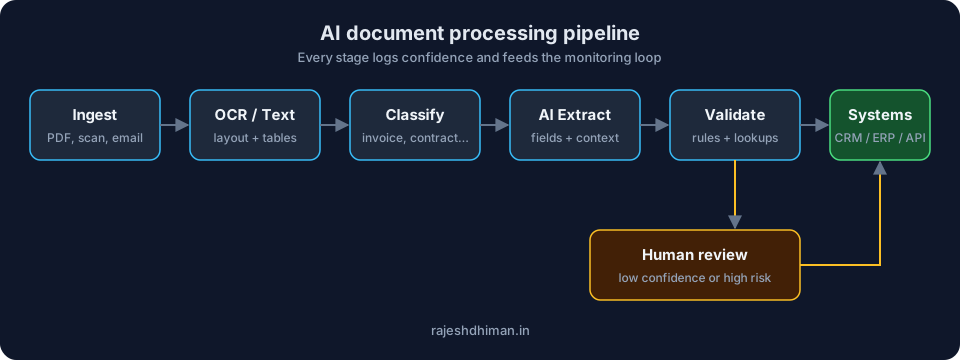
Learn how AI document processing automates data extraction, document classification, verification, and workflows while reducing manual errors and processing time.

Calculate AI workflow ROI with volume, review time, exceptions, and governance costs, not vague productivity claims. Copyable model and payback math.
Vibe Coding Survival Guide
How to Ship AI-Assisted Code That Doesn't Embarrass You in Production
A production-minded guide for developers, founders, and teams using AI coding tools without letting brittle generated code reach customers.