

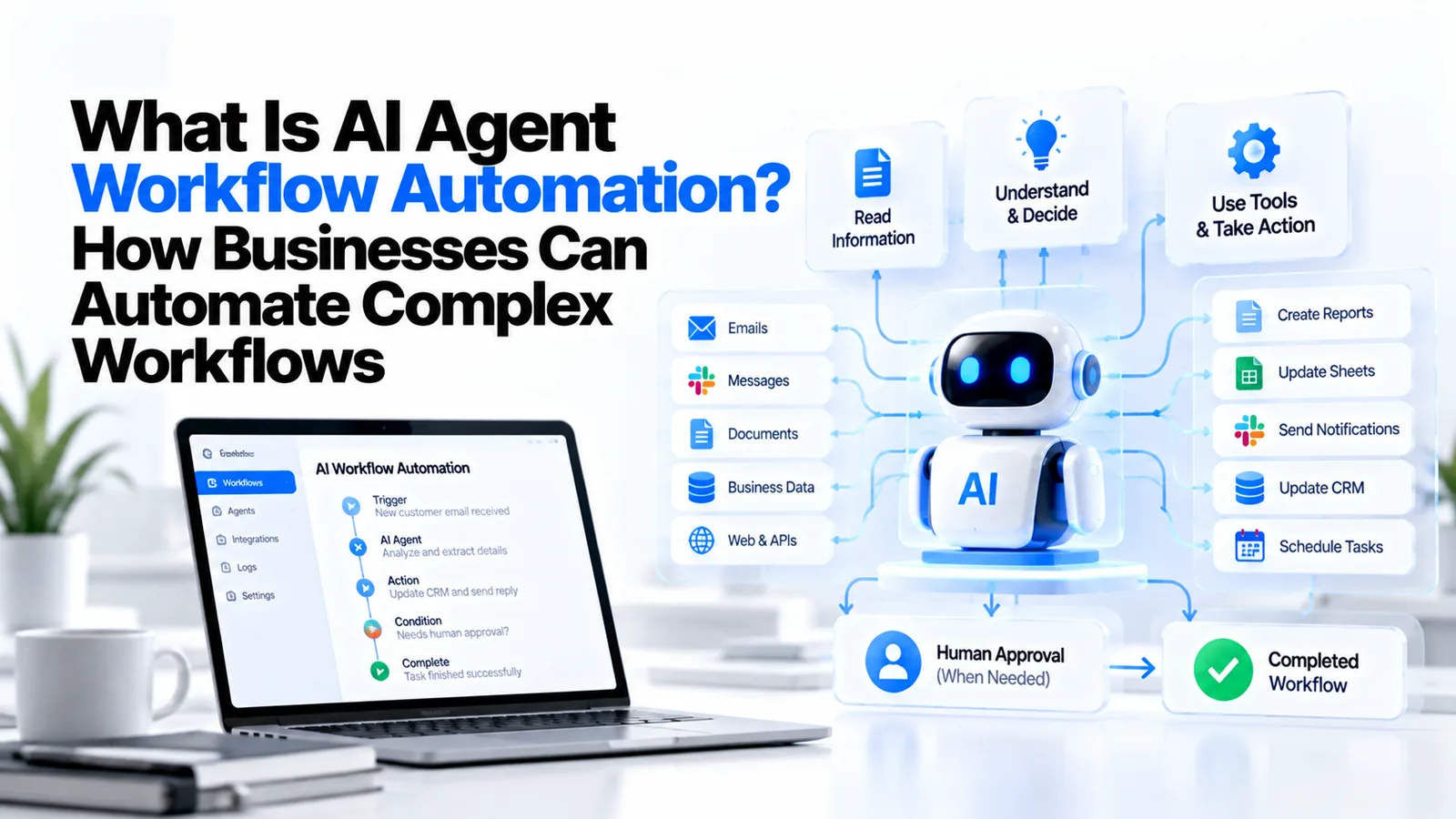
What Is AI Agent Workflow Automation? How Businesses Can Automate Complex Workflows
Traditional automation is good at repetitive, structured tasks: copy this row to that spreadsheet, send this email when that field changes, move this file when a condition is met. Rules-based automation and RPA (Robotic Process Automation) have handled these workflows for years, and they still make sense for structured, stable processes.
What they can't handle is the messy middle of most real business workflows — the email that needs reading and interpreting before the right action can be chosen, the invoice that needs matching against a purchase order in a different system before flagging an exception, the support ticket that needs triaging, enriching with customer data, and routing to the right team based on context.
This is where AI agent workflow automation changes the equation. AI agents can read, reason, and act across multiple systems using natural language as the interface. In 2026, this is production-ready technology — not a research direction.
What Is AI Agent Workflow Automation?
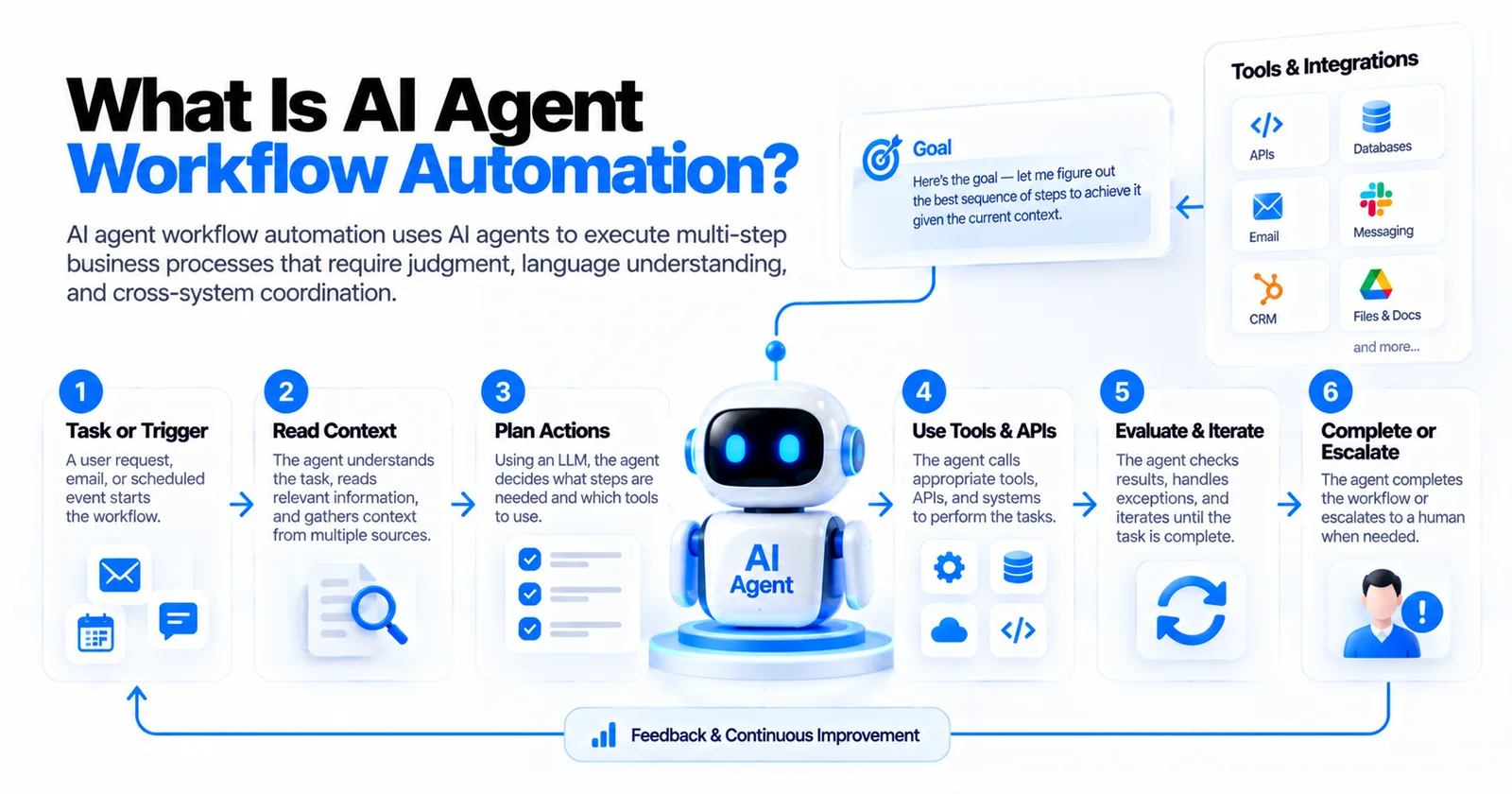 What is AI agent workflow automation: an agent takes a trigger, reads context, plans actions, uses tools and APIs, evaluates results, and completes or escalates
AI agent workflow automation uses AI agents — software components that combine a large language model with tool-use capabilities — to execute multi-step business processes that require judgment, language understanding, and cross-system coordination.
Unlike traditional automation that follows fixed rules, an AI agent reads the context of a task, decides what steps are needed, calls the appropriate tools and APIs, handles exceptions, and either completes the workflow or escalates to a human when it encounters something outside its confidence threshold.
How AI Agents Work Within Business Workflows
An AI agent receives a task or trigger (a user request, an incoming email, a scheduled event), is given access to a set of tools (APIs, databases, messaging systems), and uses an LLM as its reasoning engine to decide what to do. It reads context, plans a sequence of actions, calls tools, evaluates results, and iterates until the task is complete.
This is fundamentally different from a fixed automation rule. A rule says "if X, then Y." An AI agent says "here's the goal — let me figure out the best sequence of steps to achieve it given the current context."
AI Agent Workflow Automation vs. Traditional Automation
Traditional automation (Zapier triggers, if/then logic, scheduled scripts) works when the inputs are predictable and structured. It breaks when a field is missing, a format changes, or the task requires any interpretation. AI agents handle ambiguity, extract meaning from unstructured data, and decide between multiple possible actions.
AI Agent Workflow Automation vs. RPA
RPA bots automate UI interactions — they click, type, and scrape data from screens. They're fast to deploy for stable, structured workflows but brittle: a UI change or a new field layout breaks them. AI agents work through APIs and natural language, making them far more resilient to system changes. In practice, AI agents and RPA complement each other — use RPA where APIs don't exist, AI agents where reasoning is required.
How Does AI Workflow Automation Work?
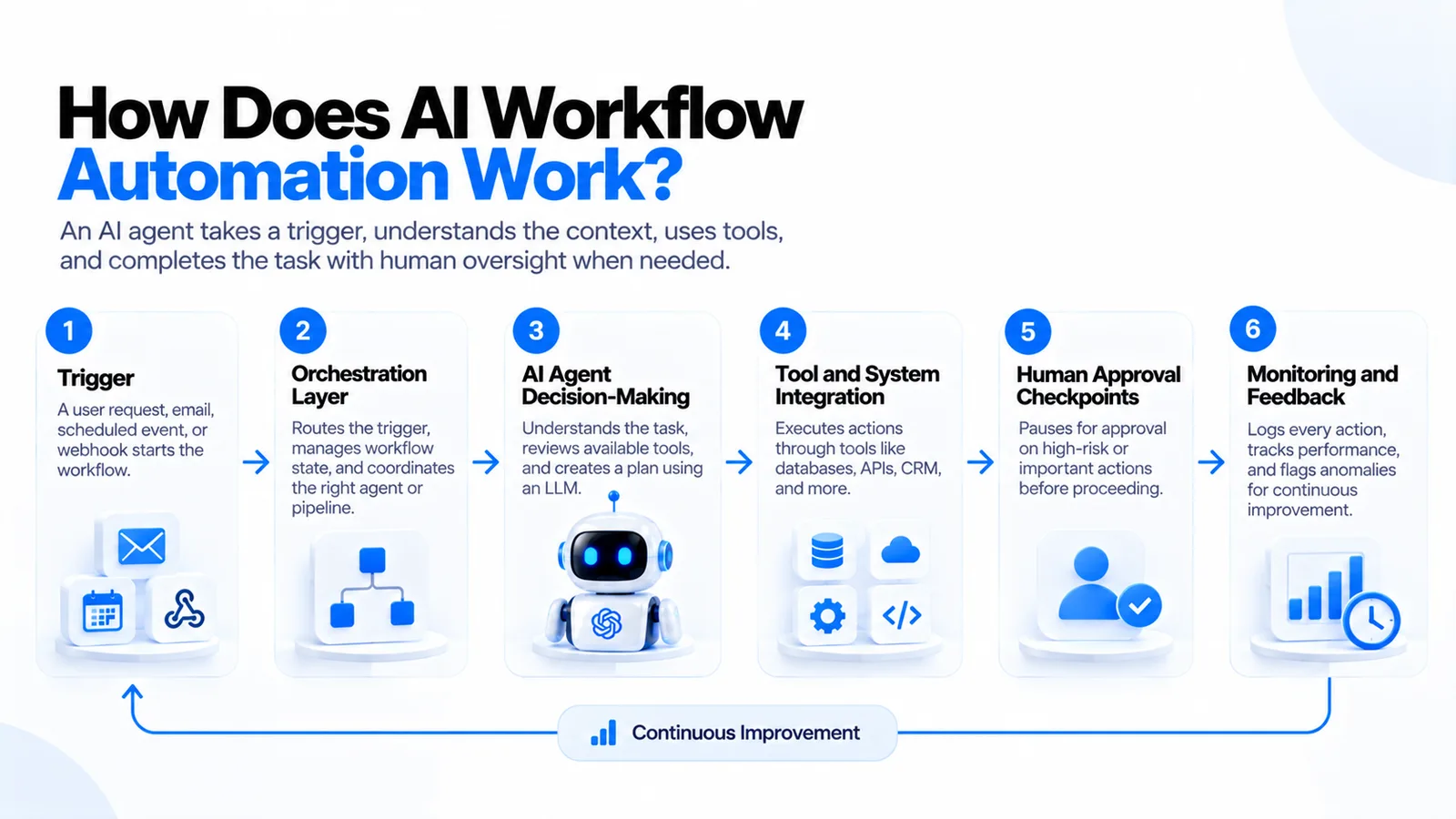 How AI workflow automation works in six steps: trigger, orchestration layer, AI agent decision-making, tool and system integration, human approval checkpoints, and monitoring
1. Trigger
A workflow starts from a trigger: a user submits a request, an email arrives, a scheduled time fires, a webhook from another system fires. The trigger passes context to the orchestration layer.
2. Orchestration Layer
The orchestration layer routes the trigger to the appropriate AI agent or pipeline, manages workflow state, and coordinates multi-agent scenarios where different agents handle different sub-tasks. Tools like n8n, LangGraph, and custom Node.js pipelines handle this layer.
3. AI Agent Decision-Making
The AI agent receives the task context, reviews its available tools, and uses an LLM to generate a plan. It reasons over the goal, the constraints, and the current state to decide the next action.
4. Tool and System Integration
The agent executes actions through tools: querying a database, sending a message, updating a CRM record, calling an external API, reading a document. Each tool call returns a result, which the agent uses to update its understanding and decide the next step.
5. Human Approval Checkpoints
Not every action should execute automatically. Well-designed AI automation systems include explicit human-approval checkpoints for high-risk or irreversible actions — sending an email to a customer, processing a payment, deleting a record. The agent pauses, surfaces the proposed action with its reasoning, and waits for approval before proceeding.
6. Monitoring and Feedback
Every action the agent takes is logged. The monitoring layer tracks task completion rates, latency, errors, cost per workflow run, and flags anomalies. This audit trail is essential for compliance, debugging, and continuous improvement.
Why Businesses Are Adopting AI Workflow Automation
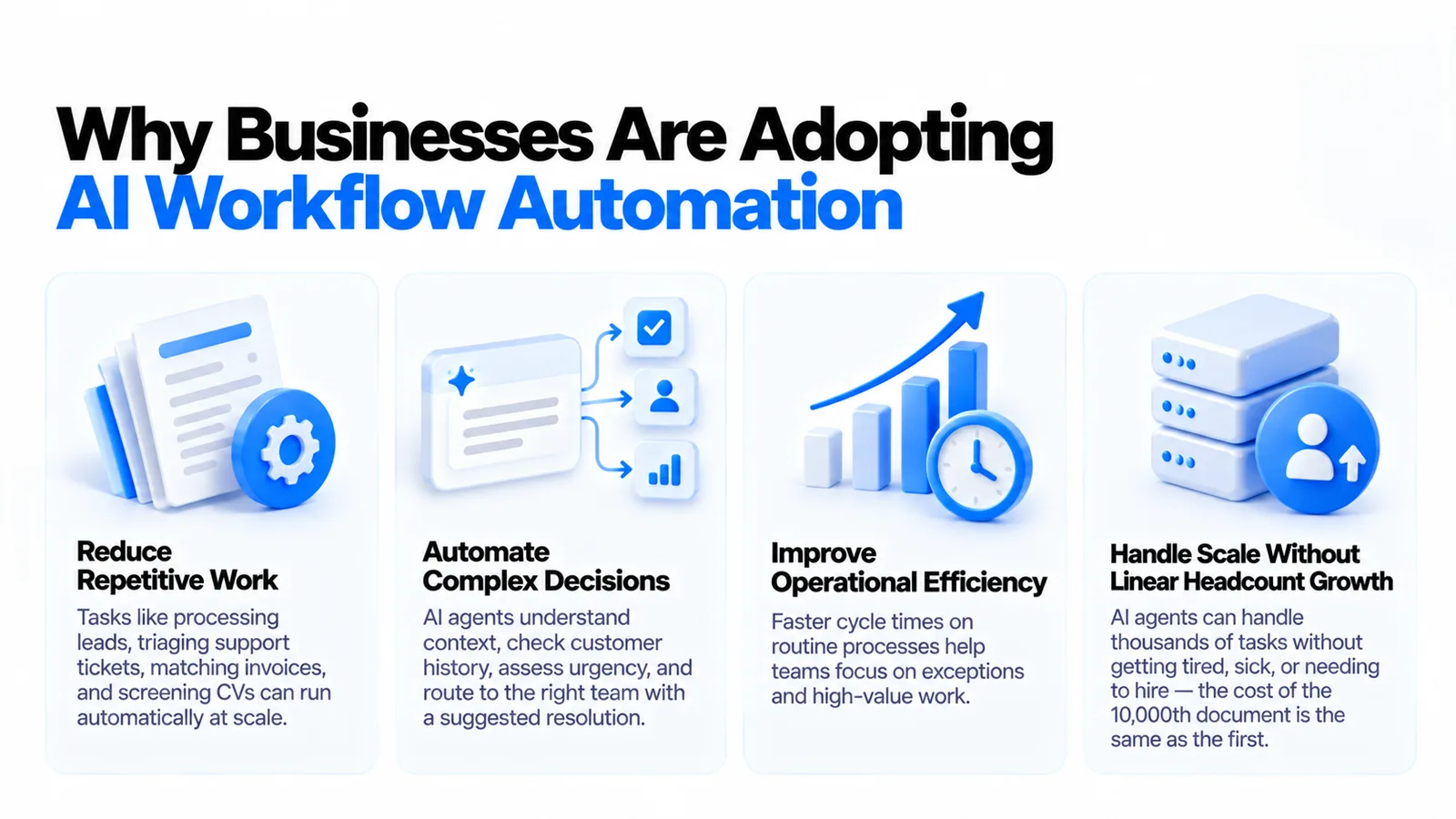 Why businesses adopt AI workflow automation: reduce repetitive work, automate complex decisions, improve operational efficiency, and handle scale without linear headcount growth
Reduce Repetitive Work
The most direct benefit: tasks that previously required a human to read, interpret, and act on information can now run automatically. Processing incoming leads, triaging support tickets, matching invoices, screening CVs — these are high-volume, time-consuming tasks that AI agents handle at scale.
Automate Complex Decisions
Rules-based automation can route a ticket based on a category field. AI agents can read the ticket, understand the issue, check the customer's account history, assess urgency, and route to the right team with a suggested resolution — all without a human touching it.
Improve Operational Efficiency
Faster cycle times on routine processes compound quickly. A sales team that gets enriched, scored, and contacted leads automatically in minutes rather than hours closes more deals. An accounting team with AI-assisted invoice matching spends more time on exceptions and strategy.
Handle Scale Without Linear Headcount Growth
Manual workflows hit capacity limits. An AI agent handling tier-1 support queries or document processing doesn't get tired, sick, or need to hire. The cost of processing the 10,000th document in a day is the same as the first.
Business Use Cases for AI Workflow Automation
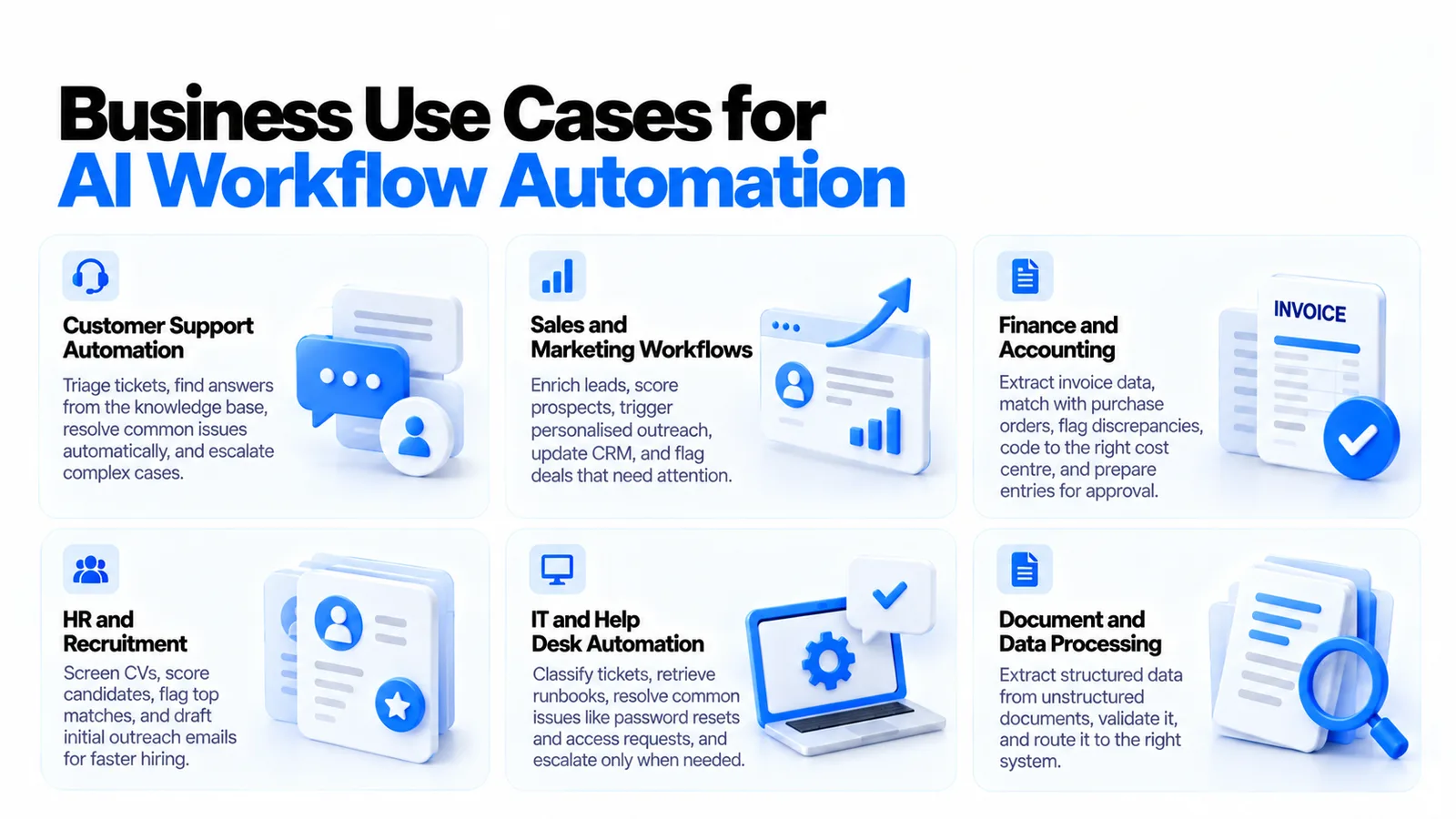 Six business use cases for AI workflow automation: customer support, sales and marketing, finance and accounting, HR and recruitment, IT help desk, and document processing
Customer Support Automation
An AI agent triages incoming support tickets: reads the message, classifies the issue type, checks the customer's account status, searches the knowledge base for relevant solutions, and either resolves tier-1 issues automatically or drafts a response for human review. High-confidence resolutions go out automatically; complex or sensitive issues escalate to a human.
Sales and Marketing Workflows
AI agents enrich inbound leads (pull company data, find contact info, score against ICP), trigger personalised outreach sequences, update CRM records after calls, and flag deals that have gone quiet. The sales team gets a daily briefing prepared by an agent rather than spending time on data entry.
Finance and Accounting
Invoice processing is a high-volume, error-prone manual task well-suited to AI automation. An agent extracts invoice data, matches it against purchase orders, flags discrepancies, codes to the right cost centre, and stages entries for human approval before posting. The accounting team reviews exceptions rather than processing every invoice.
HR and Recruitment
CV screening at scale is exactly the kind of high-volume, judgment-required task AI agents handle well. An agent reads CVs against a job rubric, scores candidates, flags top candidates for review, and drafts initial screening emails. Hiring decisions always stay with humans; the research and communication overhead doesn't have to.
IT and Help Desk Automation
AI agents classify incoming IT tickets, retrieve relevant runbooks, attempt automated resolution for known issue types (password resets, software installs, access requests), and escalate to engineers only when necessary. First-response time drops from hours to minutes.
Document and Data Processing
Contract extraction, invoice parsing, form processing, compliance document review — any workflow that involves reading a document and taking action is a candidate for AI automation. Agents extract structured data from unstructured documents, validate it, and route it to the right system.
AI Agent Workflow Automation Architecture
A production AI workflow automation system has eight layers:
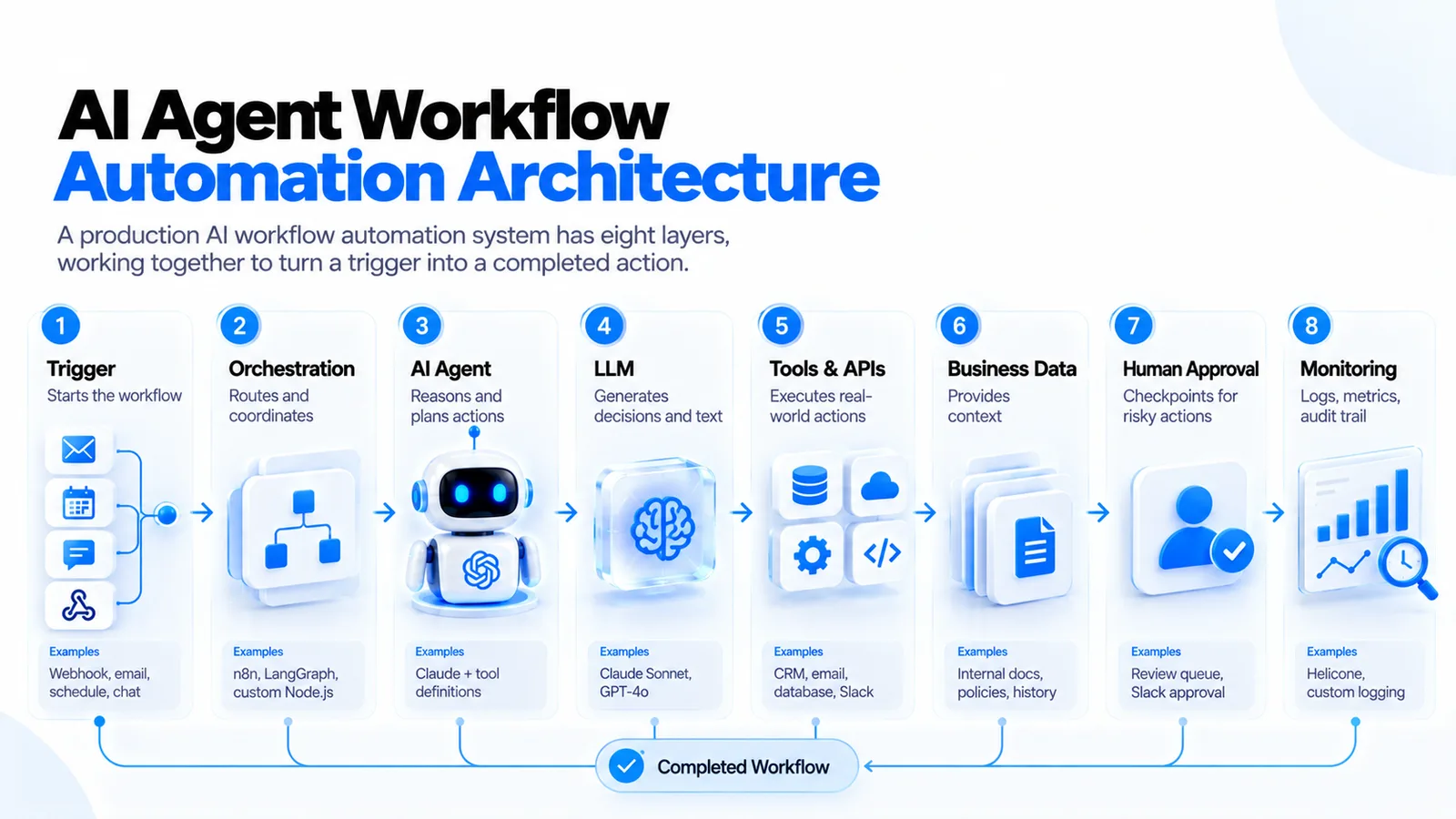 The eight layers of an AI agent workflow automation architecture, from trigger and orchestration to human approval and monitoring, with examples for each
| Layer | Role | Examples |
|---|---|---|
| Trigger | Starts the workflow | Webhook, email, schedule, chat |
| Orchestration | Routes and coordinates | n8n, LangGraph, custom Node.js |
| AI Agent | Reasons and plans actions | Claude + tool definitions |
| LLM | Generates decisions and text | Claude Sonnet, GPT-4o |
| Tools & APIs | Executes real-world actions | CRM, email, database, Slack |
| Business Data | Provides context | Internal docs, policies, history |
| Human Approval | Checkpoints for risky actions | Review queue, Slack approval |
| Monitoring | Logs, metrics, audit trail | Helicone, custom logging |
How to Build an AI Automation Workflow
1. Identify the Business Process
Start with a specific, high-value workflow — not "automate our operations" but "automate tier-1 customer support for billing questions." Narrow scope produces faster results and clearer success metrics.
2. Map the Existing Workflow
Document the current process step by step: what information comes in, what decisions are made, what actions are taken, and who touches it. This map is your agent's task specification.
3. Identify Automation Opportunities
Which steps require judgment (AI), which are rule-based (traditional automation), and which must stay with a human? Design the workflow to use the right tool for each step rather than forcing AI into everything.
4. Define AI Agent Responsibilities
Write clear instructions for the agent: what goal it's pursuing, what tools it can use, what it should do when it's uncertain, and when to escalate. This system prompt is as important as the code.
5. Connect Business Systems and Tools
The agent needs to call your systems — CRM, helpdesk, database, email. Define these as tools with clear descriptions of what each tool does, what inputs it takes, and what it returns. Good tool definitions are the key to reliable agent behaviour.
6. Add Human Oversight
Define explicit approval checkpoints. For any action that's irreversible (sending an email, making a payment, deleting data), require explicit human approval. Surface the agent's reasoning alongside the proposed action so approvers can make informed decisions quickly.
7. Test the Workflow
Run the agent against real historical cases before live deployment. Does it take the right action for standard cases? Does it escalate correctly for edge cases? Does it fail gracefully when a tool call fails?
8. Monitor in Production
Track task completion rate, error rate, escalation rate, and cost per workflow run from day one. An escalation rate that's too high means the agent's confidence threshold is too low or its tools aren't working. An escalation rate that's too low means the agent is taking actions it shouldn't.
AI for Workflow Automation: Where AI Agents Add Value
AI agents excel where traditional automation fails:
Understanding unstructured data. Reading an email, extracting the key request, and routing it correctly — this requires language understanding that rules-based automation doesn't have.
Making context-aware decisions. Whether to approve a request depends on factors like account history, current policy, and risk level. An AI agent can consider all of these in its reasoning; a rule set can only consider the ones you anticipated when writing it.
Handling exceptions. The most expensive part of any automation is the exception handling. AI agents handle a much broader range of exceptions gracefully — they can read the situation, try alternative approaches, and escalate with a clear explanation rather than failing silently.
Communicating with users. When a workflow needs to ask a user for clarification or notify them of a result, an AI agent drafts natural-language messages appropriate to the context. Traditional automation sends templated notifications.
AI Workflow Automation Governance and Security
AI agents executing actions in your business systems carry real risk if they're not properly governed. Key requirements:
Access control. Each agent should have the minimum permissions required. An agent that handles customer support should not have write access to the payment database. Define tool permissions at the agent level, not the user level.
Prompt injection protection. Agents that process external input (emails, messages, form submissions) are vulnerable to prompt injection — adversarial content designed to change the agent's behaviour. Validate and sanitise input, and use system-level instructions that are harder to override than user-level ones.
Audit trails. Log every tool call the agent makes, with the input, output, and the reasoning that triggered it. This is non-negotiable for compliance and essential for debugging.
Human approval for high-risk actions. Define which actions are high-risk (financial transactions, external communications, data deletion) and require human sign-off before execution. This is the single most important governance control for AI automation.
Sensitive data handling. Agents processing customer data, financial records, or healthcare information must comply with your data governance policies. Don't send sensitive data to external AI APIs without contractual data protection in place.
How Much Does AI Workflow Automation Cost?
Simple workflow automation (single process, 2–3 tool integrations, basic human approval): $8,000–$25,000 and 3–6 weeks.
Mid-complexity automation (multi-step workflow, 5–8 integrations, monitoring dashboard, escalation flows): $25,000–$80,000 and 8–14 weeks.
Enterprise workflow automation platform (multiple workflows, multi-agent orchestration, governance controls, audit trail, custom UI): $80,000–$200,000+.
Key cost drivers:
- Number of system integrations (each integration is 1–5 days of engineering)
- Complexity of human approval flows
- Monitoring and governance requirements
- Volume of edge cases that require careful handling
Ongoing costs: LLM API usage scales with workflow volume (typically $0.001–$0.05 per workflow run depending on complexity and model choice), plus infrastructure hosting.
Measuring AI Workflow Automation Success
Time saved — hours per week freed from manual processing. This is the primary business case metric.
Task completion rate — percentage of workflow runs completed without error or manual intervention.
Escalation rate — percentage of tasks escalated to humans. Benchmark against the manual baseline; too low may indicate overconfidence.
Error reduction — reduction in errors vs. the manual process (e.g., invoice matching errors, routing mistakes).
Workflow processing time — end-to-end time from trigger to completion vs. the manual baseline.
Cost per workflow run — total AI + infrastructure cost divided by workflow volume.
ROI — time saved × hourly cost × volume, compared against build and operating costs.
Common AI Workflow Automation Mistakes
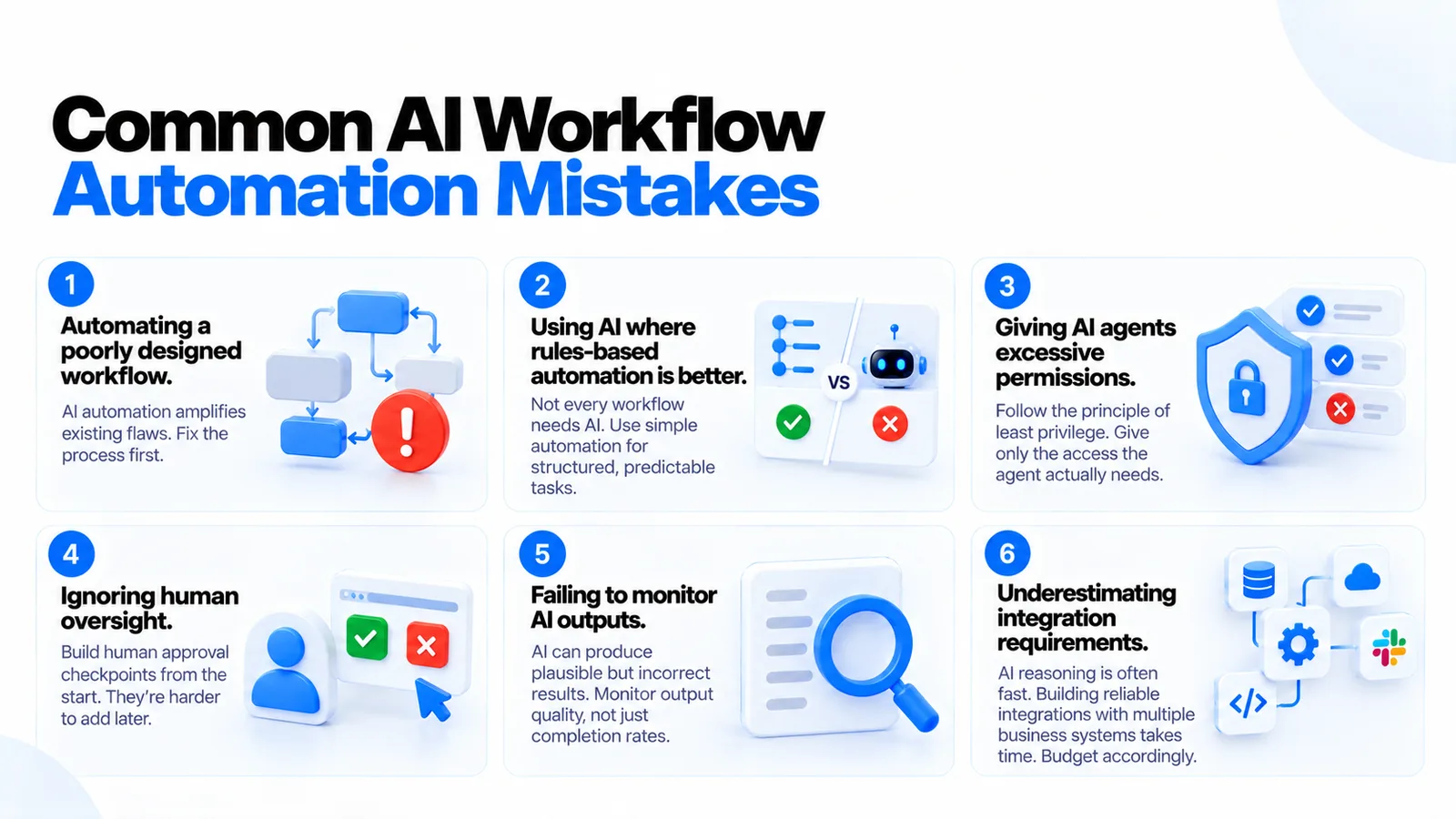 Six common AI workflow automation mistakes, from automating a poorly designed workflow to underestimating integration requirements
Automating a poorly designed workflow. AI automation amplifies whatever process it replaces. If the underlying process is inefficient or has logical gaps, the automation will execute those flaws at scale and speed. Fix the process first.
Using AI where rules-based automation is better. Not every workflow needs AI. If the logic is simple and the inputs are structured, a Zapier trigger or a Node.js script is faster, cheaper, and more reliable. Use AI where judgment is required.
Giving AI agents excessive permissions. Principle of least privilege applies to AI agents. An agent that only needs to read a database should not have write access. Scope permissions narrowly.
Ignoring human oversight. The efficiency gains from full automation are real, but so are the risks of AI errors executing at scale. Build human approval checkpoints from the start; they're much harder to add retroactively.
Failing to monitor AI outputs. Unlike rules-based automation that either works or doesn't, AI agents can produce subtly wrong outputs — plausible-looking decisions that are actually incorrect. Monitor output quality, not just completion rates.
Underestimating integration requirements. The AI reasoning is often the fast part. The slow part is building reliable integrations with the 5–8 business systems the workflow touches. Budget appropriately.
When Should a Business Invest in AI Workflow Automation?
Invest when: you have a high-volume process that currently requires human judgment on each instance (customer queries, document processing, lead qualification), the manual process has measurable bottlenecks or error rates, and the volume justifies the build cost.
The clearest ROI cases: any process where you're handling 50+ instances per day manually, customer-facing processes where speed of response affects satisfaction or conversion, and compliance-heavy processes where audit trails have value beyond efficiency.
Don't invest when: the process volume is too low to justify the build cost, the workflow is stable and rules-based (use traditional automation), or the decisions involved have consequences serious enough that AI judgment isn't appropriate.
Ready to Automate Your Business Workflows?
AI agent workflow automation is one of the highest-leverage investments a business can make in 2026 — it addresses the bottlenecks that grow linearly with your business and replaces them with systems that scale without proportional cost increases.
The architecture is proven. The tools are production-ready. The hard part is designing the workflow correctly, building reliable integrations, and establishing the right governance and oversight.
If you're looking to automate a specific business workflow — customer support, document processing, sales operations, or a custom internal process — let's talk. I design and build AI agent automation systems using Node.js, Claude, LangGraph, and n8n.
Frequently Asked Questions
What is AI agent workflow automation?
AI agent workflow automation uses AI agents — LLM-powered software components with tool-use capabilities — to execute multi-step business processes that require judgment, language understanding, and cross-system coordination. Unlike rules-based automation, AI agents can read unstructured data, handle exceptions, and make context-aware decisions.
How is AI workflow automation different from traditional automation?
Traditional automation follows fixed rules and breaks when inputs change. AI workflow automation uses a language model as a reasoning engine that can interpret context, handle ambiguity, and adapt its approach based on the current situation. It works where traditional automation fails: unstructured data, variable inputs, multi-step decisions.
What is the difference between AI agents and RPA?
RPA automates UI interactions — clicks, form fills, data extraction from screens. It's fragile because it depends on the UI staying the same. AI agents operate through APIs and natural language, making them more resilient to system changes. They're complementary: use RPA where no API exists, AI agents where reasoning is needed.
What business processes are best suited to AI workflow automation?
High-volume processes involving reading and interpreting unstructured data (emails, documents, messages), making routing or classification decisions, and taking action across multiple systems. Best candidates: tier-1 customer support, invoice processing, lead qualification, CV screening, IT helpdesk triage, and document extraction workflows.
How much does AI workflow automation cost to build?
A simple single-process automation costs $8,000–$25,000 and takes 3–6 weeks. Mid-complexity workflows with multiple integrations and human approval flows run $25,000–$80,000 over 8–14 weeks. Enterprise platforms with multiple workflows and governance infrastructure range from $80,000–$200,000+.
What AI models are used for workflow automation?
Claude (Anthropic) and GPT-4o (OpenAI) are the most capable for agentic workflows requiring multi-step reasoning and tool use. Claude Haiku and GPT-4o-mini are used for high-volume, cost-sensitive steps. The model choice depends on the complexity of decisions required and the volume of workflow runs.
How do you keep AI workflow automation secure?
Principle of least privilege for agent permissions, prompt injection protection for external inputs, human approval checkpoints for high-risk actions, full audit trail logging of every agent action, and sensitive data handling policies that comply with your data governance requirements.
What is human-in-the-loop in AI automation?
Human-in-the-loop means building explicit checkpoints where a human must review and approve an AI agent's proposed action before it executes. Essential for irreversible or high-risk actions (financial transactions, external communications, data deletion). The agent pauses, surfaces its reasoning and proposed action, and waits for human sign-off.
Vibe Coding Survival Guide
How to Ship AI-Assisted Code That Doesn't Embarrass You in Production
A production-minded guide for developers, founders, and teams using AI coding tools without letting brittle generated code reach customers.
If you found this article helpful, consider buying me a coffee to support more content like this.
Related Articles
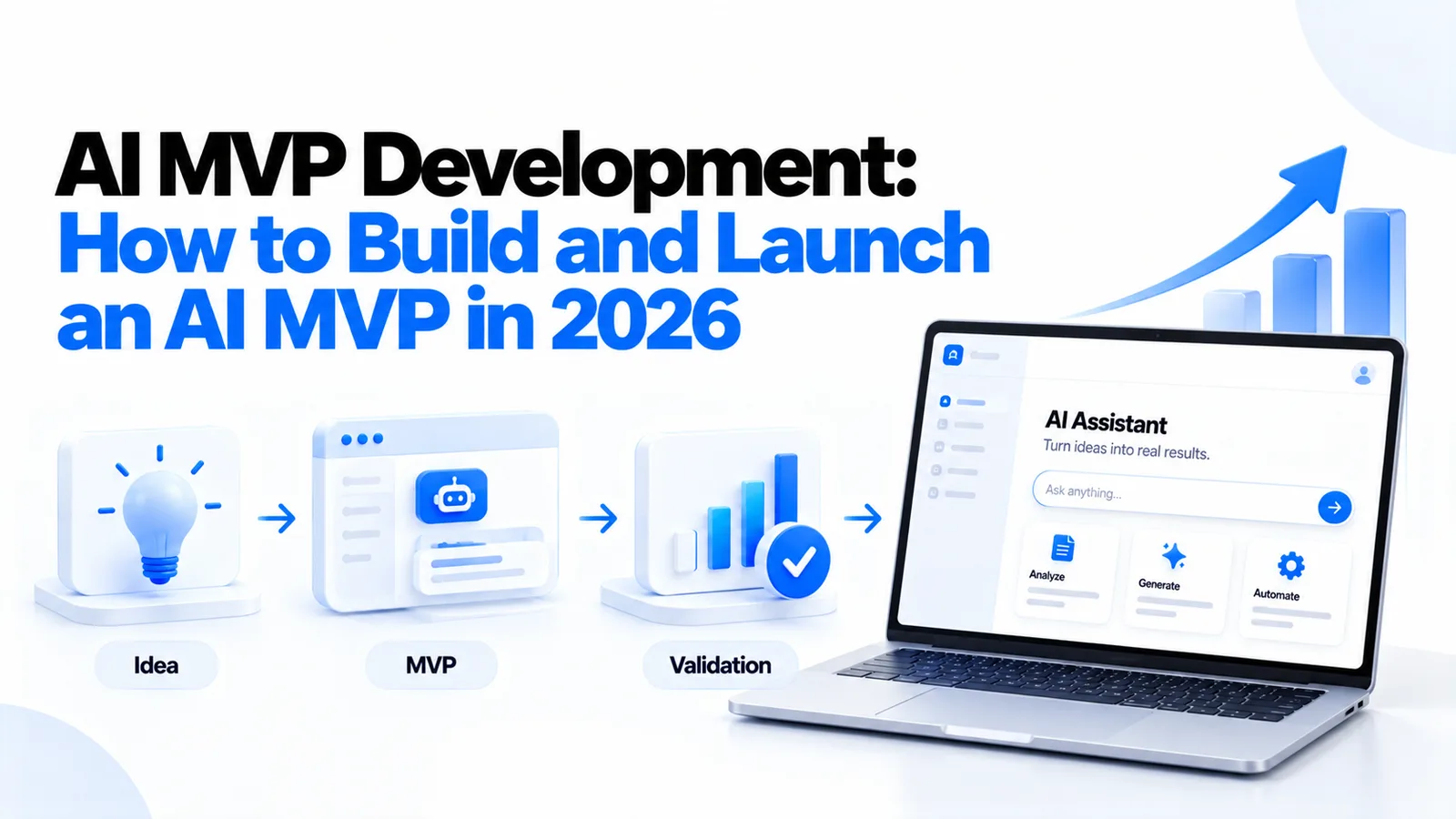
How to build an AI MVP that actually works — the 9-step process, real cost ranges, tech stack decisions, and the build vs. buy choices that determine whether your AI product ships in 8 weeks or 8 months.
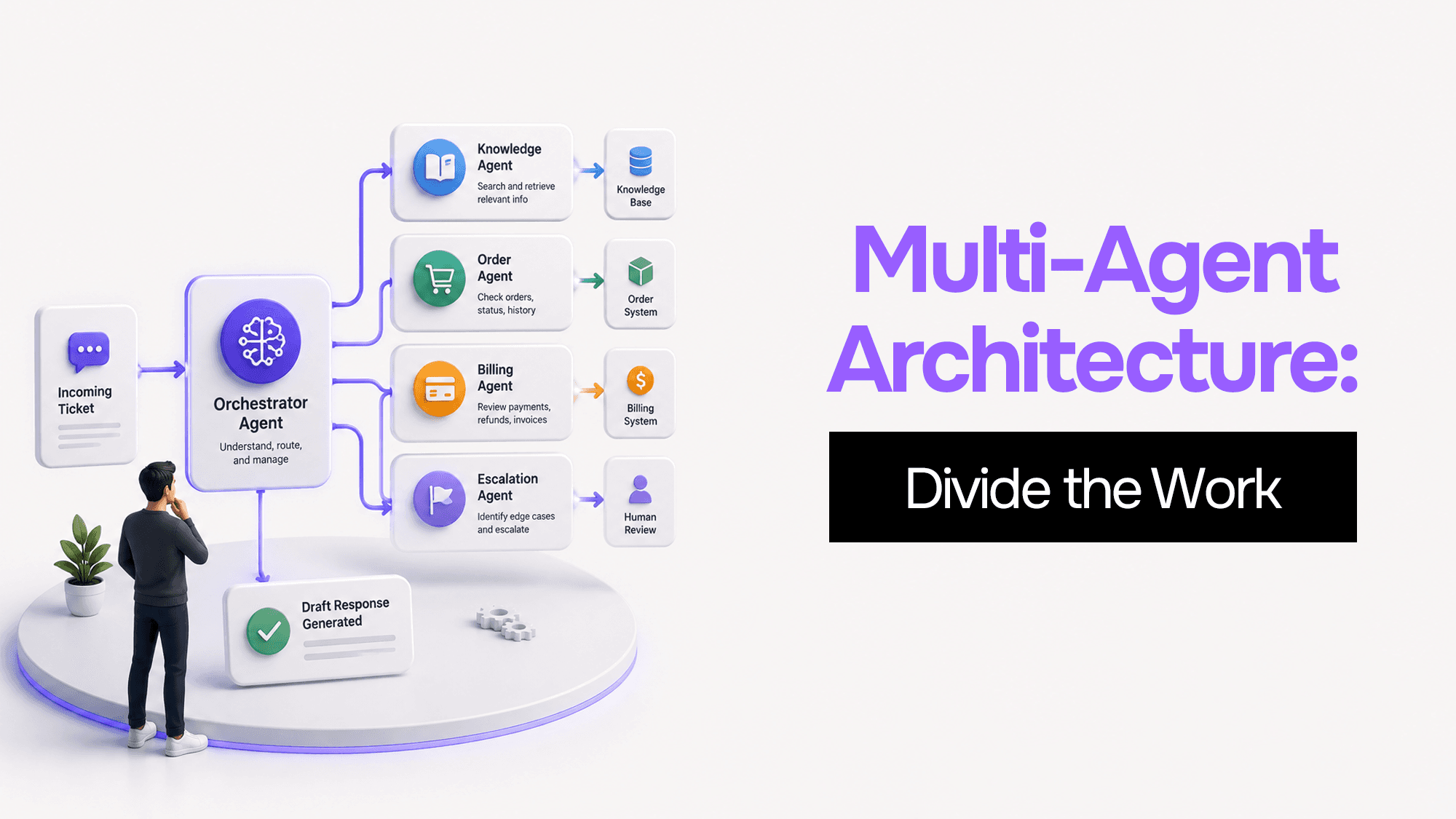
You built one AI agent and it worked. Then it got slower, started forgetting things, and ended up with access to databases it shouldn't touch. Here's what's actually happening — and four coordination patterns to fix it.
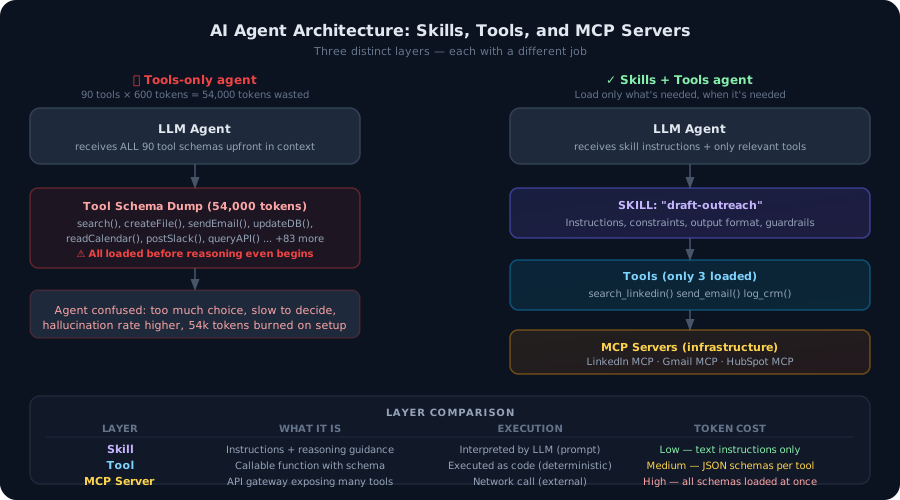
Most developers build agents with tools. That's not enough. Here's the architectural difference between agent tools and agent skills — and why getting this wrong burns tokens, degrades accuracy, and makes your agents brittle in production.
Vibe Coding Survival Guide
How to Ship AI-Assisted Code That Doesn't Embarrass You in Production
A production-minded guide for developers, founders, and teams using AI coding tools without letting brittle generated code reach customers.