

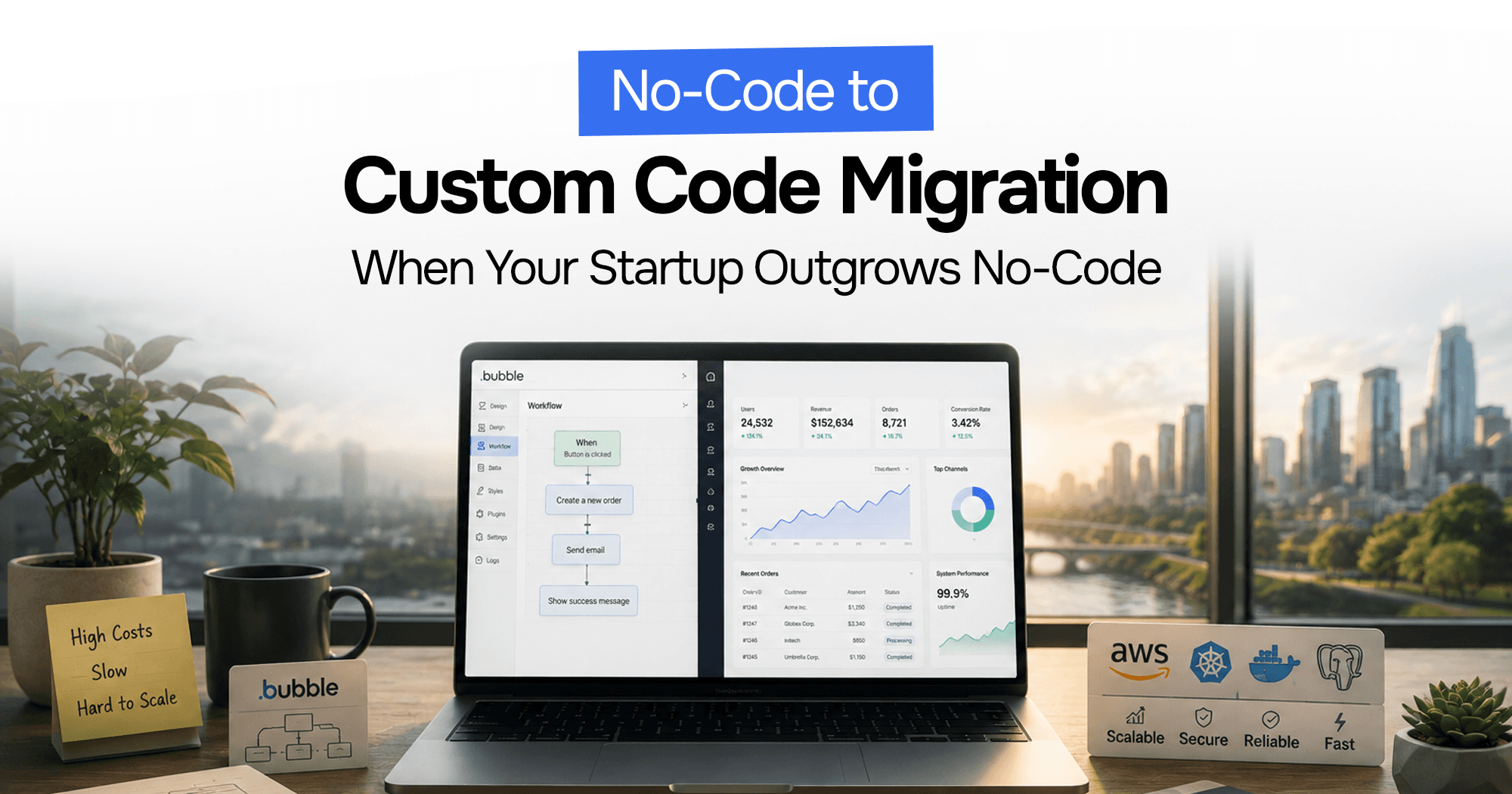
No-Code to Custom Code Migration: Complete Guide in 2026
Your no-code app got you to product-market fit. Maybe you shipped on Bubble.io in three weeks, signed your first 50 customers, and proved the concept works.
Then something shifted. Queries started taking four seconds. Your Bubble bill crossed $3,000/month. An enterprise prospect asked for a security audit and you had nothing to show them. A VC term sheet came with a line item: "source code ownership required."
You've outgrown no-code. The question now is: how do you migrate without breaking what's working?
This is the complete guide — from the decision criteria through the seven-phase process, with real cost ranges and the specific pitfalls that derail most migrations.
What Is No-Code to Custom Code Migration?
No-code to custom code migration is the process of rebuilding an application that was originally built on a visual/no-code platform (Bubble.io, Webflow, Glide, Adalo, AppGyver) using a traditional engineering stack — typically Node.js, Python, or Go on the backend, React or Next.js on the frontend, and a managed database like PostgreSQL or MongoDB.
The critical thing to understand upfront: most no-code platforms do not export your app as usable code. Bubble.io, for example, has no "export to React" button. You are rebuilding the application from scratch. Your data can be exported (via CSV or API), but the application logic must be re-implemented.
This is not a migration in the traditional sense — it is a rebuild with a live system running in parallel.
Why Are Businesses Moving From No-Code to Custom Code?
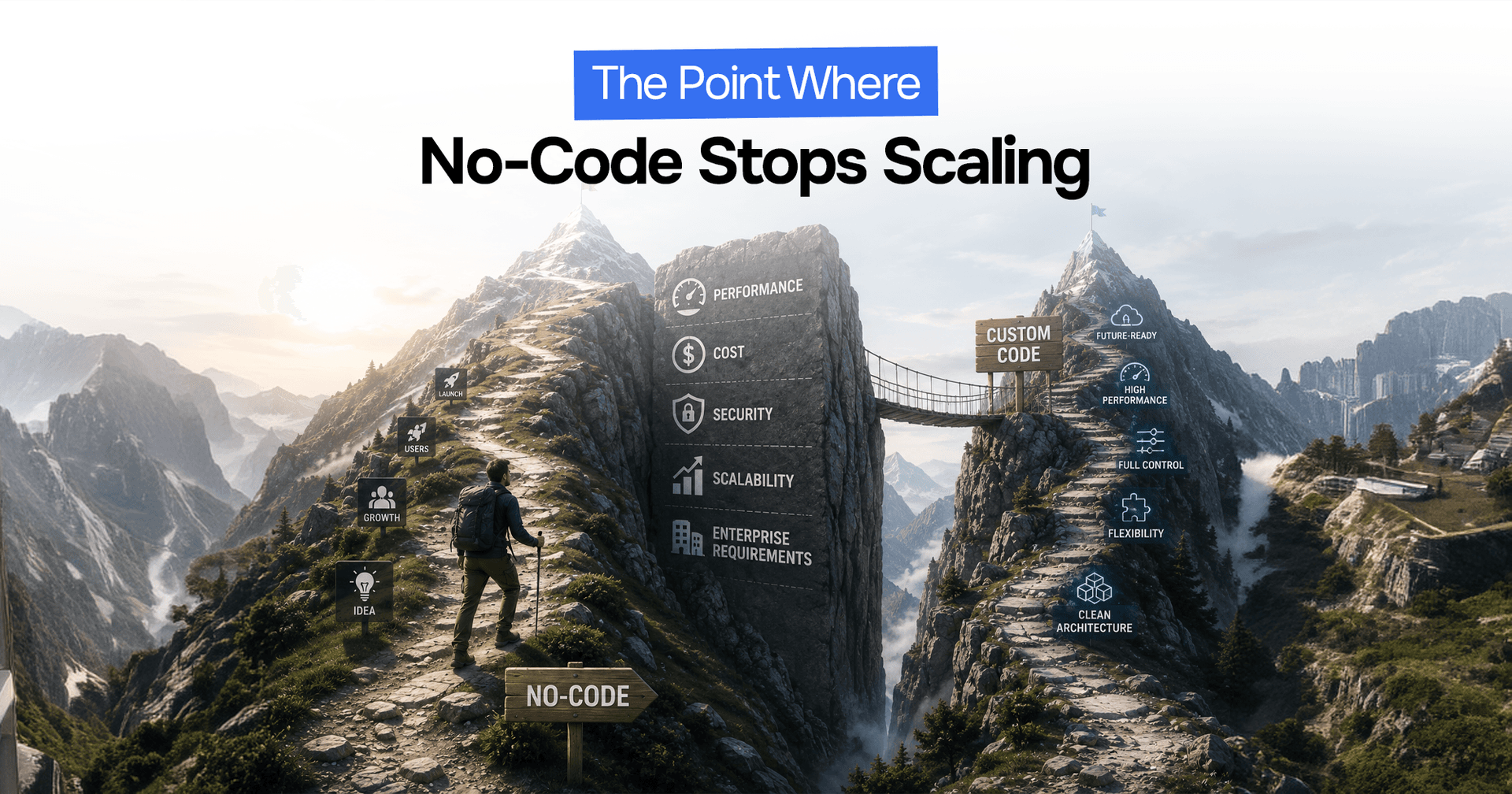 Businesses Moving From No-Code to Custom Code
Performance Limitations
Bubble.io's database processing speed is capped at approximately 100 rows per second under standard plans. Apps that hit high traffic or run complex queries on large datasets hit this wall hard. Most no-code platforms are optimised for ease of use, not throughput — and there is no way to add indexes, optimise query plans, or run raw SQL.
Scalability Challenges
No-code platforms scale vertically — you pay for a bigger server. There is no native horizontal distribution, no CDN-level edge caching, and no support for database read replicas. When traffic spikes, the platform throttles your app or charges you for capacity that wasn't there a moment ago.
Feature Limitations
Every advanced feature becomes a workaround on no-code. Multi-tenancy with row-level security, real-time WebSocket connections, background job queues, fine-grained access control, complex data transformations — all of these require plugins, third-party services, or painful hacks that introduce fragility.
Increasing Platform Costs
The $10K/month Bubble bill is not a myth. Workload units, API calls, database operations, and plugin usage stack unpredictably. A traffic spike that should be good news becomes an invoice you didn't budget for. Enterprise custom code on Railway or Vercel with a managed Postgres database typically runs $200–$800/month for the same workload.
Lack of Infrastructure Control
Enterprise customers, regulated industries, and acquirers all want infrastructure control: data residency, SOC 2 compliance, audit logs, custom auth flows, secrets management. None of this is configurable on Bubble.io. Moving to custom code gives you full control over where data lives and how it is accessed.
7 Signs Your No-Code App Has Outgrown Its Platform
You probably already know you need to migrate. Here's the checklist that makes it concrete:
- Page load times consistently exceed 3 seconds — not a UI problem, a platform constraint
- Your monthly platform bill exceeds $1,500 and is growing faster than revenue
- You've hit a feature ceiling — the thing you need to build simply isn't possible in the tool
- Investors or acquirers have asked for a source code repository
- Enterprise prospects require a security audit you cannot complete on a closed platform
- You have more than 500,000 database records and search performance has degraded regardless of optimisation
- Your developers are spending more time on workarounds than features
If three or more of these apply, migration isn't a future consideration. It's the current bottleneck.
No-Code vs. Custom Code: What's the Difference?
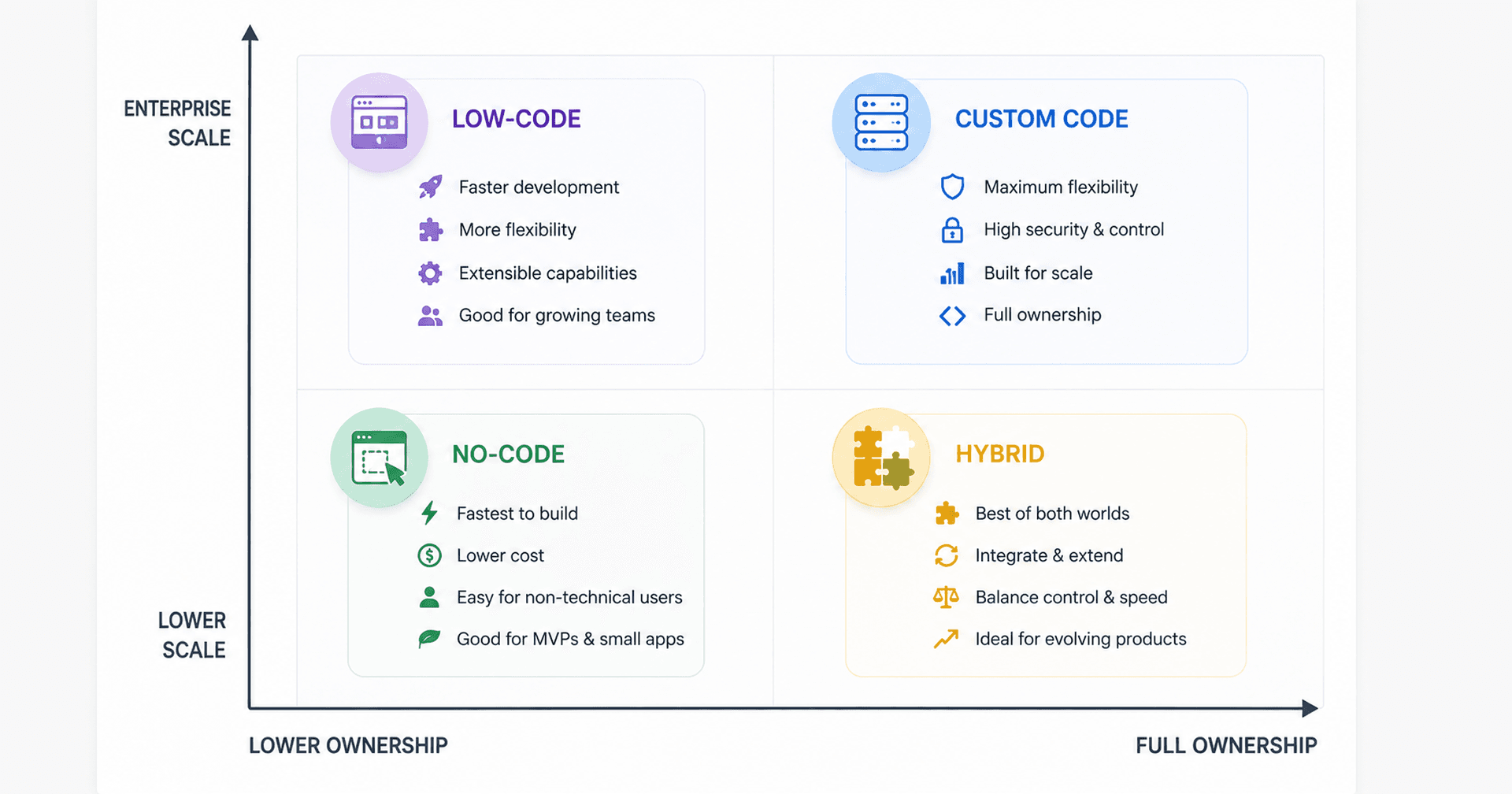 No-Code vs. Custom Code Comparison
| Factor | No-Code (Bubble.io) | Custom Code (Node.js + Postgres) |
|---|---|---|
| Source code ownership | None | Full |
| Database control | Limited (platform-managed) | Complete (indexes, queries, replicas) |
| Scalability ceiling | Vertical only | Horizontal + vertical |
| Monthly cost at scale | $1,500–$10,000+ | $200–$800 (infra only) |
| Feature flexibility | Plugin-constrained | Unlimited |
| Security audits | Not possible | Full access |
| Time to first feature | Days | Weeks |
| Time to scale | Hits wall fast | Grows with you |
The right tool is the one that fits the stage. No-code wins for rapid validation. Custom code wins for scale, control, and enterprise sales.
Benefits of No-Code to Custom Code Migration
Improved Application Performance
Rebuilt custom applications routinely achieve sub-200ms API response times — down from multi-second waits on no-code platforms. Proper database indexing, query optimisation, and caching layers (Redis for hot data, CDN for static assets) make performance predictable rather than platform-dependent.
Better Scalability
Horizontal scaling means your application handles 10× the traffic by adding instances, not paying a 10× bill. Managed Postgres on Railway, Neon, or Supabase handles read replicas automatically. Your infrastructure grows with your revenue, not ahead of it.
Greater Feature Flexibility
Custom code is the feature ceiling disappearing. Background jobs, WebSocket real-time updates, event-driven architectures, complex multi-tenant access control, native mobile APIs — all of this is straightforward with a proper engineering stack.
More Predictable Infrastructure Costs
A well-architected custom application on Vercel + Railway + Cloudflare runs at a fraction of Bubble's enterprise plan. More importantly, costs scale linearly with usage rather than spiking unpredictably on traffic bursts.
Full Ownership and Control
You own the codebase. You can hire any engineer to work on it. You can deploy anywhere. You can show it to investors, acquirers, and enterprise security teams. This alone unblocks deals that no-code apps can't close.
How Does No-Code to Custom Code Migration Work?
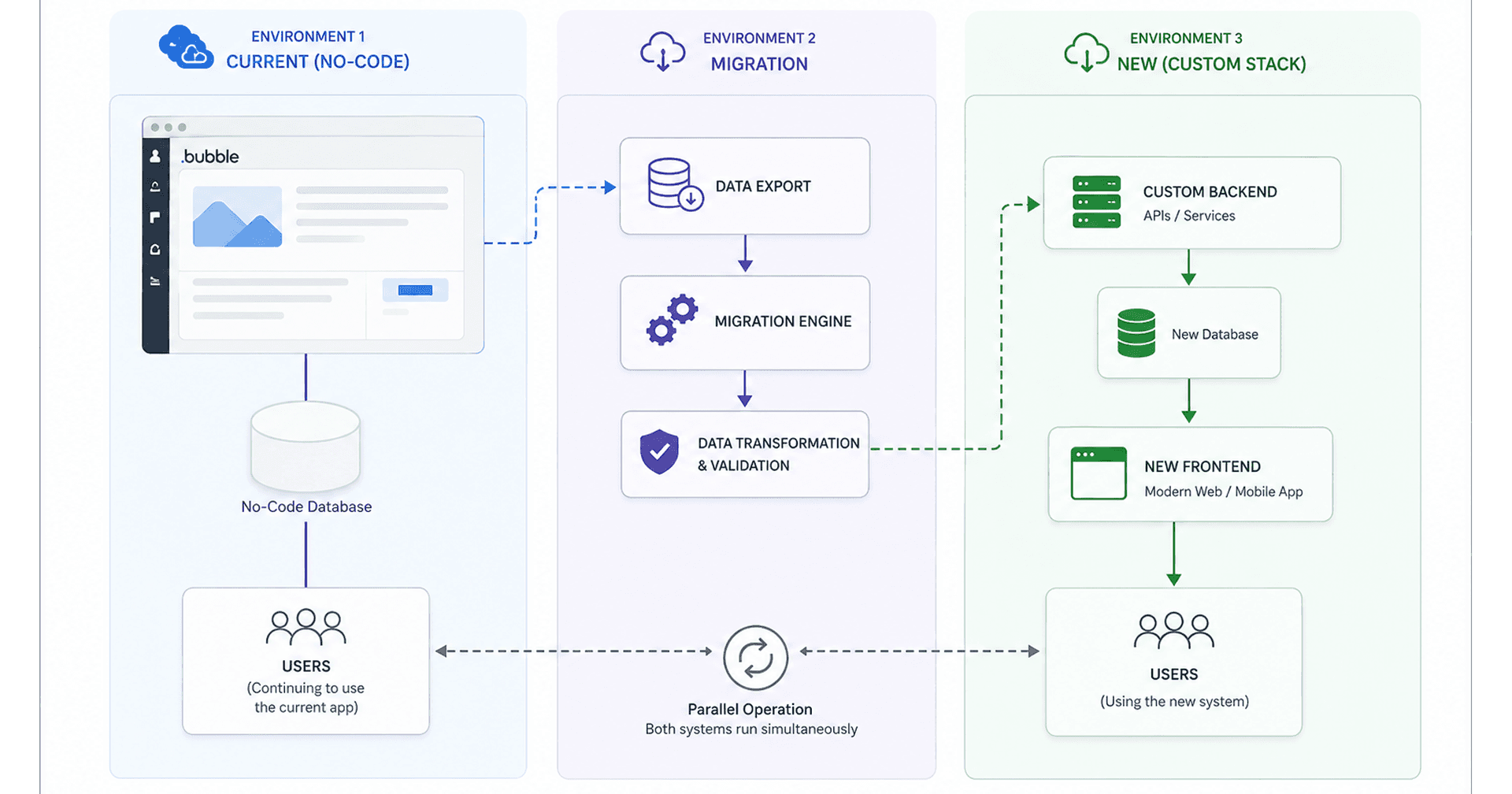 No-Code to Custom Code Migration 7-Phase Process
The migration runs in seven phases. Typical timelines: 6–8 weeks for a small app with clean data, 8–16 weeks for a mid-market app with custom workflows, 4–6 months for an enterprise system with complex integrations.
1. Application Assessment
Before a single line of code is written, document what you have. Every page, every workflow, every API connection, every edge case. Map your data model — all collections, all fields, all relationships. Identify which features are core (must rebuild) versus peripheral (can descope or replace with a SaaS tool).
This phase takes 1–2 weeks and prevents the single most common migration failure: discovering mid-rebuild that you missed a critical workflow.
2. Migration Planning
Choose your target stack. For most founder-led startups, this is Next.js (frontend), Node.js/TypeScript (backend API), and PostgreSQL (database) — battle-tested, well-documented, and large talent pool. Define your milestones, timeline, and rollback strategy. Plan how you will export your data from the no-code platform.
The rollback strategy is non-negotiable: your no-code app stays live until the custom build is fully validated.
3. Custom Infrastructure Setup
Stand up your cloud infrastructure before writing application code. Hosting (Vercel for the frontend, Railway or Fly.io for the backend API), database (managed Postgres), CI/CD pipeline (GitHub Actions), staging environment, secrets management, and authentication setup. Getting this right early means you're deploying to a real environment from day one.
4. Database and Data Migration
Export your data from the no-code platform (CSV or API export, depending on the platform). Transform it to match your new schema. This is rarely a 1:1 mapping — no-code platforms often store relational data in flat structures, or use platform-specific field types that need conversion.
Validate data integrity with checksums before and after migration. Set up automated backups before you touch anything live.
5. Feature and Business Logic Migration
The longest phase. Rebuild core features in custom code, one functional area at a time. Run the custom build in parallel with the live no-code app — users stay on the no-code app until the custom build is validated.
Budget $2,000–$8,000 per third-party integration that needs reconnecting. An app with 10 integrations should budget $20,000–$60,000 for this line item alone.
Rebuild your business logic explicitly. The visual workflows in Bubble.io encode a lot of implicit logic — "send email when field X changes and condition Y is true" — that needs to be extracted, documented, and reimplemented as explicit code.
6. Testing and Quality Assurance
Functional regression testing against the feature map from Phase 1. Load testing to verify the system handles peak traffic before go-live. Security testing — especially important if you're going after enterprise customers who will run their own security review. User acceptance testing with real users on the staging environment.
Bugs found in testing cost 10× less to fix than bugs found in production. This phase is not where you cut corners.
7. Deployment and Launch
Cut over DNS. Monitor error rates, latency, and database performance in real time for the first 48 hours. Keep the no-code app running (but not serving traffic) for two to four weeks as a rollback option. Once you're confident, deprecate the no-code app and document the codebase for the team inheriting it.
How to Migrate a No-Code App Without Losing Data
The two rules that prevent data loss:
Rule 1: Never delete from the source. Export from no-code. Import to custom database. Validate. Run custom app in parallel. Only remove the no-code app's data access after validation is complete and the no-code app has been deprecated.
Rule 2: Validate with checksums. Before and after every data transformation step, count records, check sums on numeric fields, and sample random rows. Discrepancies found before go-live are fixable. Discrepancies found by an angry user are a crisis.
For Bubble.io specifically: export data via the Bubble API or the built-in CSV export. Bubble does not export relational joins — you may need to make multiple API calls to reconstruct related data.
How Much Does No-Code to Custom Code Migration Cost?
Honest ranges based on real projects:
| Scope | Timeline | Cost Range |
|---|---|---|
| Small app (< 10 core features, clean data, 2–3 integrations) | 6–8 weeks | $25,000–$60,000 |
| Mid-market app (10–25 features, complex data, 5–10 integrations) | 8–16 weeks | $60,000–$150,000 |
| Enterprise app (25+ features, compliance requirements, 10+ integrations) | 4–6 months | $150,000–$300,000+ |
Key cost drivers:
- Integration count — each reconnected integration adds $2,000–$8,000
- Data complexity — messy data structures add 25–35% to the project cost
- Parallel running period — you pay for two systems during overlap
- Compliance requirements — SOC 2, GDPR, HIPAA add scope
AI-assisted development has compressed timelines significantly. A developer using Cursor or Claude can produce custom features 3–5× faster than manual coding, which directly reduces the labour component of the estimate.
How Long Does No-Code Migration Take?
- Small apps (MVP-level, 5–10 features, clean data): 6–8 weeks
- Mid-market apps (production, multiple user roles, several integrations): 8–16 weeks
- Enterprise systems (compliance, complex data models, 10+ integrations): 4–6 months
The parallel running period adds 2–4 weeks to any timeline — the custom build must be validated before you cut over. Factor this in from the start.
Common Challenges During No-Code Migration
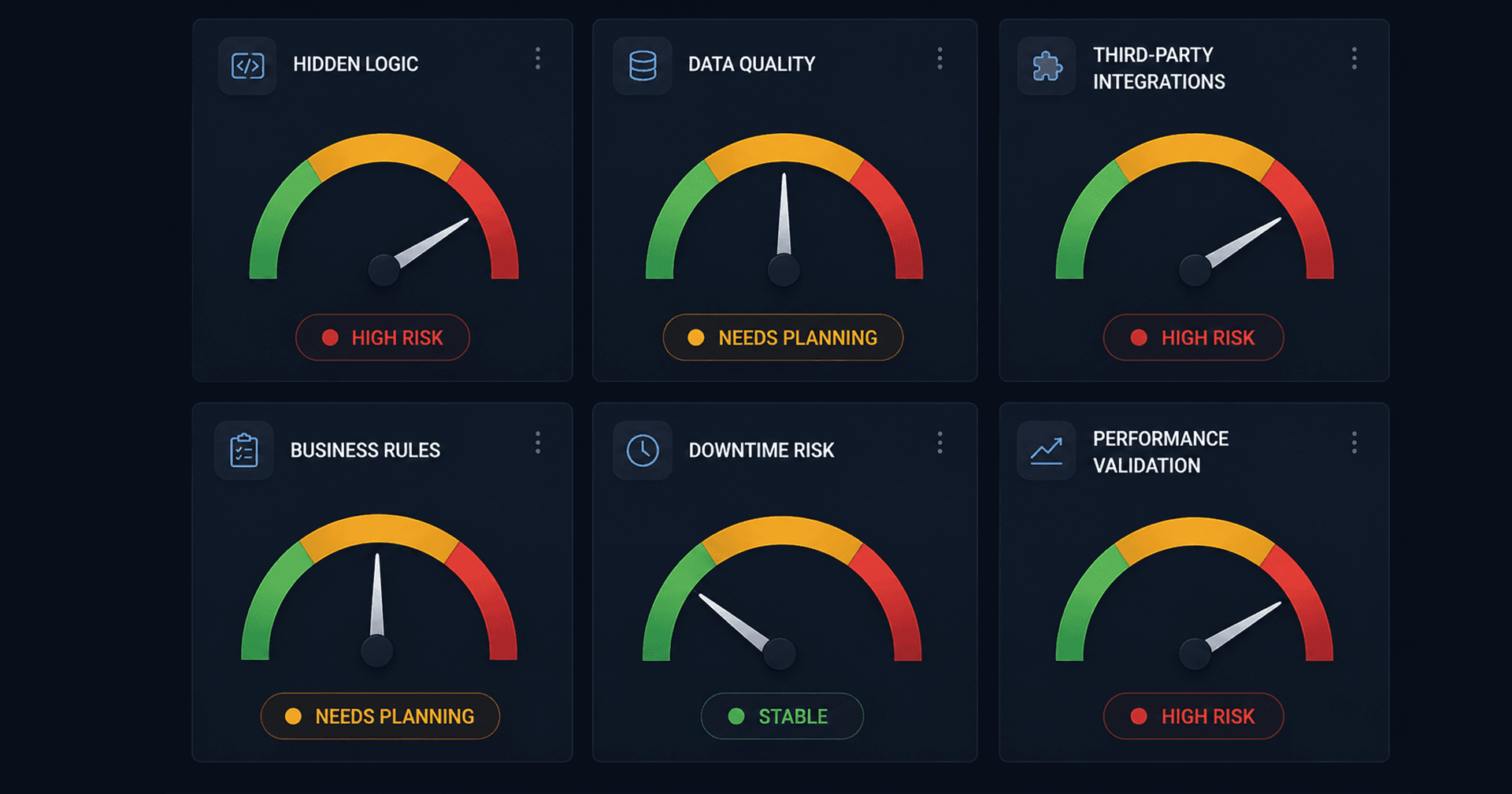 Common Migration Challenges and Risk Matrix
Hidden Platform Dependencies
Bubble.io and similar platforms embed logic in places you don't expect: conditional states on UI elements, actions triggered by page load events, plugin API calls that fire invisibly. A thorough audit in Phase 1 catches most of these, but experienced developers know to look for unexpected behavior during QA.
Complex Database Structures
No-code platforms often denormalise data to make visual querying easier. Rebuilding proper relational schemas from flat no-code data models requires careful design — done wrong, it degrades the performance you were migrating to improve.
Rebuilding Business Logic
The logic in a no-code workflow is often informal — it was built iteratively by non-engineers, and the "why" is not documented anywhere. Before rebuilding, interview the people who built each workflow. Otherwise you'll faithfully rebuild things that were workarounds, not intentional design.
Third-Party Integrations
Integrations via Bubble's plugin marketplace often use the plugin provider's credentials, not yours. When you rebuild, you'll need to create new API credentials, handle OAuth flows yourself, and sometimes negotiate directly with the integration provider for API access that was previously bundled in the plugin.
Data Integrity Issues
Years of a growing no-code app accumulate data quality problems: orphaned records, inconsistent enum values, email addresses without proper validation. Clean before you migrate — a pre-migration data cleanup reduces total project cost by 25–35%.
Maintaining Application Availability
Users cannot experience downtime during migration. The parallel running strategy (both systems live, traffic on no-code, validation on custom) solves this, but requires discipline. Do not cut over traffic until every critical path has been tested on the custom system.
Performance Differences Between Old and New Systems
A properly built custom system should be dramatically faster — but not immediately. Database indexes need to be added based on real query patterns. Caching layers need to be tuned. Allow 2–4 weeks of production traffic before drawing performance conclusions.
How to Migrate From Bubble.io to Custom Code
Bubble.io is the most common migration source, so it deserves specific guidance.
What you can export from Bubble:
- All data, via CSV export or the Bubble Data API
- Workflows (in non-executable JSON — useful as documentation, not as runnable code)
- Media files (images, PDFs) hosted on Bubble's CDN
What you cannot export:
- Source code (there isn't any — Bubble is a visual runtime)
- UI components (these must be rebuilt)
- Plugin logic (plugins are closed-source; you reconnect to the underlying API directly)
The Bubble migration process:
- Export all data via the Bubble API (more reliable than CSV for large datasets)
- Map Bubble's data types to PostgreSQL tables and relationships
- Rebuild the frontend in Next.js, matching Bubble's page structure
- Replace Bubble's backend workflows with Node.js API routes
- Reconnect integrations using direct API credentials
- Run parallel for 4–6 weeks, validating data sync
I wrote a detailed technical audit process in Bubble.io App Not Scaling? A Technical Audit Checklist — run that audit before starting your migration plan.
No-Code Migration vs. Rebuilding an Application From Scratch
They are effectively the same thing, with one key difference: migration preserves your data and aims for feature parity with the existing system. A greenfield rebuild starts with a blank slate and can make architectural decisions unconstrained by what already exists.
When to treat it as a migration (feature parity goal):
- You have paying customers who depend on specific workflows
- Your data is complex and represents years of accumulation
- You need to maintain availability during the transition
When to treat it as a rebuild:
- The no-code app was a prototype and is no longer reflective of your current product direction
- Your data is small enough to export and reimport quickly
- You want to redesign the UX from scratch, not just rebuild what exists
Most founder migrations land somewhere in the middle: preserve data and core workflows, but redesign and improve along the way.
How to Choose the Right No-Code Migration Services
What to look for in a migration partner:
Production experience, not just development experience. Migration involves running systems in parallel, managing data in flight, and coordinating cutover with zero downtime. This is operational work, not just coding.
Familiarity with your no-code platform. Someone who has extracted data from Bubble.io knows where the edge cases are. Ask specifically about their experience with your platform.
A defined process, not an estimate alone. A good migration partner can walk you through the seven phases, tell you what the assessment will discover, and give you a risk register before you sign anything.
References from comparable migrations. Ask to speak with a founder who went through a similar migration — not just a client who hired them for a new build.
Why a Risk-Managed Migration Strategy Matters
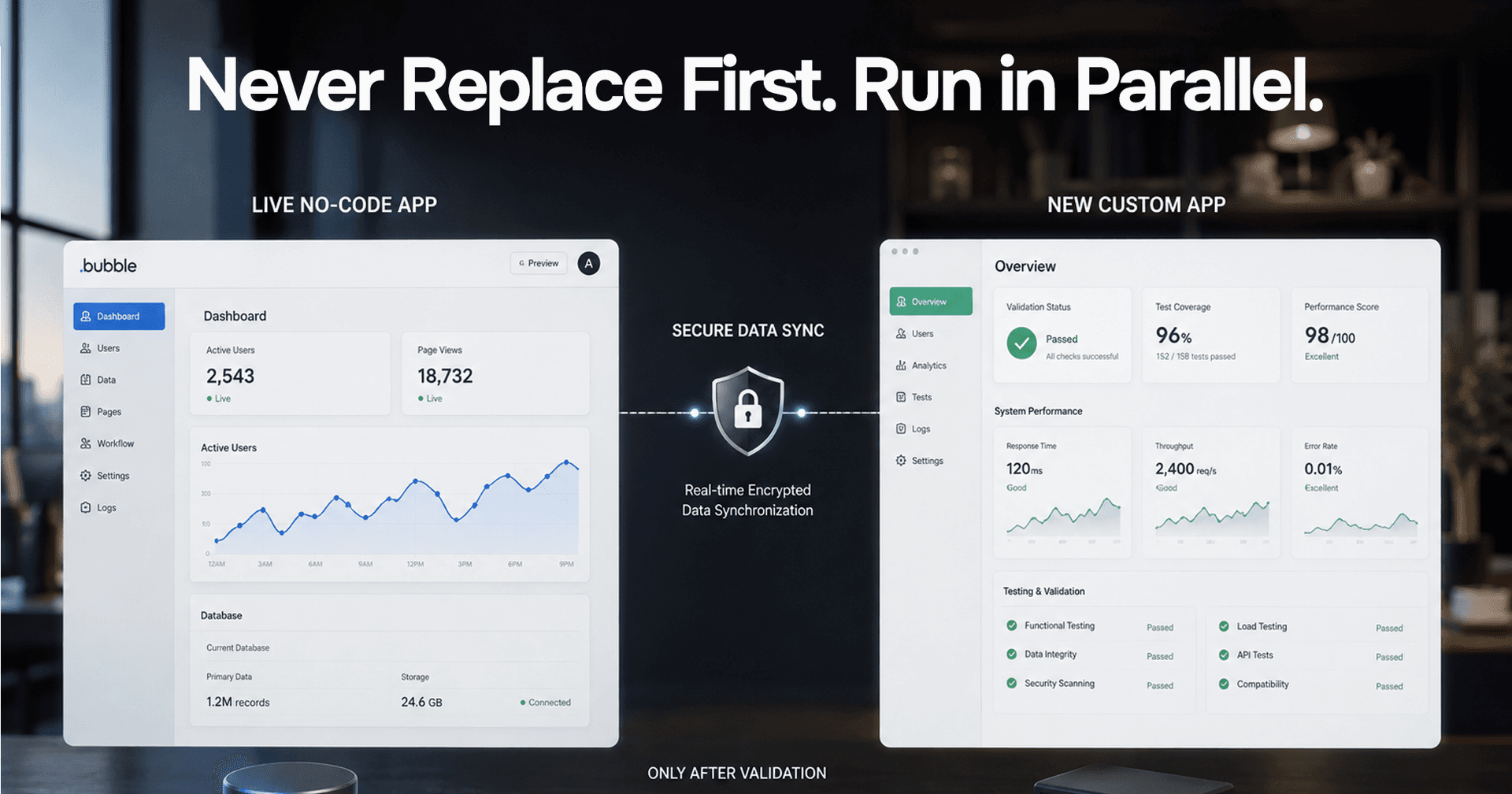 Risk-Managed Migration Strategy
The biggest migration failures share a pattern: they tried to move too fast, skipped the parallel running period, and cut over before QA was complete.
A risk-managed migration keeps the no-code app live until:
- All critical paths have been regression tested
- Load tests have passed
- User acceptance testing has signed off
- A rollback plan is documented and rehearsed
This adds cost (two systems running simultaneously) but it makes the cutover boring — which is exactly what you want.
When Should You Consider No-Code to Custom Code Migration?
The right time is before the pain is acute. Most founders wait until the platform is actively hurting their business — costing too much, losing deals, blocking features — and then migrate under pressure.
The better timing: when you have product-market fit and before the scaling wall hits. Migration is less expensive and less risky when:
- Your data is clean and relatively small
- Your team has capacity to run the migration alongside regular product work
- You're not doing it in response to a crisis
If you're already in crisis (platform bill is unsustainable, performance is blocking renewals), you can still migrate — but budget for the urgency premium.
Future of No-Code to Custom Code Migration in 2026
AI-Assisted Development
AI coding tools (Cursor, Claude, Copilot) have changed the labour equation significantly. A senior developer with good AI tooling produces custom features 3–5× faster than manual coding. This directly compresses migration timelines and costs — a migration that would have taken 6 months in 2022 often takes 8–12 weeks in 2026.
AI-Built MVPs Moving Toward Production
The same AI tools that power migration are enabling a new pattern: AI-built MVPs that start as custom code from day one, skipping no-code entirely. The build time advantage of no-code has narrowed sharply. Founders who would have defaulted to Bubble in 2023 are now building on Next.js with AI assistance and getting to production in comparable timelines.
Hybrid Development Approaches
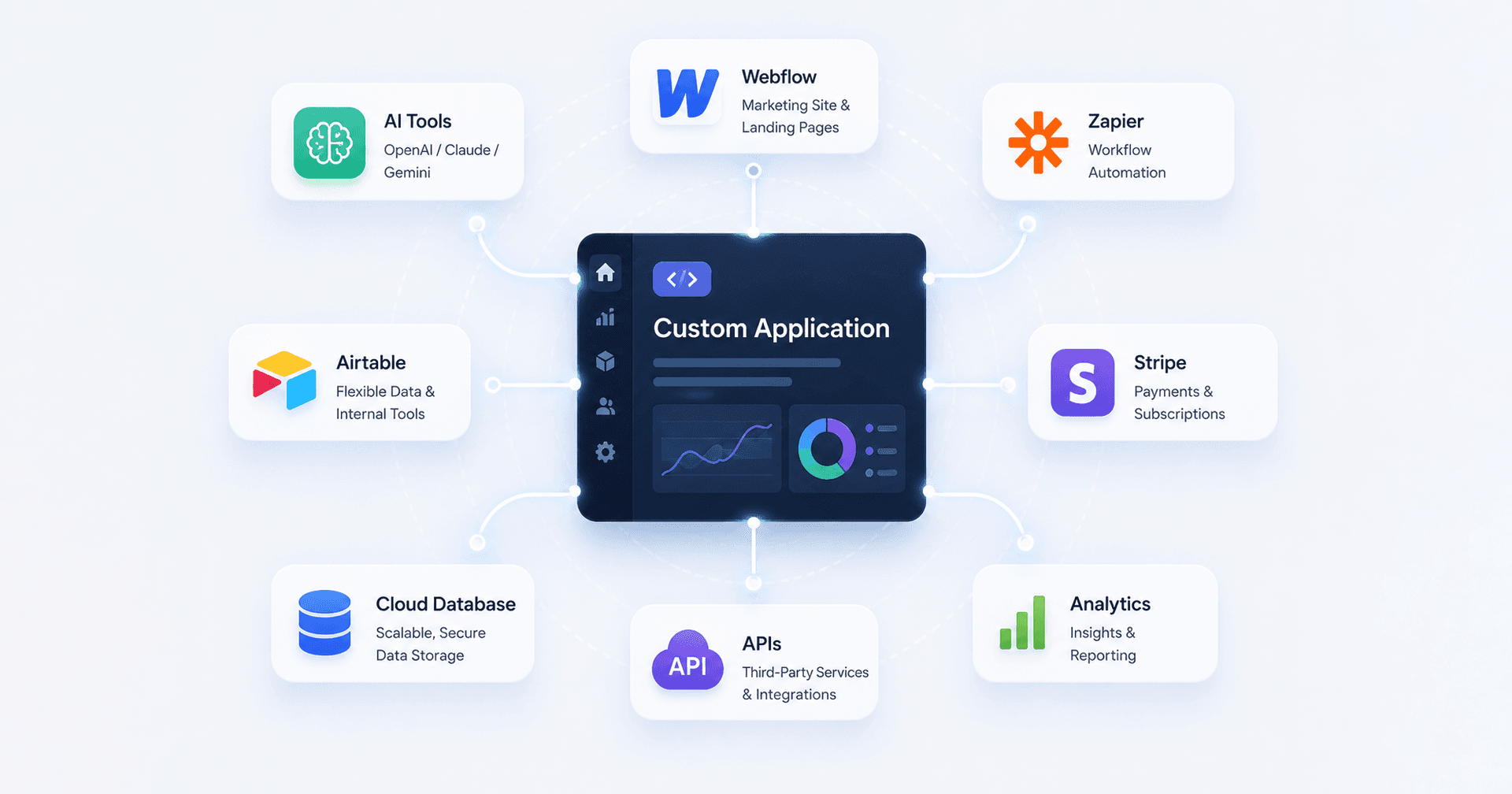 Hybrid Development Approaches
Increasingly, the migration target isn't pure custom code — it's a hybrid. Core application logic in custom code (owned, auditable, scalable), while non-critical workflows use SaaS tools (Zapier for simple automations, Webflow for marketing pages, Airtable for internal ops). This pragmatic approach keeps development costs lower than full custom while escaping the no-code platform's core limitations.
Why Choose Rajesh Dhiman for No-Code Migration?
I've been building and migrating production applications for founders since before no-code platforms were mainstream. My background is in production AI systems and full-stack engineering — which means I know what "production-ready" actually means, not just what it sounds like.
What I bring to a no-code migration:
- A defined seven-phase process — not improvised, not billed by the hour without structure
- Risk-managed cutover — your no-code app stays live until validation is complete
- AI-accelerated development — I use Cursor and Claude to produce features faster, which directly reduces your cost
- Full-stack delivery — frontend (Next.js), backend API (Node.js/TypeScript), database (PostgreSQL), infrastructure (Vercel + Railway + Cloudflare)
- Post-migration documentation — your team inherits a codebase they can understand and extend
I am not a large agency. You work directly with me, and I take accountability for the delivery.
CTA: Ready to Move Beyond No-Code?
If you're hitting the walls described in this guide — performance, cost, investor requirements — the migration is a matter of when, not if.
The first step is an assessment: a structured review of what you have, what it will take to rebuild it, and a realistic timeline and cost estimate. I offer this as a fixed-scope engagement so you know exactly what you're getting before any commitment to the full build.
Book a Migration Assessment — I'll review your app, map your data, and give you a clear picture of what the migration involves.
Conclusion
No-code platforms are the right tool for proving an idea. Custom code is the right tool for building a business. Most successful no-code apps reach a point where the platform is the constraint — and the answer is a risk-managed migration to a stack you own and control.
The seven-phase process — Assessment, Planning, Infrastructure, Data Migration, Feature Migration, Testing, Deployment — exists to make this transition boring. Not exciting, not dramatic. Boring, predictable, and complete.
The cost ranges from $25,000 for a small clean app to $300,000+ for an enterprise system with complex integrations. The timeline is 6 weeks to 6 months. The outcome is full source code ownership, predictable infrastructure costs, and a codebase that can close enterprise deals, pass security audits, and grow without hitting a platform ceiling.
If you're evaluating this migration now, start with the assessment. It's the only way to get a number you can actually trust.
Frequently Asked Questions
Can I migrate from Bubble.io to custom code without losing data?
Yes. Bubble.io allows you to export all data via CSV or its Data API. The migration process involves exporting this data, transforming it to match your new database schema, and validating integrity before cutover. Your data is preserved — what you rebuild from scratch is the application logic and UI.
How much does it cost to migrate from no-code to custom code?
Costs range from $25,000–$60,000 for small apps (under 10 features, 2–3 integrations) to $150,000–$300,000+ for enterprise systems. The biggest cost drivers are integration count ($2,000–$8,000 per reconnected integration), data complexity, and compliance requirements.
How long does a no-code to custom code migration take?
6–8 weeks for small apps with clean data and few integrations. 8–16 weeks for mid-market apps. 4–6 months for enterprise systems. The parallel running period (both systems live, validation on custom) adds 2–4 weeks to any timeline.
Does Bubble.io export source code?
No. Bubble.io does not export your application as usable source code. There is no codebase to hand off — only data (via CSV or API). This means migrating from Bubble requires rebuilding the application from scratch in a custom tech stack. It is a rebuild with data preservation, not a code migration.
What is the best tech stack to migrate to from Bubble.io?
For most founder-led products: Next.js (frontend and API routes), Node.js/TypeScript (backend services), PostgreSQL (primary database), Vercel (frontend hosting), and Railway or Fly.io (backend hosting). This stack is battle-tested, has a large talent pool, and scales to enterprise without changing the architecture.
Can I migrate from no-code to custom code while keeping the app live?
Yes — this is the recommended approach. The custom build runs in parallel with the live no-code app. Users continue using the no-code app until the custom build has passed validation. DNS is cut over only after testing is complete. The no-code app remains available as a rollback option for 2–4 weeks post-cutover.
What no-code platforms are supported for migration?
The migration process applies to any no-code platform: Bubble.io, Webflow (for complex apps), Glide, Adalo, AppGyver, Softr, and others. The specific data export method varies by platform, but the seven-phase process and core challenges are the same.
How do I know if it's time to migrate from no-code to custom code?
The clearest signals: platform bill exceeding $1,500/month and growing, page load times consistently above 3 seconds, investors or acquirers asking for source code, enterprise deals blocked by inability to complete a security audit, or hitting a feature ceiling where what you need to build simply isn't possible on the platform.
What happens to my existing users during the migration?
Nothing, if the migration is managed correctly. Users continue using the live no-code app throughout the build phase. The cutover is a DNS change that happens in the background — users experience a faster, more reliable application, not a disruption. The parallel running period ensures the custom app is production-ready before any traffic switches over.
Is no-code to custom code migration worth it?
For apps at scale, consistently yes. The platform cost savings alone typically pay for the migration within 12–18 months. Beyond cost, the benefits — source code ownership, unlimited scalability, enterprise sales capability, security audit readiness — unlock revenue that the no-code platform was actively blocking.
Stuck on a web app, automation, or AI project?
Fifteen minutes, free. You describe the blocker, I tell you what I would fix first. No deck, no pitch — and if I am not the right fit, I will say so.
Book Your Free 15-Min Strategy CallRelated to: No-Code to Custom Code Migration: Complete Guide in 2026If you found this article helpful, consider buying me a coffee to support more content like this.
Related Articles

How to build an AI MVP that actually works — the 9-step process, real cost ranges, tech stack decisions, and the build vs. buy choices that determine whether your AI product ships in 8 weeks or 8 months.
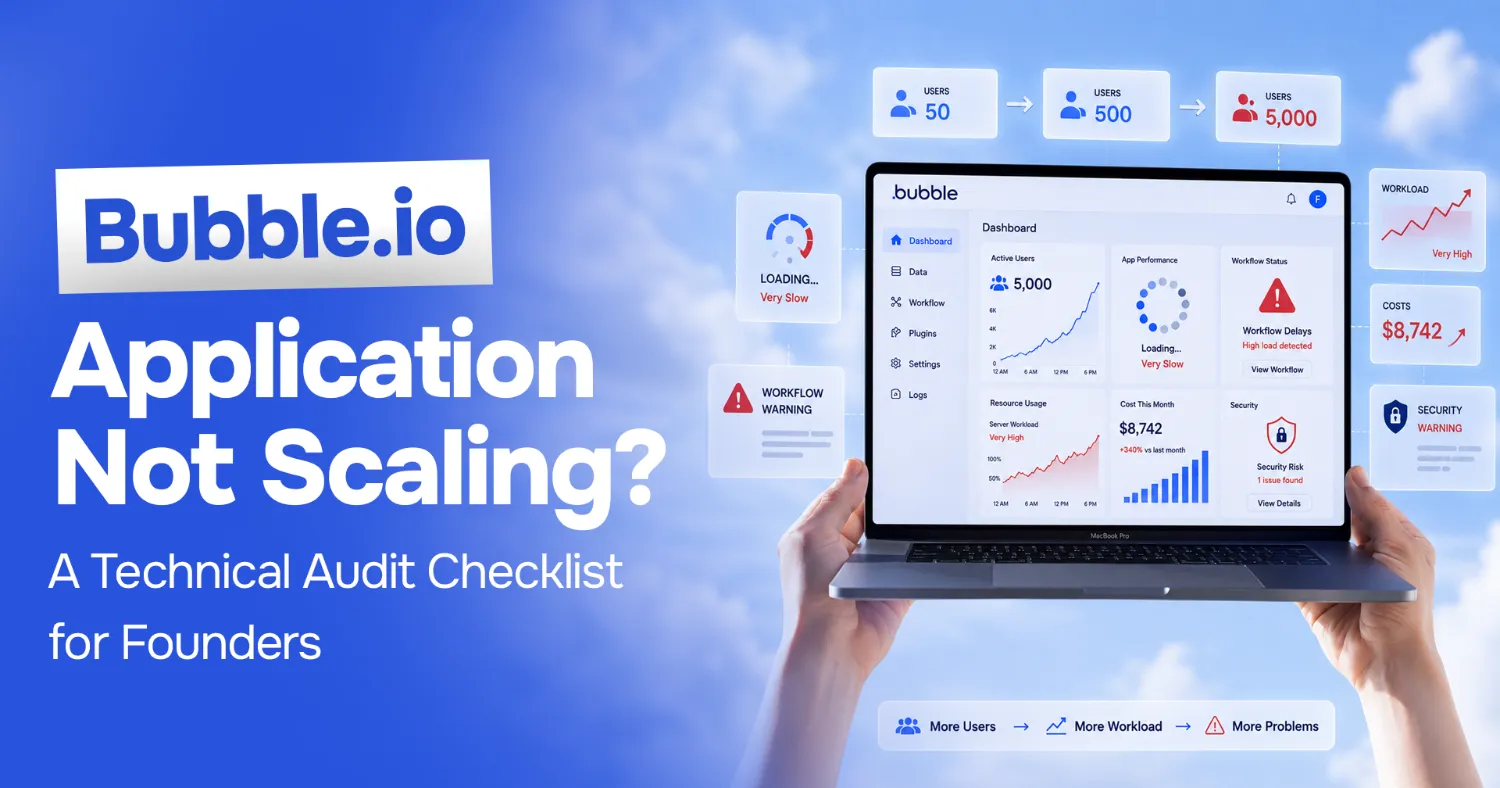
A practical checklist for auditing a struggling Bubble.io app, performance, data structure, workflows, and when it's time to move off Bubble entirely.
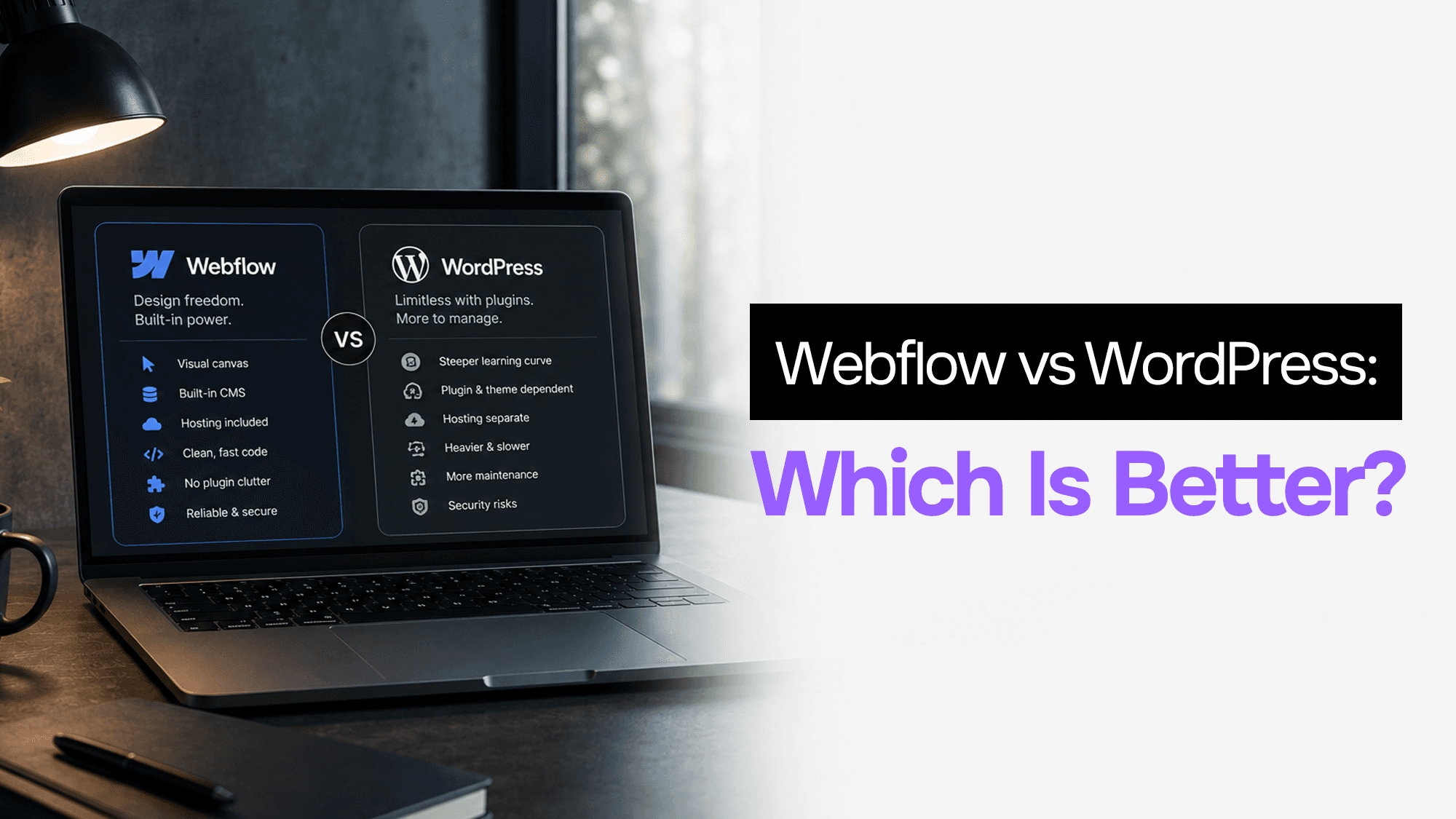
WordPress still powers 43% of the web. Webflow is growing fast. After building client projects in both, here's what actually matters when choosing between them in 2026.
Stuck on a web app, automation, or AI project?
Fifteen minutes, free. You describe the blocker, I tell you what I would fix first. No deck, no pitch — and if I am not the right fit, I will say so.
Book Your Free 15-Min Strategy CallRelated to: No-Code to Custom Code Migration: Complete Guide in 2026