

Webflow vs Next.js: How I Actually Decide Which One to Use
A client calls. They want a website. Not a web app, not a SaaS platform — just a website. A good one, with a blog, a services page, and a contact form.
My brain immediately splits into two paths: Webflow or Next.js?
I've built projects in both. I know them well. And I still spend 30 seconds thinking every single time — because the right answer depends on things the client hasn't told me yet.
This post is that 30-second decision, fully unpacked. By the end, you'll know exactly which tool to reach for, and why using the wrong one will cost you (or your client) weeks.
The Core Difference Nobody Explains Well
Most comparisons frame this as "no-code vs code" and stop there. That's reductive and unhelpful.
The real difference: who maintains this thing after launch, and how complex does it need to get?
Webflow is a professional design-and-publish platform. You build visually, export nothing, and your client can log in tomorrow and update copy without calling you. The hosting, CDN, CMS, and SSL are handled. You ship a full website without writing a single line of CSS.
Next.js is a React framework. You write everything. You own everything. You deploy where you want. It's infinitely extensible — but every feature, every content update, every deployment needs a developer in the loop.
Neither is better. They're optimized for completely different problems.
The Decision Framework I Actually Use
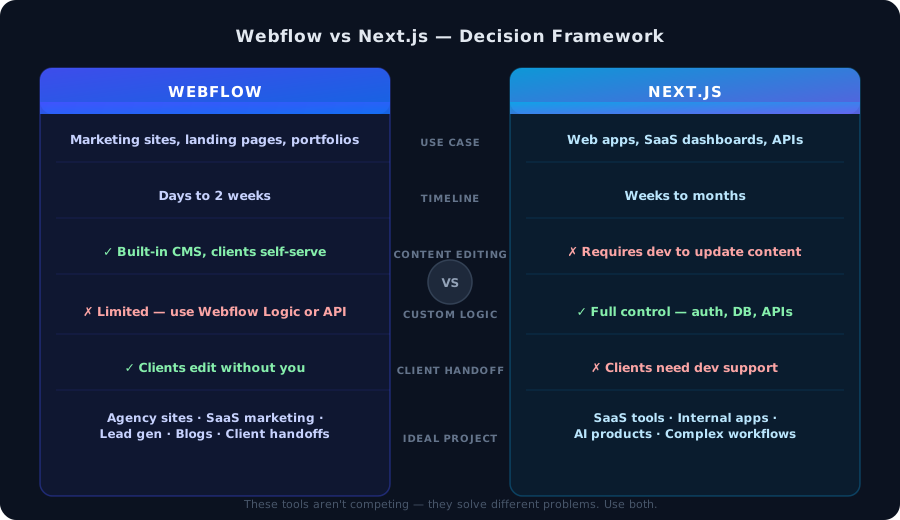 Webflow vs Next.js decision framework showing six comparison criteria
Here are the six questions I ask before committing to a stack:
1. Will the client update content themselves?
If yes → Webflow. Clients who need to update copy, swap images, add blog posts, or manage team pages should never have to file a GitHub issue to do it. Webflow's Editor lets them log in and edit directly. No staging environments, no PRs, no Netlify deploy hooks.
With Next.js, you'd need to add a CMS (Contentful, Sanity, Notion, etc.), wire up APIs, and build an editing experience on top. That's 2–3 extra weeks of work for a problem Webflow solves natively.
2. Does it need custom auth, a database, or complex business logic?
If yes → Next.js. Webflow can't run server-side code. It has Webflow Logic (their visual automation layer), form integrations, and a REST API — but the moment you need custom user accounts, a real database query, dynamic pricing logic, or a multi-step workflow, you've hit the ceiling.
Next.js with a Postgres database, API routes, and something like Clerk for auth will handle anything you throw at it.
3. What's the timeline and budget?
Honest comparison:
- A 5-page marketing site with a blog: Webflow = 1–2 weeks. Next.js = 3–6 weeks.
- A SaaS dashboard with auth: Next.js is the only real option. Webflow can't do it.
For marketing sites, the Webflow time savings is enormous. You're not writing layout CSS. You're not debugging Safari border-radius bugs. You're not configuring Vercel. You ship the design and it's live.
4. Who designed it?
If a designer handed you a Figma file → consider Webflow seriously. The visual-first workflow means you can map Figma directly to Webflow elements. The gap between "design" and "built" collapses.
If it's a developer-driven project with no fixed design → Next.js with Tailwind. Start with components, iterate fast, and the design emerges from the code.
5. Does SEO matter day one?
Both tools handle SEO well, but Webflow handles it out of the box without configuration. Meta tags, Open Graph, sitemaps, redirects, canonical URLs — all editable via UI without touching code.
With Next.js you have full control and can do everything Webflow does — but you have to build it. For clients who want to start blogging immediately and rank, Webflow removes friction.
6. What's the growth trajectory?
This is the most underrated question. Webflow is excellent up to a certain complexity ceiling. The moment you need:
- User accounts and roles
- Server-rendered content from your own database
- Payments with complex state (subscriptions, metered billing)
- Real-time features (chat, live dashboards)
...you'll start fighting the platform. That's when you want Next.js from day one.
If the project is "marketing site now, SaaS product later", I'll sometimes do Webflow for the marketing site and Next.js for the app — two separate domains, no coupling.
The Hybrid I Use for Ambitious Client Projects
Here's a pattern I've landed on for clients building SaaS products:
webflow.yourdomain.com → Marketing site in Webflow
app.yourdomain.com     → SaaS product in Next.js + Postgres
Benefits:
- The marketing site ships in 2 weeks. Revenue starts before the product is done.
- The marketing team edits landing pages without touching the codebase.
- The engineering team focuses entirely on the product, zero frontend marketing debt.
- The two systems share nothing except DNS. No complexity bleeds across.
I've run this pattern on three client projects and it's saved months of timeline each time.
Where Webflow Genuinely Wins
- Agency sites and portfolios — design-first, client wants to manage team pages
- Product marketing sites — SaaS landing pages, pricing pages, blog, docs-lite
- Lead generation sites — fast iteration on CTAs and layout, A/B variants via Webflow Optimize
- Client handoffs — client takes over on day one, no dev retainer required
- Event sites and campaigns — spin up a page in hours, delete when it's done
🚀 If you're building any of the above for a client, Webflow will save you weeks. I use Webflow for every marketing site and client handoff in my stack — the time savings alone pay for the subscription in a single project.
Where Next.js Wins, No Contest
- Web apps with logged-in users — auth, user data, personalized UI
- SaaS products — subscriptions, dashboards, admin panels
- AI-powered applications — streaming LLM responses, vector search, custom APIs
- Internal tools — complex forms, data tables, integrations with internal systems
- Projects where you need full server control — edge functions, middleware, custom caching
The Question I Ask Clients Now
I used to ask: "What features do you need?"
Now I ask: "Who is maintaining this site six months from now, and what will they need to change?"
If the answer is "the marketing team will update it weekly" → Webflow. If the answer is "we'll have engineers building new features constantly" → Next.js.
If the answer is both → hybrid pattern, marketing on Webflow, product on Next.js.
FAQ
Can I connect Webflow to a custom backend?
Yes. Webflow has a REST API and supports webhooks. You can sync Webflow CMS data with your database, trigger events on form submission, and integrate with external services. It's not as flexible as a full Next.js API, but it covers most integration needs.
Is Webflow expensive?
The Core plan (no CMS) is $14/month. The CMS plan is $23/month. For a client site that's generating leads or revenue, this is trivial. You're also eliminating Vercel hosting, CDN config, and the hours of work that come with self-managed infrastructure.
Can I use Next.js for a simple marketing site?
You can, but it's often overkill. You'll spend time on deployment, environment variables, image optimization config, CMS integration, and routing — all solved by default in Webflow. Reach for Next.js when you need what it's specifically good at.
What about Astro, Remix, or other frameworks?
Great tools. Astro is excellent for content-heavy sites where you want zero JS by default. The same decision framework applies: if clients need to edit content without a developer, you still want a CMS layer. Webflow is that layer without the integration work.
The Short Version
Use Webflow when: marketing site, client-editable content, fast delivery, design-first.
Use Next.js when: web app, user accounts, database, complex logic, long-term engineering investment.
Use both when: product company that needs a marketing site and a SaaS product running in parallel.
That's it. The rest is just details.
Stuck on a web app, automation, or AI project?
Fifteen minutes, free. You describe the blocker, I tell you what I would fix first. No deck, no pitch — and if I am not the right fit, I will say so.
Book Your Free 15-Min Strategy CallRelated to: Webflow vs Next.js: How I Actually Decide Which One to UseIf you found this article helpful, consider buying me a coffee to support more content like this.
Related Articles
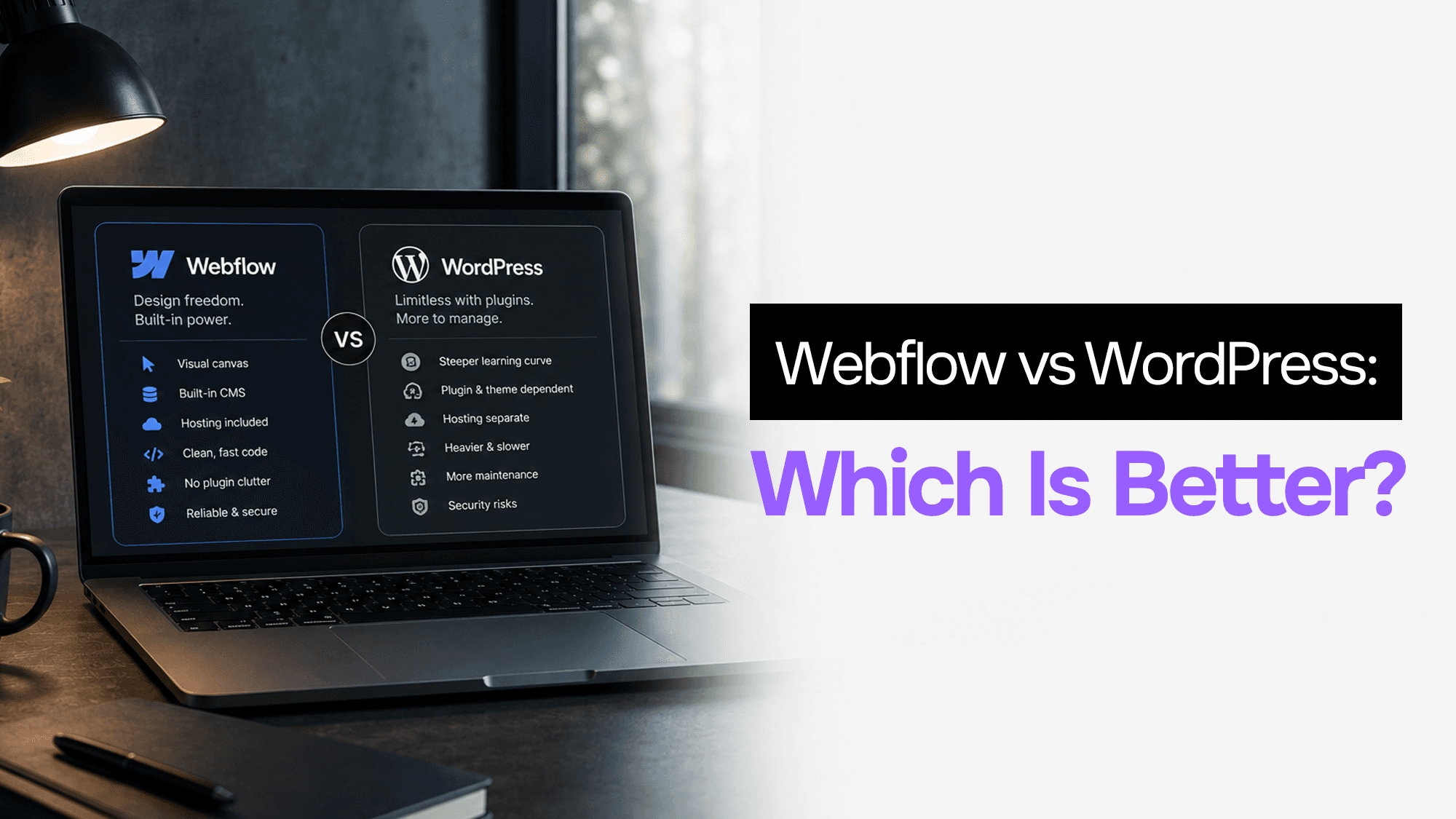
WordPress still powers 43% of the web. Webflow is growing fast. After building client projects in both, here's what actually matters when choosing between them in 2026.
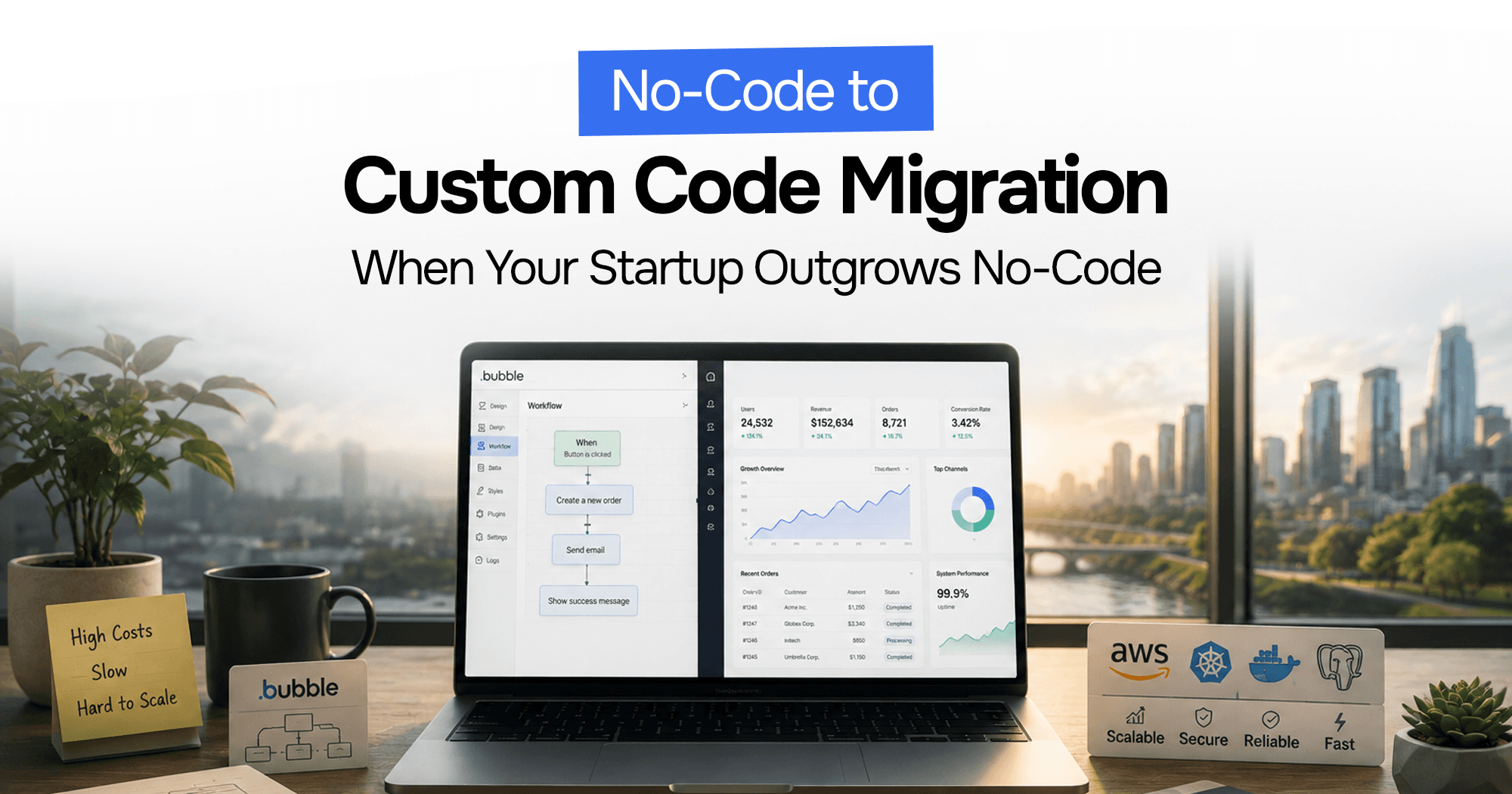
Your Bubble.io app is hitting walls — slow queries, $10K/month bills, investors asking for a real codebase. Here's the complete process for migrating from no-code to custom code without losing data or going dark.

How I scope, design, build, and hand off client marketing sites in Webflow — including the exact process, tools, and handoff checklist I've refined over dozens of projects.
Stuck on a web app, automation, or AI project?
Fifteen minutes, free. You describe the blocker, I tell you what I would fix first. No deck, no pitch — and if I am not the right fit, I will say so.
Book Your Free 15-Min Strategy CallRelated to: Webflow vs Next.js: How I Actually Decide Which One to Use