

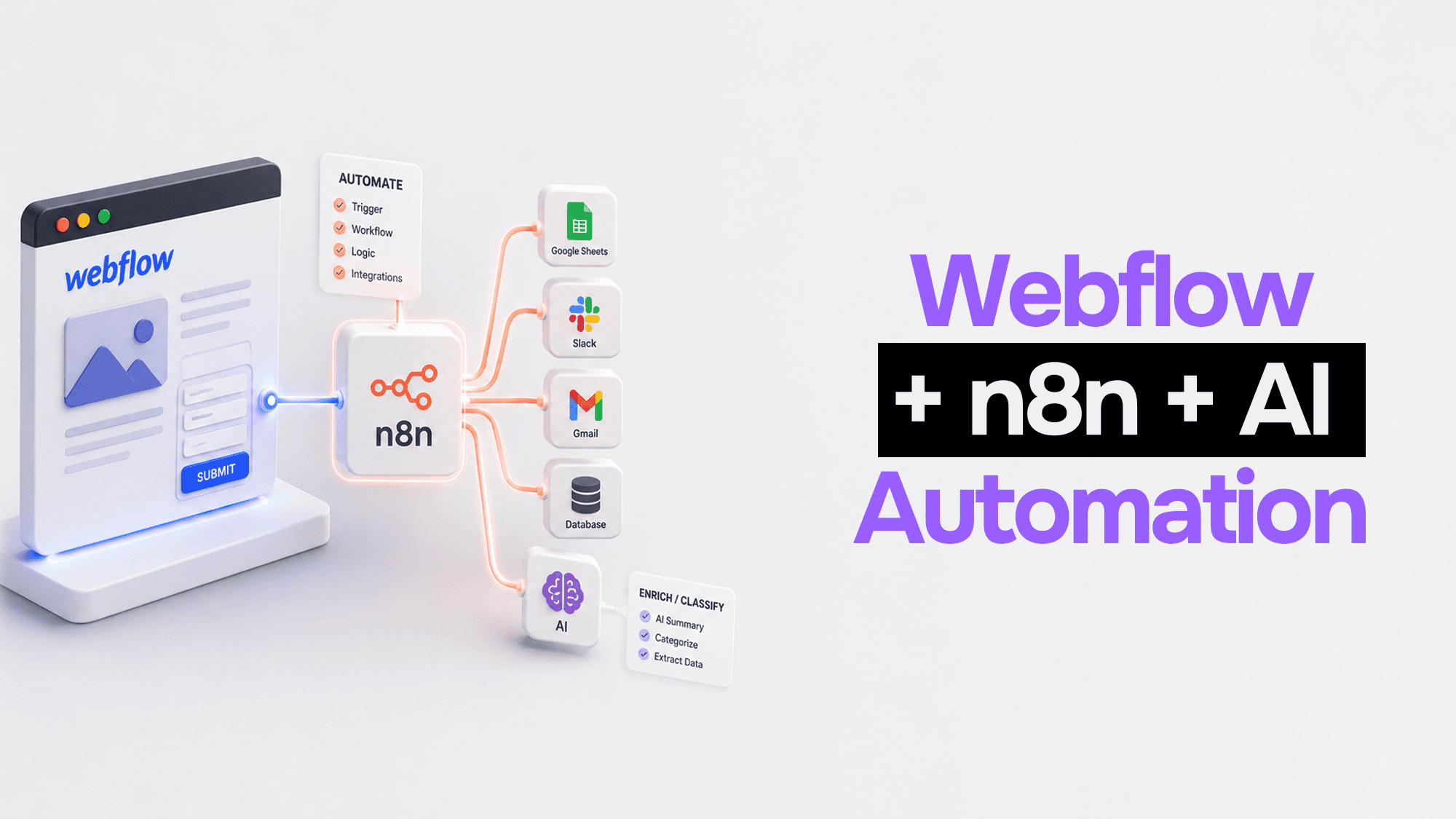
Webflow + n8n + AI: How to Automate Your Client Sites Without Writing a Backend
Webflow is phenomenal at one thing: making beautiful, fast websites without touching infrastructure. But the moment a client asks "can we automatically email someone when a form is submitted?" or "can we sync this CMS entry to our database?"— you're suddenly staring at a backend you didn't want to build.
The standard answer used to be: write a Node.js server, deploy it to Heroku, wire up webhooks, manage keys. You'd spend three days on backend plumbing for what should be a two-hour feature.
Here's the pattern I use now: Webflow + n8n + AI. Webflow fires the event. n8n catches it, routes it, and applies logic. AI enriches or classifies the data. The whole thing takes hours, not days, and there's no backend to maintain.
The Architecture
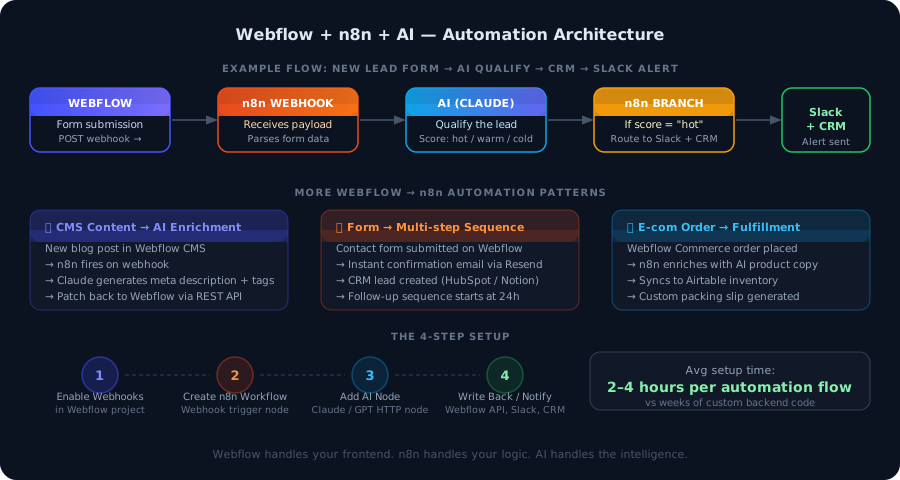 Webflow + n8n + AI automation architecture showing lead qualification and CMS automation flows
The mental model is simple:
- Webflow — your UI layer. Forms, CMS events, e-commerce orders. Everything that touches the user.
- n8n — your logic layer. Receives webhooks, applies conditions, routes data, calls external services.
- AI (Claude/GPT) — your intelligence layer. Classifies, enriches, summarizes, generates, decides.
None of these systems need to know about the others. Webflow just fires webhooks. n8n handles the rest.
Setting Up the Webhook Connection
Before any automation works, you need to connect Webflow to n8n via webhooks.
In Webflow:
- Go to Project Settings → Integrations → Webhooks
- Add a new webhook for the event you care about (form submission, CMS item created, order placed, etc.)
- Paste your n8n webhook URL (you'll get this in the next step)
In n8n:
// n8n Webhook node configuration
{
  "httpMethod": "POST",
  "path": "webflow-forms",
  "responseMode": "responseNode",
  "options": {
    "rawBody": false
  }
}
Your n8n webhook URL will look like:
https://your-n8n.instance.com/webhook/webflow-forms
Paste that into the Webflow webhook field. You're now connected.
Automation Pattern 1: AI-Qualified Lead Routing
This is the most immediately useful pattern for client sites. A lead fills out a contact form. Instead of dumping everything into a spreadsheet, AI qualifies the lead and routes it appropriately.
The flow:
- Webflow form submitted → webhook fires to n8n
- n8n extracts form fields (name, email, company, message)
- n8n sends the data to Claude with a classification prompt
- Claude returns a score:
hot,warm, orcold - n8n routes
hotleads to Slack + CRM,warmto CRM only,coldto a nurture sequence
// n8n HTTP Request node: call Claude API
const response = await $http.request({
  method: 'POST',
  url: 'https://api.anthropic.com/v1/messages',
  headers: {
    'x-api-key': process.env.ANTHROPIC_API_KEY,
    'anthropic-version': '2023-06-01',
    'content-type': 'application/json',
  },
  body: {
    model: 'claude-haiku-4-5-20251001',
    max_tokens: 100,
    messages: [{
      role: 'user',
      content: `Classify this lead as hot, warm, or cold based on their message.

Company: ${$json.data["company"]}
Message: ${$json.data["message"]}

Respond with only: hot, warm, or cold`
    }]
  }
});

const score = response.content[0].text.trim().toLowerCase();
return { score, ...($json.data) };
The routing node in n8n:
// n8n Switch node: route by score
if ($json.score === 'hot') {
  return [[$json], null, null]; // Route 1: Slack + CRM
} else if ($json.score === 'warm') {
  return [null, [$json], null]; // Route 2: CRM only
} else {
  return [null, null, [$json]]; // Route 3: Nurture sequence
}
Cost per lead qualification with claude-haiku: roughly $0.0001. You'd need 10,000 leads before this adds up to a dollar.
Automation Pattern 2: CMS Content Enrichment
Clients love Webflow's CMS. They can add blog posts, team members, and case studies without touching code. The friction point: someone has to write SEO meta descriptions, generate alt text, and add tags every time.
This pattern eliminates that friction entirely.
The flow:
- Client publishes a new CMS item in Webflow
- Webflow fires a
collection_item_createdwebhook - n8n receives the payload (item title, body, slug)
- Claude generates: meta description, Open Graph summary, 3-5 tags
- n8n patches the CMS item back via Webflow REST API
// n8n Function node: build the enrichment prompt
const { name, slug, fieldData } = $json;
const body = fieldData['post-body'] || fieldData['description'] || '';

const prompt = `Given this blog post, generate:
1. A meta description (max 155 chars, include main keyword)
2. Three to five relevant tags as a JSON array
3. An Open Graph description (max 100 chars, engaging)

Title: ${name}
Content preview: ${body.substring(0, 800)}

Respond in JSON: { "metaDescription": "...", "tags": [...], "ogDescription": "..." }`;

return { slug, prompt, itemId: $json._id };
// n8n HTTP Request node: patch the Webflow item
{
method: 'PATCH',
url: `https://api.webflow.com/v2/collections/${COLLECTION_ID}/items/${itemId}`,
headers: {
'Authorization': `Bearer ${process.env.WEBFLOW_API_TOKEN}`,
'Content-Type': 'application/json'
},
body: {
fieldData: {
'meta-description': aiResponse.metaDescription,
'tags': aiResponse.tags,
'og-description': aiResponse.ogDescription,
}
}
} The client never has to think about SEO metadata again. They publish, the AI handles the rest.
Automation Pattern 3: Form → Multi-Step Email Sequence
Webflow doesn't have a native email sequence builder. But with n8n, you can build a full drip sequence triggered by any form submission — no Mailchimp required.
The flow:
- Webflow contact/waitlist form submitted
- n8n receives the webhook
- Immediate confirmation email sent via Resend (or Postmark, SendGrid)
- n8n creates a "scheduled execution" to fire at T+24h, T+72h, T+7d
- Each execution sends a contextually relevant follow-up email
// n8n Wait node: pause workflow for 24 hours
{
  "amount": 24,
  "unit": "hours"
}

// Then: n8n Send Email node with personalized follow-up
What makes this better than a traditional email tool: you can branch the sequence based on whether the contact clicked a link, visited a specific page (tracked via Webflow's Analytics API), or responded to the email. The sequence becomes a proper state machine, not just a timer.
Automation Pattern 4: E-Commerce Order Processing
Webflow Commerce fires webhooks on order events. Here's a pattern I've used for a client running a small product line:
The flow:
- Order placed in Webflow Commerce
- n8n receives
order_createdwebhook - Claude generates a personalized thank-you email based on what was ordered
- n8n syncs order details to Airtable for inventory tracking
- n8n generates a PDF packing slip and emails it to the fulfillment team
// Claude prompt for personalized order email
const items = order.purchasedItems.map(i => i.productName).join(', ');

const emailPrompt = `Write a warm, brief thank-you email for this order.
Customer name: ${order.customerInfo.name}
Items ordered: ${items}
Tone: friendly, professional, not generic.
Max 4 sentences.`;
Zero backend infrastructure. The whole workflow runs in n8n, and n8n can run self-hosted on a $5/month VPS.
Why This Stack Works
The reason this pattern is powerful isn't any individual tool — it's the combination:
Webflow handles the part that's genuinely hard to build yourself: a fast, SEO-optimized, visually polished frontend with a client-editable CMS. You're not reinventing layout or hosting.
n8n handles orchestration. It's the glue. Conditional logic, retries, error handling, scheduling — all of it is visual and debuggable without deployment cycles.
AI adds intelligence that would otherwise require custom model training or complex rule systems. Lead scoring, content enrichment, personalization — Claude handles it in a single API call.
🌐 If you're not using Webflow as the frontend layer for client automations, you're building a lot of UI that isn't your core value. I use Webflow for every client site in this stack — it handles all the frontend complexity so n8n and AI can focus on what actually matters.
What You Need to Get Started
- Webflow account — Core plan ($14/month) is enough; CMS plan ($23/month) if you need the CMS webhook events
- n8n — self-hosted (Docker, Railway, or any VPS) or n8n Cloud
- Anthropic API key — for Claude; or OpenAI if you prefer
- ~2–4 hours to build your first complete flow end-to-end
The first automation you build will take an afternoon. The second will take an hour. By the third, you'll have a template library you're reusing across every client.
Common Gotchas
Webflow webhook payloads are inconsistent. The shape of the payload varies between form submissions, CMS events, and e-commerce events. Always add a Set node at the start of your n8n workflow to normalize the data before passing it downstream.
Rate limits on the Webflow API. If you're patching multiple CMS items in sequence (e.g., enriching 50 blog posts at once), add a Wait node between API calls to avoid hitting the rate limit (60 requests/minute on most plans).
n8n error handling is manual. Add an Error Trigger workflow that fires on any unhandled error and sends a Slack notification. Otherwise you'll have silently failed automations running for days.
Claude response parsing. Always ask Claude to return structured JSON and wrap the parse in a try/catch. LLMs occasionally return valid answers in the wrong format; having a fallback prevents entire workflows from crashing on an edge case.
The Bottom Line
The combination of Webflow + n8n + AI gives you the automation power of a custom backend without the backend. The client gets a site they can edit. You get a logic layer you can build and debug visually. AI adds intelligence at pennies per operation.
It's not the right stack for everything — if you need complex user auth, a proper database schema, or real-time features, you want Next.js. But for client sites that need to do more than just sit there? This combination is hard to beat.
Vibe Coding Survival Guide
How to Ship AI-Assisted Code That Doesn't Embarrass You in Production
A production-minded guide for developers, founders, and teams using AI coding tools without letting brittle generated code reach customers.
If you found this article helpful, consider buying me a coffee to support more content like this.
Related Articles
Your Bubble.io app is hitting walls — slow queries, $10K/month bills, investors asking for a real codebase. Here's the complete process for migrating from no-code to custom code without losing data or going dark.
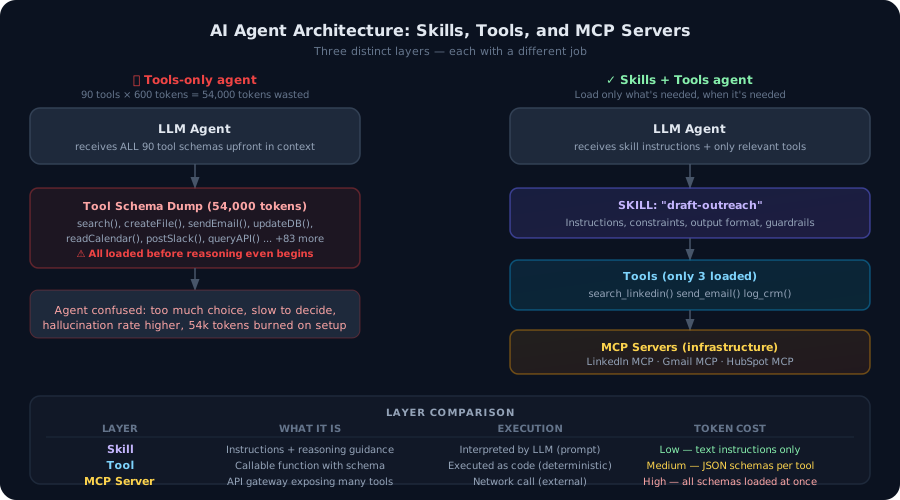
Most developers build agents with tools. That's not enough. Here's the architectural difference between agent tools and agent skills — and why getting this wrong burns tokens, degrades accuracy, and makes your agents brittle in production.
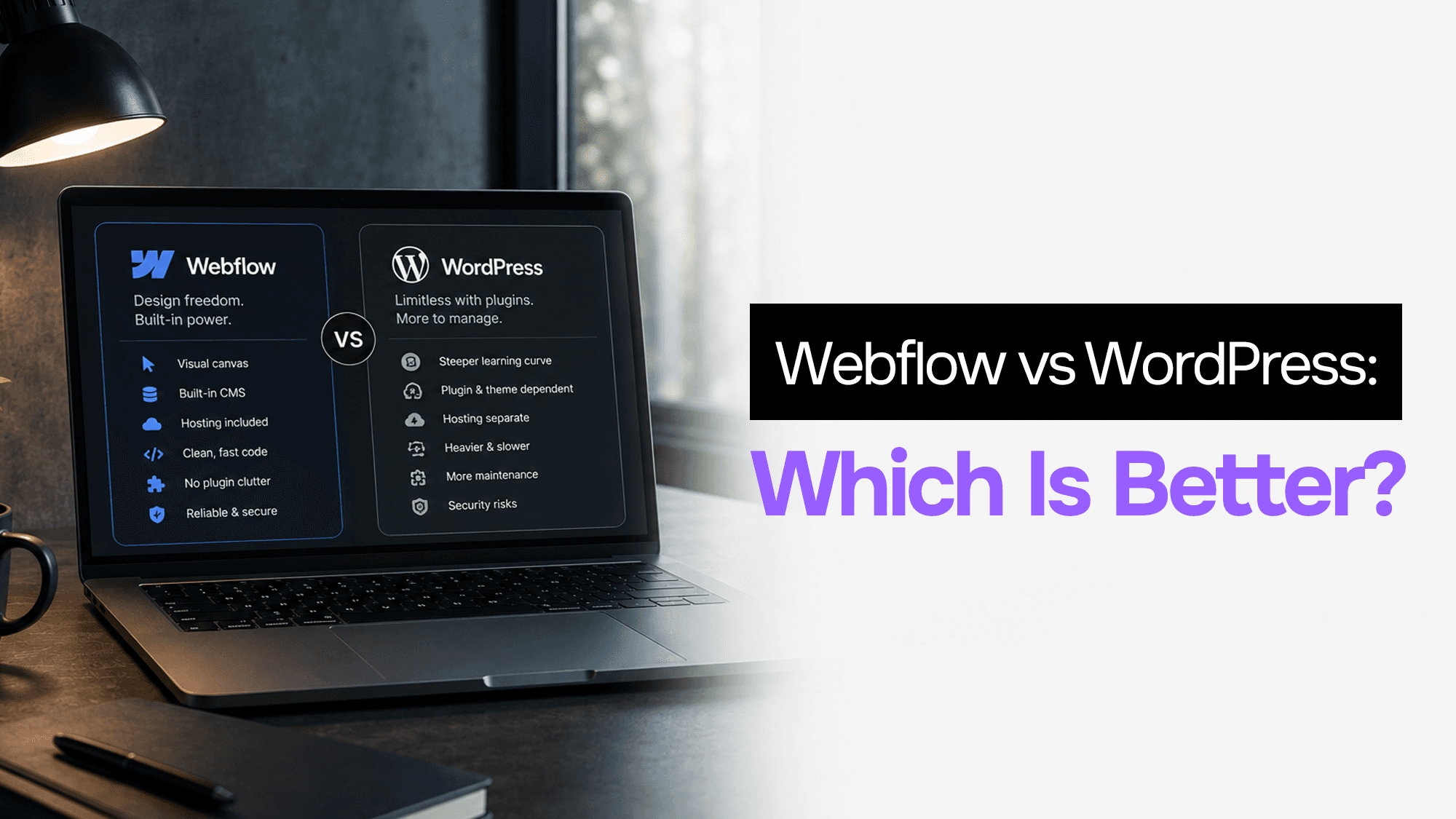
WordPress still powers 43% of the web. Webflow is growing fast. After building client projects in both, here's what actually matters when choosing between them in 2026.
Vibe Coding Survival Guide
How to Ship AI-Assisted Code That Doesn't Embarrass You in Production
A production-minded guide for developers, founders, and teams using AI coding tools without letting brittle generated code reach customers.