

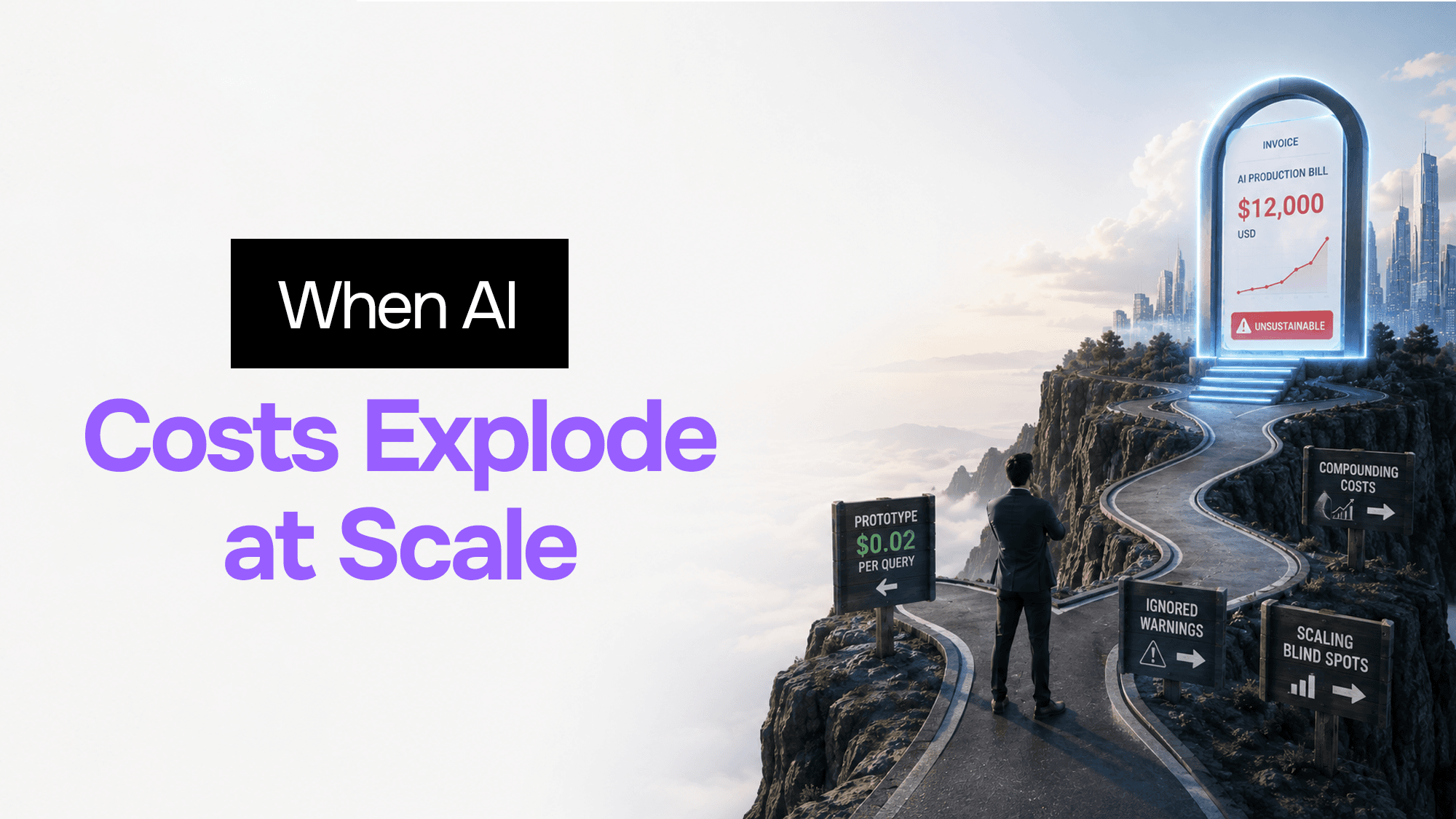
Your AI Prototype Cost $0.02 per Query. Your Production Bill Just Hit $12,000. Here's Why — and How to Fix It.
A founder I work with sent me a Slack message at 11pm on a Tuesday.
"Just got the Anthropic invoice. $11,800. We did $6k in revenue this month."
His AI support agent had been running for five months. The first month's bill was $43. He hadn't looked at it since. The product had grown, the conversation threads had gotten longer, the team had added more tools to the agent's context — and nobody had noticed costs compounding in the background.
He's not an outlier. I've seen this exact pattern a dozen times. The demo runs fine at $0.02 per query. You multiply that by your user base and think you've modelled the economics. Then scale hits and you discover that your mental model was wrong in at least three places.
This post is the explanation and the fix.
Why Your Prototype Cost Model Doesn't Survive Contact With Production
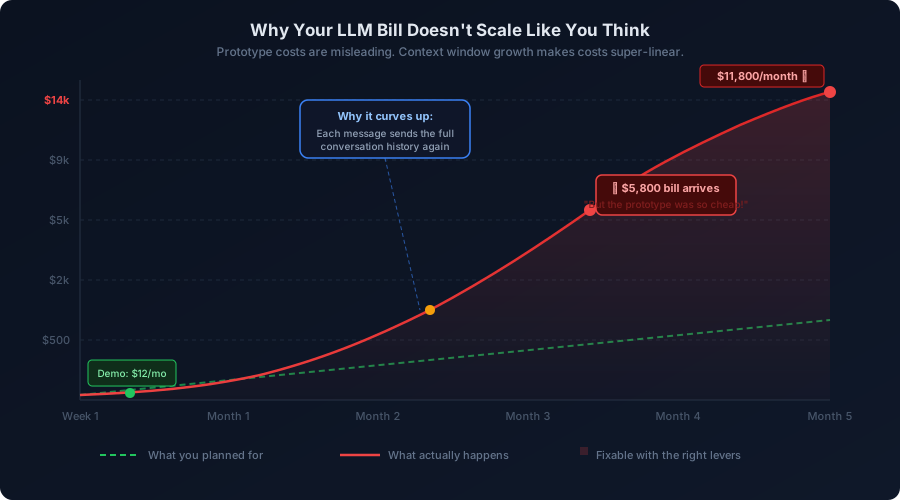 Why Your LLM Bill Doesn't Scale Like You Think
When you test an agent in development, you send short, isolated prompts. Each one is evaluated in isolation. The bill is minimal.
In production, three things change simultaneously:
The context window grows with every turn. Most conversation agents include the full message history in every API call. Message one: 500 tokens. Message five: 2,500 tokens. Message twenty: 10,000 tokens — and that's before your system prompt, your RAG context, or your tool definitions. A thirty-message support thread costs six times what a five-message thread does, even if the user's actual questions are the same length.
Output tokens are a silent multiplier. Nobody mentions this loudly enough: output tokens cost two to eight times more than input tokens, depending on the model. If you budgeted based on input prices, you missed the most expensive half of the equation.
Nobody caches anything. Your user base asks "what are your pricing tiers?" approximately eight hundred times a day. You answer it eight hundred times. Each answer costs the same as the first one.
These three forces compound. They're why the cost curve bends upward instead of growing linearly. And because it happens gradually, it's usually caught at invoice time rather than when the commit that caused it landed.
Five Levers, In Order of Impact Per Hour of Work
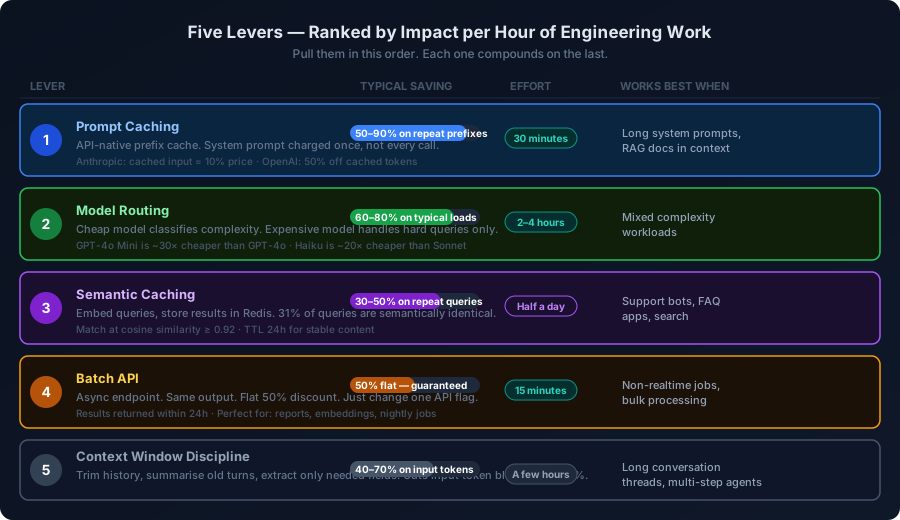 Five Cost Levers Ranked by Impact
Pull these in order. The first two alone typically cut a bill by 70–80%. The rest are refinements.
Lever 1: Prompt Caching — 30 Minutes of Work, Up to 90% Off Repeat Prefixes
Anthropic and OpenAI both support prefix caching directly in their APIs. You structure your prompt so the expensive static parts — your system prompt, your knowledge base documents, your tool definitions — come first. The API caches that prefix and charges you a fraction on every subsequent call that reuses it.
Anthropic charges 10% of the normal input price for cached tokens. If your system prompt is 4,000 tokens and you're making 10,000 API calls per day, you're currently paying for 40 million prompt tokens every day. With caching, you pay full price once and 10% on everything after.
Here's how to structure it in Node.js with the Anthropic SDK:
import Anthropic from "@anthropic-ai/sdk";

const client = new Anthropic();

// Your large, stable context goes first — this is what gets cached
const SYSTEM_PROMPT = `You are a customer support agent for Acme Corp.
[... 3000 tokens of product knowledge, FAQs, policies ...]`;

async function answerQuery(
  userMessage: string,
  conversationHistory: Anthropic.MessageParam[]
): Promise<string> {
  const response = await client.messages.create({
    model: "claude-sonnet-4-5",
    max_tokens: 1024,
    system: [
      {
        type: "text",
        text: SYSTEM_PROMPT,
        // This tells the API to cache everything up to this point
        cache_control: { type: "ephemeral" },
      },
    ],
    messages: [
      ...conversationHistory,
      { role: "user", content: userMessage },
    ],
  });

  // Check cache performance in the usage data
  const usage = response.usage as Anthropic.Usage & {
    cache_read_input_tokens?: number;
    cache_creation_input_tokens?: number;
  };

  if (usage.cache_read_input_tokens) {
    console.log(
      `Cache hit: saved ${usage.cache_read_input_tokens} tokens at full price`
    );
  }

  return response.content[0].type === "text" ? response.content[0].text : "";
}
The only design rule: the cached prefix must be identical across calls. Even a single character difference creates a new cache entry. Keep your system prompt in a constant, not a template string that gets rebuilt on every request.
One caching-related change you should make regardless: stop sending RAG chunks inline. If your RAG documents are stable (product manuals, FAQs, policy docs), inject them into the cached system prompt as a prefix block instead of into each user turn. You pay the embedding + retrieval cost once and cache the context.
Lever 2: Model Routing — Route the Right Query to the Right Model
This is the highest-leverage structural change you can make. The price difference between a small model (Haiku, GPT-4o Mini) and a large one (Sonnet, GPT-4o) is roughly 20–30x. Most enterprise workloads don't need the large model for 80% of their queries.
"What are your business hours?" does not need GPT-4o. "Explain the legal implications of this contract clause" might.
The pattern: use a cheap, fast model to classify query complexity, then route to the appropriate tier.
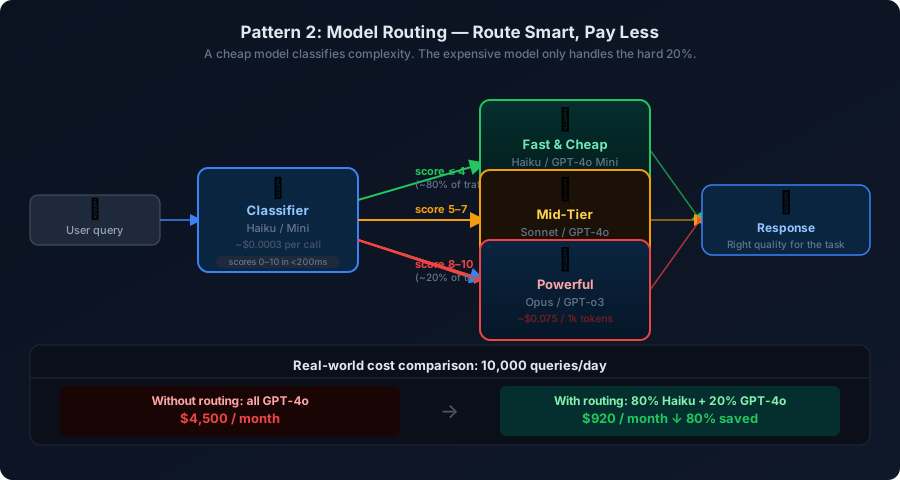 Model Routing Diagram
import Anthropic from "@anthropic-ai/sdk";

type ComplexityTier = "simple" | "medium" | "complex";

interface RouterResult {
  tier: ComplexityTier;
  score: number;
  reasoning: string;
}

const client = new Anthropic();

// Classifier runs on Haiku — costs ~$0.0003 per call
async function classifyQuery(query: string): Promise<RouterResult> {
  const response = await client.messages.create({
    model: "claude-haiku-4-5",
    max_tokens: 100,
    system: `Classify the complexity of user queries.
Score 1-10 where:
1-4 = simple factual/FAQ (no reasoning needed)
5-7 = moderate (some analysis needed)
8-10 = complex (deep reasoning, multi-step, ambiguous)

Respond with JSON only: { "score": number, "tier": "simple"|"medium"|"complex", "reasoning": string }`,
    messages: [{ role: "user", content: query }],
  });

  const text =
    response.content[0].type === "text" ? response.content[0].text : "{}";
  return JSON.parse(text) as RouterResult;
}

// Main router — picks the model based on complexity score
async function routedQuery(
  query: string,
  conversationHistory: Anthropic.MessageParam[]
): Promise<string> {
  const classification = await classifyQuery(query);

  const modelMap: Record<ComplexityTier, string> = {
    simple: "claude-haiku-4-5",       // ~$0.0015/1k tokens
    medium: "claude-sonnet-4-6",      // ~$0.015/1k tokens
    complex: "claude-opus-4-6",       // ~$0.075/1k tokens
  };

  const model = modelMap[classification.tier];

  const response = await client.messages.create({
    model,
    max_tokens: 1024,
    messages: [
      ...conversationHistory,
      { role: "user", content: query },
    ],
  });

  console.log(
    `Routed to ${model} (score: ${classification.score})`
  );

  return response.content[0].type === "text" ? response.content[0].text : "";
}
A few practical notes on building a router:
Don't just score complexity. Also consider the stakes. A simple question about a refund policy might route to Haiku on complexity alone, but if your application handles financial decisions, you might want to keep certain topic categories on a better model regardless.
Measure your routing accuracy. Log the tier assigned and occasionally sample the results. If Haiku is routing 95% of queries to "simple", check whether the answers are actually good. If it's over-routing to "complex", your prompt needs tuning.
Start with a hard threshold instead of a classifier if you're in a hurry: check for keyword signals (legal, contract, analysis, compare) and route those to the big model, everything else to Haiku. It's less elegant but ships in ten minutes and often captures 70% of the savings.
Lever 3: Semantic Caching — Stop Answering the Same Question Eight Hundred Times
This requires slightly more infrastructure (Redis) but the concept is simple: before calling the LLM, embed the user's query and check whether you've seen something semantically identical recently. If yes, return the cached answer.
Enterprise data shows that 31% of LLM queries are semantically identical to a previous query, just phrased differently. "What's your refund policy?", "Can I get a refund?", "How do returns work?" — three different phrasings, one answer.
import Anthropic from "@anthropic-ai/sdk";
import { createClient } from "redis";

const client = new Anthropic();
const redis = createClient({ url: process.env.REDIS_URL });
await redis.connect();

const SIMILARITY_THRESHOLD = 0.92; // tune this for your use case
const CACHE_TTL_SECONDS = 86400;   // 24 hours

async function embedQuery(text: string): Promise<number[]> {
  // Use a cheap embedding model — cost is negligible vs LLM calls
  const response = await client.embeddings({
    model: "text-embedding-3-small",   // swap for your provider's embedding model
    input: text,
  });
  // Note: Anthropic doesn't have a native embeddings endpoint yet.
  // Use OpenAI embeddings + Anthropic completions, or Voyage AI embeddings.
  return response.data[0].embedding;
}

function cosineSimilarity(a: number[], b: number[]): number {
  const dot = a.reduce((sum, val, i) => sum + val * b[i], 0);
  const magA = Math.sqrt(a.reduce((sum, val) => sum + val * val, 0));
  const magB = Math.sqrt(b.reduce((sum, val) => sum + val * val, 0));
  return dot / (magA * magB);
}

async function cachedQuery(
  query: string,
  systemPrompt: string
): Promise<{ answer: string; fromCache: boolean }> {
  const queryEmbedding = await embedQuery(query);

  // Scan recent cache keys for a semantic match
  // In production: use a vector DB (Redis Vector Search, pgvector, etc.)
  const keys = await redis.keys("semantic_cache:*");
  for (const key of keys) {
    const cached = await redis.hGetAll(key);
    if (!cached.embedding || !cached.answer) continue;

    const cachedEmbedding: number[] = JSON.parse(cached.embedding);
    const similarity = cosineSimilarity(queryEmbedding, cachedEmbedding);

    if (similarity >= SIMILARITY_THRESHOLD) {
      console.log(`Cache hit — similarity: ${similarity.toFixed(3)}`);
      return { answer: cached.answer, fromCache: true };
    }
  }

  // Cache miss — call the LLM
  const response = await client.messages.create({
    model: "claude-haiku-4-5",
    max_tokens: 512,
    system: systemPrompt,
    messages: [{ role: "user", content: query }],
  });

  const answer =
    response.content[0].type === "text" ? response.content[0].text : "";

  // Store in cache
  const cacheKey = `semantic_cache:${Date.now()}`;
  await redis.hSet(cacheKey, {
    query,
    embedding: JSON.stringify(queryEmbedding),
    answer,
    createdAt: Date.now().toString(),
  });
  await redis.expire(cacheKey, CACHE_TTL_SECONDS);

  return { answer, fromCache: false };
}
A production-grade version of this uses Redis Vector Search (available in Redis Stack) or pgvector instead of scanning all keys. The keys() scan is O(n) and will slow down as your cache grows. For a few hundred entries it's fine; for millions, switch to an indexed similarity search.
Set your TTL based on content volatility. Product pricing answers: maybe 24 hours. Technical documentation answers: 7 days. News or current events: don't cache at all.
Lever 4: Batch API — 50% Off With One API Flag Change
Both Anthropic and OpenAI offer batch endpoints for asynchronous workloads. You submit a batch of requests, they process them with lower priority, and return results within 24 hours. The discount is a flat 50% off the normal price. No quality trade-off. No new infrastructure.
This is the easiest lever of all. If any part of your workload isn't realtime — nightly report generation, bulk content moderation, embedding creation, data enrichment, scheduled analyses — you should be using the batch API today.
import Anthropic from "@anthropic-ai/sdk";
import * as fs from "fs";

const client = new Anthropic();

interface BatchItem {
  id: string;
  content: string;
}

async function processBatch(items: BatchItem[]): Promise<string> {
  // Build the batch request — each item becomes one request
  const requests: Anthropic.MessageCreateParamsNonStreaming[] = items.map(
    (item) => ({
      custom_id: item.id,
      params: {
        model: "claude-haiku-4-5",
        max_tokens: 512,
        messages: [{ role: "user", content: item.content }],
      },
    })
  );

  // Submit the batch
  const batch = await client.beta.messages.batches.create({
    requests,
  });

  console.log(`Batch submitted: ${batch.id}`);
  console.log(`Status: ${batch.processing_status}`);
  console.log(`Requests: ${batch.request_counts.processing}`);

  // Save batch ID to poll later (don't block your server waiting)
  fs.writeFileSync(`batch_${batch.id}.json`, JSON.stringify({ batchId: batch.id, submittedAt: new Date().toISOString() }));

  return batch.id;
}

async function pollBatchResults(batchId: string): Promise<void> {
  const batch = await client.beta.messages.batches.retrieve(batchId);

  if (batch.processing_status !== "ended") {
    console.log(`Still processing: ${batch.processing_status}`);
    return;
  }

  // Results are available — stream them out
  for await (const result of await client.beta.messages.batches.results(batchId)) {
    if (result.result.type === "succeeded") {
      const text = result.result.message.content[0];
      if (text.type === "text") {
        console.log(`${result.custom_id}: ${text.text.slice(0, 80)}...`);
      }
    } else {
      console.error(`${result.custom_id} failed:`, result.result.error);
    }
  }
}
A practical architecture: your application writes pending batch jobs to a queue (Redis list, SQS, etc.). A nightly cron job reads the queue, submits a batch, and stores the batch ID. A second job (runs every few hours) polls the batch status and writes completed results to your database. Your application reads from the database, not from the LLM API directly.
Lever 5: Context Window Discipline — Stop Sending Tokens You Don't Need
Every token in your API call costs money, whether the model uses it or not. Long conversation threads bloat to 20,000+ tokens within minutes. Most of that history is irrelevant to the current question.
There are three strategies, in order of aggressiveness:
Sliding window: Keep only the last N turns. Simple, effective, doesn't require any LLM calls.
function trimConversationHistory(
  history: Anthropic.MessageParam[],
  maxTurns: number = 10
): Anthropic.MessageParam[] {
  if (history.length <= maxTurns * 2) return history;
  // Always keep the first message (often has important context)
  // Then keep the most recent maxTurns exchanges
  return [
    history[0],
    ...history.slice(-(maxTurns * 2 - 1)),
  ];
}
Progressive summarisation: When a thread exceeds a length threshold, use a cheap model to summarise the older portion into a paragraph, then replace it.
async function summariseOldHistory(
  history: Anthropic.MessageParam[],
  summaryThreshold: number = 20
): Promise<Anthropic.MessageParam[]> {
  if (history.length <= summaryThreshold) return history;

  const toSummarise = history.slice(0, -10); // everything except last 5 exchanges
  const recent = history.slice(-10);

  const summaryResponse = await client.messages.create({
    model: "claude-haiku-4-5",
    max_tokens: 300,
    messages: [
      {
        role: "user",
        content: `Summarise this conversation history in 2–3 sentences, preserving key decisions, facts, and user preferences:\n\n${JSON.stringify(toSummarise)}`,
      },
    ],
  });

  const summary =
    summaryResponse.content[0].type === "text"
      ? summaryResponse.content[0].text
      : "";

  return [
    { role: "user", content: `[Earlier conversation summary: ${summary}]` },
    { role: "assistant", content: "Understood, I have the context." },
    ...recent,
  ];
}
Selective extraction: Instead of passing the full history, use a cheap model to extract only the facts relevant to the current question before calling the main model. Adds one small API call, but can cut main-call context by 80%.
Decision Table: Which Lever to Pull First
| Your situation | Pull first | Expected saving |
|---|---|---|
| Long system prompt that rarely changes | Lever 1: Prompt caching | 50–90% |
| Using GPT-4o / Claude Sonnet for everything | Lever 2: Model routing | 60–80% |
| Support bot with repetitive questions | Lever 3: Semantic caching | 30–50% |
| Nightly reports, bulk jobs | Lever 4: Batch API | 50% flat |
| Conversation threads grow past 10 turns | Lever 5: Context trimming | 40–70% on input |
| All of the above | Combine in order | 85–95% overall |
These levers stack. A conversation agent that implements prompt caching, model routing, semantic caching, and history trimming typically ends up at 5–15% of its original cost per query. Not cheaper. Five to fifteen percent.
Before and After: A Real Support Bot
The founder from the opening of this post had an agent with these characteristics:
- 4,000-token system prompt (rebuilt from a template every call)
- All requests on Claude Sonnet, regardless of complexity
- No caching of any kind
- Full 30-turn history passed on every message
After a week of changes:
- System prompt put in a cached prefix block → 80% of input tokens cached
- Router added, 78% of queries classified as simple → routed to Haiku
- Redis semantic cache added → 34% of queries served from cache
- Sliding window history trim to last 8 turns
Monthly bill: $11,800 → $680.
Revenue was the same. Response quality was statistically indistinguishable (we A/B tested it). The agent was actually faster because Haiku has lower latency than Sonnet.
The Broader Point
LLM cost issues are architecture issues. They're not solved by switching providers or haggling on your contract. They're solved by designing your system so each API call does exactly as much as it needs to do — no more.
The pattern I see most often: a team ships a prototype, it works, they scale it without changing the architecture, and then they're surprised that prototype economics don't apply to production loads. The economics were never going to apply. The prototype was just too small to notice the structural problems.
The five levers in this post work for any language model, any provider, and any application type. The code examples are for Anthropic's API but the concepts translate directly to OpenAI, Gemini, or any other provider that bills by token.
Start with Lever 1. It takes thirty minutes. If your system prompt is 2,000+ tokens and you make more than a few hundred API calls per day, you'll see the savings immediately on your next invoice.
If your LLM bill has outgrown your revenue and you're not sure where to start, I audit AI system architectures and identify exactly where the money is going. Book a technical diagnostic — we can usually identify 60%+ in immediate savings in a single session.
Stuck on a web app, automation, or AI project?
Fifteen minutes, free. You describe the blocker, I tell you what I would fix first. No deck, no pitch — and if I am not the right fit, I will say so.
Book Your Free 15-Min Strategy CallRelated to: Your AI Prototype Cost $0.02 per Query. Your Production Bill Just Hit $12,000. Here's Why — and How to Fix It.If you found this article helpful, consider buying me a coffee to support more content like this.
Related Articles
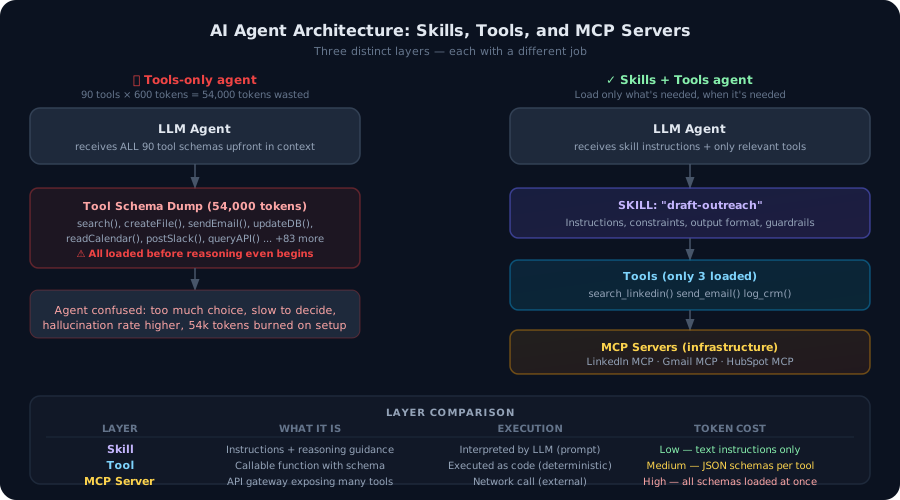
Most developers build agents with tools. That's not enough. Here's the architectural difference between agent tools and agent skills — and why getting this wrong burns tokens, degrades accuracy, and makes your agents brittle in production.
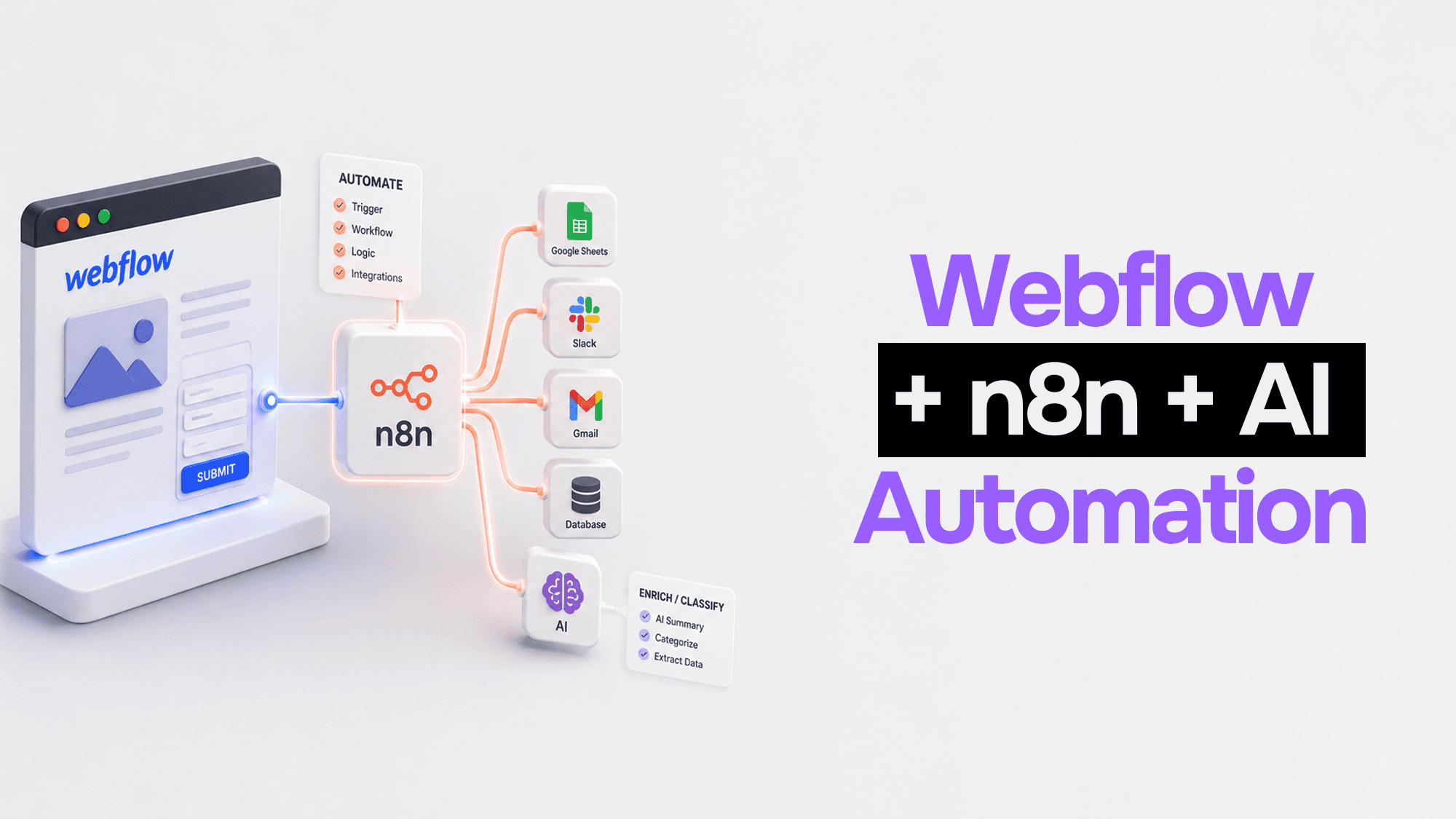
Webflow handles your frontend beautifully. n8n handles the logic. Claude handles the intelligence. Here's how to wire them together into automation pipelines that actually work.
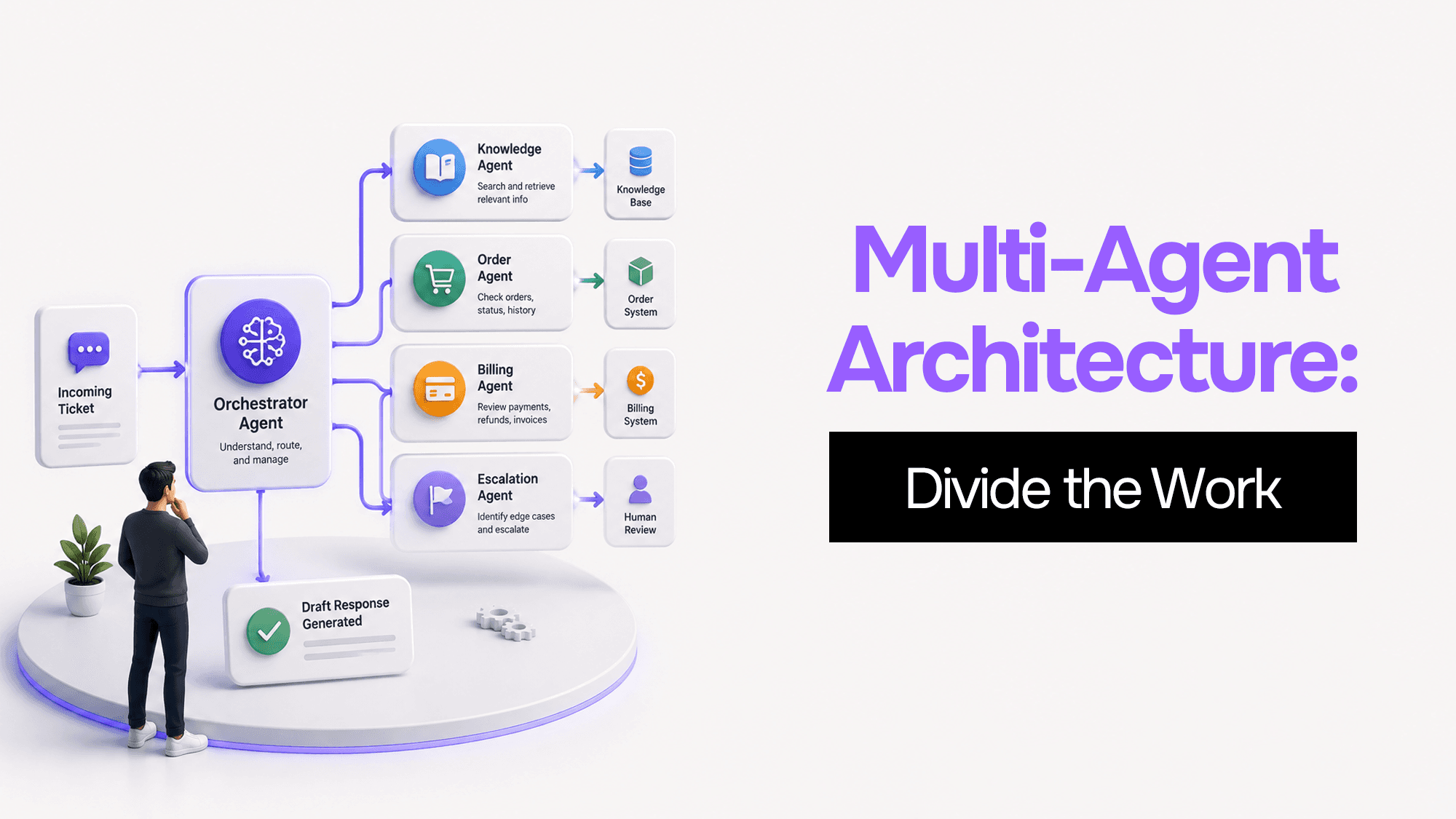
You built one AI agent and it worked. Then it got slower, started forgetting things, and ended up with access to databases it shouldn't touch. Here's what's actually happening — and four coordination patterns to fix it.
Stuck on a web app, automation, or AI project?
Fifteen minutes, free. You describe the blocker, I tell you what I would fix first. No deck, no pitch — and if I am not the right fit, I will say so.
Book Your Free 15-Min Strategy CallRelated to: Your AI Prototype Cost $0.02 per Query. Your Production Bill Just Hit $12,000. Here's Why — and How to Fix It.