

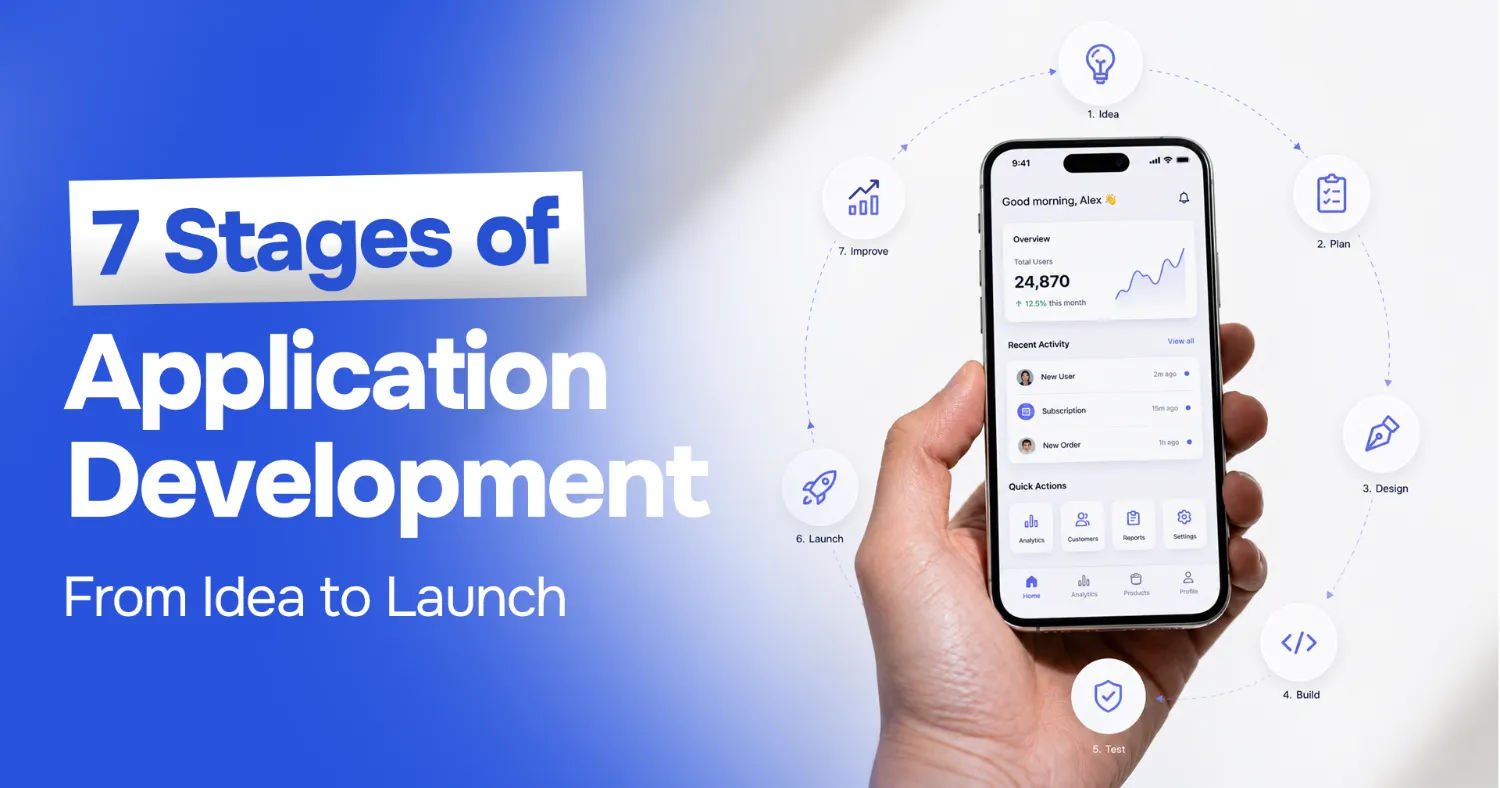
What Are the 7 Stages of App Development? A Complete Guide from Idea to Launch
Most apps do not fail because the code was bad. They fail because somebody skipped a step. A team gets excited, jumps straight to building, and only discovers eleven months later that nobody actually wanted the thing they built, or that the architecture cannot handle the tenth thousand user.
So what are the 7 stages of app development, and why does following them matter so much? The short answer is that a structured app development process is the cheapest insurance you can buy. Every stage exists to catch a specific category of expensive mistake before it becomes permanent. Validation catches "nobody wants this." Requirements catch "we built the wrong thing." Design catches "users cannot figure this out." Testing catches "it breaks under load."
I audit and rescue software for a living, and the pattern is consistent: the cost of fixing a problem multiplies roughly ten times at every stage it survives. A misunderstanding caught in a discovery call costs an hour. The same misunderstanding caught after launch costs a rewrite.
This guide walks through all seven stages, how long each realistically takes, what delays projects, and how AI tooling genuinely helps (and where it does not). By the end you will be able to sanity-check any development plan put in front of you.
What Is the App Development Process?
The app development process is the structured sequence of stages a team moves through to take an application from an initial idea to a maintained, live product. It is sometimes called the mobile application development life cycle, and the two terms describe the same thing: a repeatable framework that turns uncertainty into a shippable product.
Here is the distinction that trips up most first-time founders. The app development process is not the same as coding. Coding is one stage out of seven. In a typical project, actually writing application code accounts for somewhere between 30 and 40 percent of the total effort. The rest goes into figuring out what to build, designing how it should work, proving it works correctly, shipping it safely, and keeping it alive afterwards.
This is why "I found a developer who can build it in six weeks" is rarely the bargain it sounds like. A six-week build with no discovery, no design, and no QA is not a six-week project. It is a six-week build followed by six months of firefighting.
Planning before development matters for a blunt economic reason: decisions get harder to reverse as you go. Changing a feature in a requirements document costs a conversation. Changing it in a Figma file costs a few hours. Changing it after it is coded, tested, and integrated with three other systems costs weeks. Front-loading the thinking is what keeps the expensive part cheap.
What Are the 7 Stages of App Development?
Every credible development lifecycle, whatever it is branded as, contains these seven stages. The names vary. The substance does not.
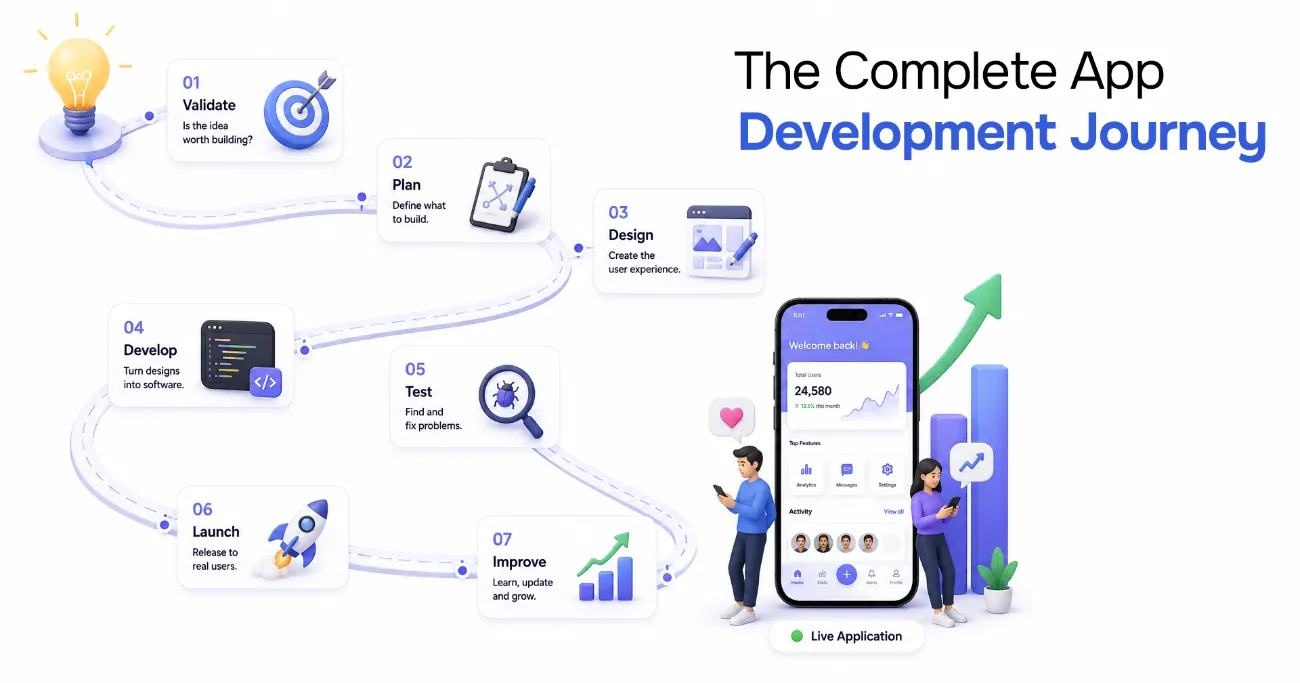 The complete app development journey: validate, plan, design, develop, test, launch, and improve
| # | Stage | Core Question It Answers | Main Output |
|---|---|---|---|
| 1 | Idea Validation & Market Research | Should this exist at all? | Validated problem, target user |
| 2 | Planning & Requirements | What exactly are we building? | Scope, requirements, roadmap |
| 3 | UI/UX Design | How will people use it? | Wireframes, prototype, design system |
| 4 | App Development | Build it | Working, integrated application |
| 5 | Testing & QA | Does it actually work? | Verified, stable build |
| 6 | Deployment & Launch | Ship it safely | Live app in production |
| 7 | Maintenance & Improvement | Keep it working and get better | Fixes, updates, new features |
Stage 1: Idea Validation & Market Research
Before anyone writes a line of code, you need evidence that the problem is real and that people will pay to have it solved. This stage is about killing bad ideas cheaply.
Validation means talking to the people you think have the problem, and listening for whether they describe it the way you do. It means looking at what they use today, because the honest competitor for most apps is not another app, it is a spreadsheet, a WhatsApp group, or doing nothing. It also means studying existing solutions to find the gap you can credibly own.
The output of this stage is a clear statement of the problem, a defined target user, and a hypothesis about why your approach wins. If you cannot write those three things in a paragraph, you are not ready for stage two. Skipping validation is the single most expensive mistake in this entire list, because everything downstream inherits the error.
Stage 2: Planning & Requirements Gathering
Now you translate a validated idea into a concrete plan. This is where you decide what is in scope, what is explicitly out of scope, and what you are building first.
Good requirements describe behaviour and outcomes, not implementation. "Users must be able to reset a forgotten password without contacting support" is a requirement. "Add a Postgres table for reset tokens" is a design decision that follows from it. Keeping those separate gives your engineers room to solve the problem well.
This stage also produces the technical shape of the project: platform choice (iOS, Android, cross-platform, web), core architecture, third-party services, and the data model. And critically, it produces a prioritized roadmap. The most valuable artifact here is often the non-goals list, because scope creep is easier to prevent than to cure.
Stage 3: UI/UX Design
Design is not decoration. It is where you work out how the product actually behaves before it becomes expensive to change.
The stage typically moves from user flows (what path does someone take to accomplish their goal?) to wireframes (rough structure, no styling) to a high-fidelity prototype (something clickable that feels real). A prototype is worth an enormous amount: you can hand it to five target users and learn what confuses them for the price of a few days, rather than discovering it in an app store review.
The output is a design system and screen designs your engineers can build against without guessing. Consistent components, defined states (loading, empty, error), and clear behaviour on edge cases. Undefined edge cases in the design become improvised edge cases in the code.
Stage 4: App Development
This is the build. Frontend, backend, database, APIs, and integrations, usually delivered in iterative sprints so that working software exists early and often rather than appearing in one terrifying lump at the end.
A well-run development stage keeps the feedback loop short. Code is reviewed, merged frequently, and deployed to a staging environment continuously so stakeholders can see real progress and correct course cheaply. Version control, code review, and a CI pipeline are not overhead here. They are what makes the difference between a codebase your team can still change in year two and one they are afraid to touch.
The engineering practices you establish in this stage determine your maintenance cost for the entire life of the product. This is precisely where fast-built apps accumulate the debt that later forces a rescue.
How Does Copilot Assist in the App Development Process?
AI coding assistants like GitHub Copilot have genuinely changed the economics of the build stage, and it is worth being precise about how.
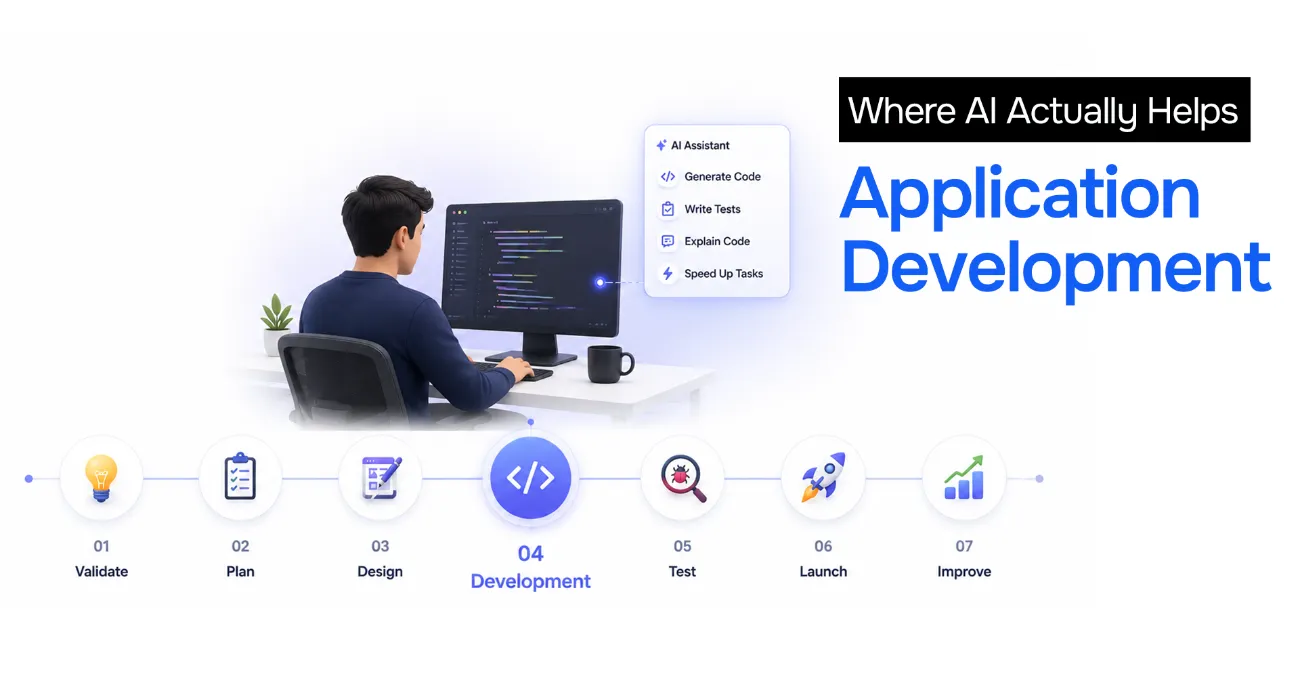 Where AI actually helps in app development: it accelerates the development stage, not the whole lifecycle
Where Copilot helps: it writes boilerplate quickly (CRUD endpoints, form handling, data mapping), it scaffolds tests, it explains unfamiliar code, and it removes the friction of switching between languages or frameworks you do not use daily. For a competent developer it functions like an extremely fast pair programmer with a broad but shallow memory, and it meaningfully compresses the time spent on routine code.
Where Copilot does not help: it cannot tell you whether you are building the right thing. It has no opinion on your requirements, your architecture, your security model, or your users. It confidently produces plausible code that is subtly wrong, which means the review burden increases even as the typing burden falls.
The practical takeaway is this. Copilot can compress the coding portion of stage four, but coding is only 30 to 40 percent of the project. If discovery, design, and QA stay unchanged, the overall timeline improves by perhaps 10 to 20 percent, not by half. Teams that assume AI lets them skip the other six stages are the teams whose apps I get called in to rescue.
Stage 5: Testing & Quality Assurance
Testing is not a phase you bolt on at the end. It runs alongside development, and it exists to answer one question: does this actually work under conditions we did not imagine?
A serious QA effort covers functional testing (does each feature do what the requirement said?), integration testing (do the parts work together?), performance testing (what happens at ten times the expected load?), security testing (can someone read data they should not?), usability testing (can a real person complete the task?), and device or browser compatibility.
Automated tests are what let you keep shipping without fear. Manual exploratory testing is what finds the strange, human-shaped bugs automation never thinks to look for. You need both. The teams that cut QA to hit a date almost always pay for it twice, once in emergency fixes and once in lost user trust.
Stage 6: Deployment & Launch
Deployment is the process of getting your verified build safely into the hands of real users. For mobile apps this means preparing store listings, meeting Apple and Google review requirements, and handling the review cycle, which can itself add days.
A good launch is boring by design. You set up production monitoring, error tracking, and analytics before you ship, not after. You have a rollback plan. Where possible you release gradually, to a small percentage of users first, so that if something is wrong you find out at 2 percent rather than 100 percent.
The launch is not the finish line. It is the moment your assumptions finally meet reality.
Stage 7: Maintenance & Continuous Improvement
The majority of an application's total lifetime cost happens after launch. Operating systems update, dependencies age, security vulnerabilities are disclosed, and users ask for things you never anticipated.
This stage covers bug fixes, security patching, dependency upgrades, performance tuning, and the steady stream of improvements informed by how people actually use the product. It is also where analytics finally earn their keep: you stop guessing what to build next and start reading it from behaviour.
Budgeting nothing for maintenance is a decision to let the product decay. A common rule of thumb is to reserve 15 to 20 percent of the original build cost per year just to keep the app healthy.
Mobile Application Development Timeline: How Long Does App Development Take?
The honest answer to "how long does app development take" is that it depends on scope, but the ranges are more predictable than most people expect. Here is a realistic mobile application development timeline for a competent team.
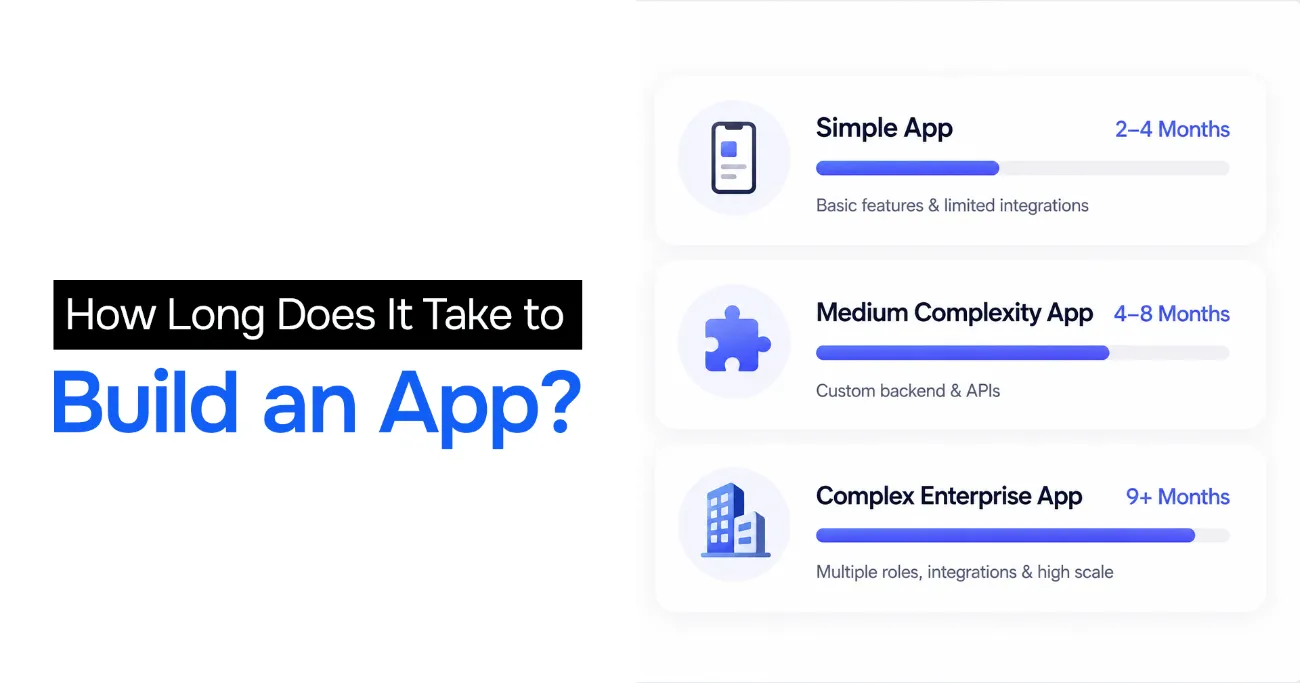 How long it takes to build an app: simple 2 to 4 months, medium 4 to 8 months, complex enterprise 9 or more months
| App Type | Estimated Timeline | What It Looks Like |
|---|---|---|
| Simple App | 2 to 4 months | Few screens, standard auth, limited integrations, no heavy backend logic |
| Medium Complexity | 4 to 8 months | Custom backend, payments, third-party APIs, real-time or offline features |
| Complex Enterprise App | 9 months or more | Multiple user roles, legacy integrations, compliance, high scale, custom infrastructure |
Two warnings about these numbers. First, they assume the earlier stages were actually done. A "three-month simple app" that skipped validation frequently becomes an eighteen-month project once it turns out the requirements were wrong. Second, they assume a dedicated team. A part-time developer working evenings does not compress into the same calendar.
Factors Affecting Timelines
Features
Timeline scales with feature count, but not linearly. Features interact, and each interaction is a place bugs live. Ten features are far more than twice the work of five.
Platform
Building for iOS and Android natively roughly doubles the client-side effort. A cross-platform framework such as React Native or Flutter reduces that, at the cost of some platform-specific polish.
Team size
Adding people to a late project makes it later, as Brooks observed decades ago. Coordination cost grows with team size, and a small senior team frequently ships faster than a large mixed one.
Integrations
Every third-party system (payment processors, CRMs, mapping, identity providers) adds integration work, and more importantly adds failure modes you do not control. Integrations are a reliable source of schedule surprises.
Design complexity
A standard component library is fast. Bespoke animation, custom interaction patterns, and heavy branding all add design and implementation time.
Testing requirements
A consumer utility and a medical device need very different levels of assurance. The higher the cost of failure, the more testing time you must budget.
Compliance
HIPAA, GDPR, PCI, SOC 2, and similar regimes add design constraints, documentation, audits, and often external review. Compliance is rarely hard, but it is never fast.
Common Mistakes That Delay App Development
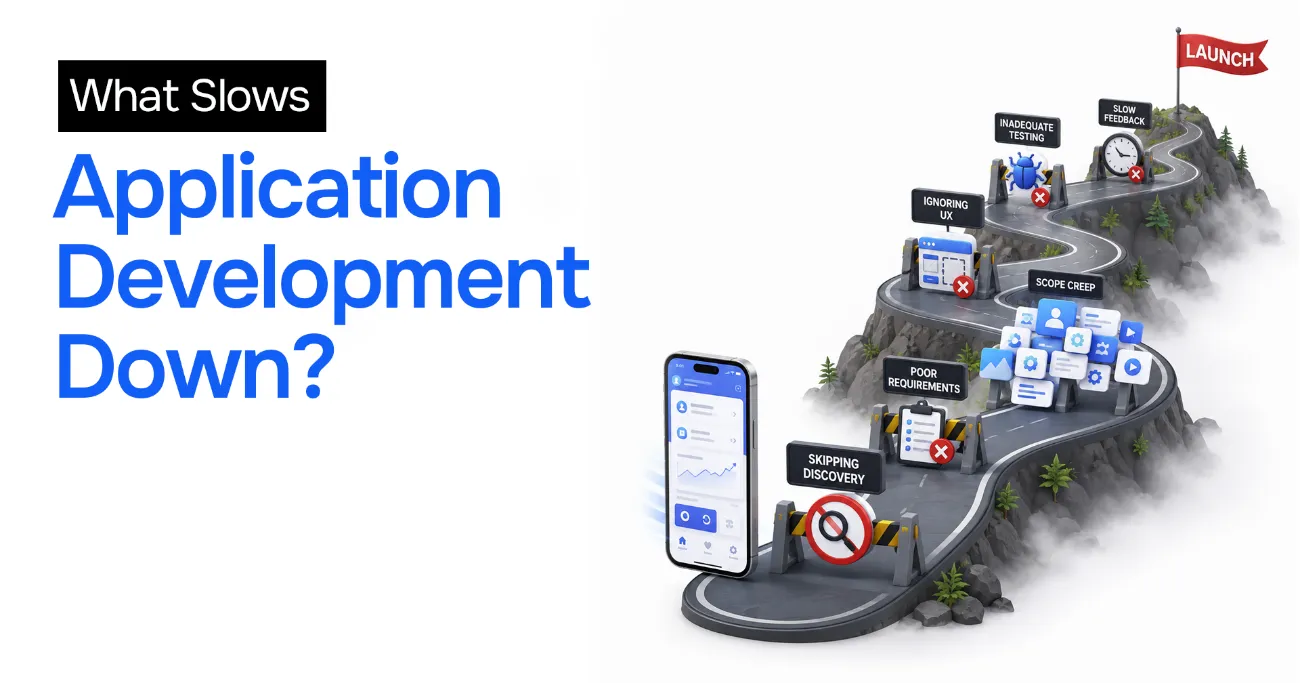 What slows app development down: skipping discovery, poor requirements, scope creep, ignoring UX, inadequate testing, and slow feedback
Skipping discovery
Building before validating. The most expensive mistake available, because every later stage compounds the error.
Poor requirements
Vague requirements guarantee rework. "Make it user friendly" is not a requirement; it is a wish.
Scope creep
Uncontrolled additions mid-build. Each one looks small in isolation, and collectively they consume the schedule.
Ignoring UX
Shipping something powerful that nobody can figure out. Users do not file bug reports about confusion. They just leave.
Inadequate testing
Cutting QA to hit a date reliably trades a small, known delay for a large, unknown one.
Lack of stakeholder feedback
Disappearing for four months and returning with a finished product is how you discover, too late, that expectations diverged in month one.
No maintenance planning
Treating launch as the end. The app then rots quietly until something breaks badly enough to be an emergency.
Best Practices for a Successful App Development Process
Start with an MVP
Build the smallest thing that tests your riskiest assumption with real users. Learn, then expand. An MVP is a question, not a cheap version of the answer.
Follow Agile methodology
Work in short iterations with working software at the end of each. It keeps feedback loops tight and makes course correction cheap.
Validate ideas early
Talk to users before you build, not after. Evidence beats conviction, and it is far cheaper.
Prioritize user experience
Invest in flows and clarity. A well-designed simple app beats a poorly designed powerful one, every time.
Automate testing
An automated suite is what lets you ship confidently at speed. Without it, every release is a gamble that gets scarier as the codebase grows.
Monitor analytics
Instrument the product so you can see what users actually do, rather than what you assumed they would do.
Plan for scalability
Design for roughly ten times your current load. Not a hundred times (that is over-engineering), but enough that success does not break you.
Invest in post-launch support
Budget for maintenance from day one. The product is a living system, not a delivered artifact.
If you are about to start a build, or you are partway through one and it has begun to feel out of control, a second opinion early is dramatically cheaper than a rescue later. Book a free 15-minute strategy call and we can pressure-test your plan, scope, and timeline before it costs you a quarter.
Conclusion
Every successful application follows a structured development lifecycle. The seven stages are not bureaucracy; they are the accumulated lessons of a lot of expensive failures, and each one exists to catch a specific class of error while it is still cheap to fix.
Understanding these stages helps you reduce risk, control cost, and improve quality, because it lets you see which corner is being cut and what it will cost you later. Whether you are building a startup MVP or an enterprise platform, the teams that respect the process ship faster and more reliably than the teams that skip ahead to the fun part.
AI tools genuinely help. They just help with one stage, not seven.
If you are planning a build, or you have inherited one that is struggling, it is worth getting expert eyes on it before the decisions become permanent. That is exactly the work I do: AI code rescue and technical audits for teams whose software has outgrown the way it was built.
Frequently Asked Questions (FAQ)
What are the 7 stages of app development?
The 7 stages of app development are: idea validation and market research, planning and requirements gathering, UI/UX design, app development, testing and quality assurance, deployment and launch, and maintenance and continuous improvement. Each stage feeds the next, and skipping one usually surfaces as a defect, a delay, or a rewrite later.
How long does app development take?
A simple app typically takes 2 to 4 months, a medium-complexity app takes 4 to 8 months, and a complex enterprise application takes 9 months or more. The timeline depends on feature count, platform choice, team size, third-party integrations, design complexity, testing requirements, and any compliance obligations.
Can AI tools speed up app development?
Yes, but selectively. AI assistants like GitHub Copilot reliably speed up boilerplate, test scaffolding, and unfamiliar syntax, which compresses the coding portion of the build stage. They do not speed up discovery, requirements, architecture, or QA judgment, and coding is only one part of the overall app development process.
What factors affect the mobile application development timeline?
The main factors are the number and depth of features, whether you build for one platform or several, team size and seniority, the number of third-party integrations, how custom the design is, the depth of testing required, and any regulatory compliance such as HIPAA, GDPR, or PCI.
Should I build an MVP before a full application?
In almost all cases, yes. An MVP tests your riskiest assumption with real users at a fraction of the cost and time of a full build. It gives you evidence to justify further investment, and it means that if the assumption is wrong you discover it in weeks rather than after a year of development.
Stuck on a web app, automation, or AI project?
Fifteen minutes, free. You describe the blocker, I tell you what I would fix first. No deck, no pitch — and if I am not the right fit, I will say so.
Book Your Free 15-Min Strategy CallRelated to: What Are the 7 Stages of App Development? A Complete Guide from Idea to LaunchIf you found this article helpful, consider buying me a coffee to support more content like this.
Related Articles

Looking for an MVP app development company? Learn how to evaluate services, technical expertise, cost, timelines, and startup fit before choosing a partner.
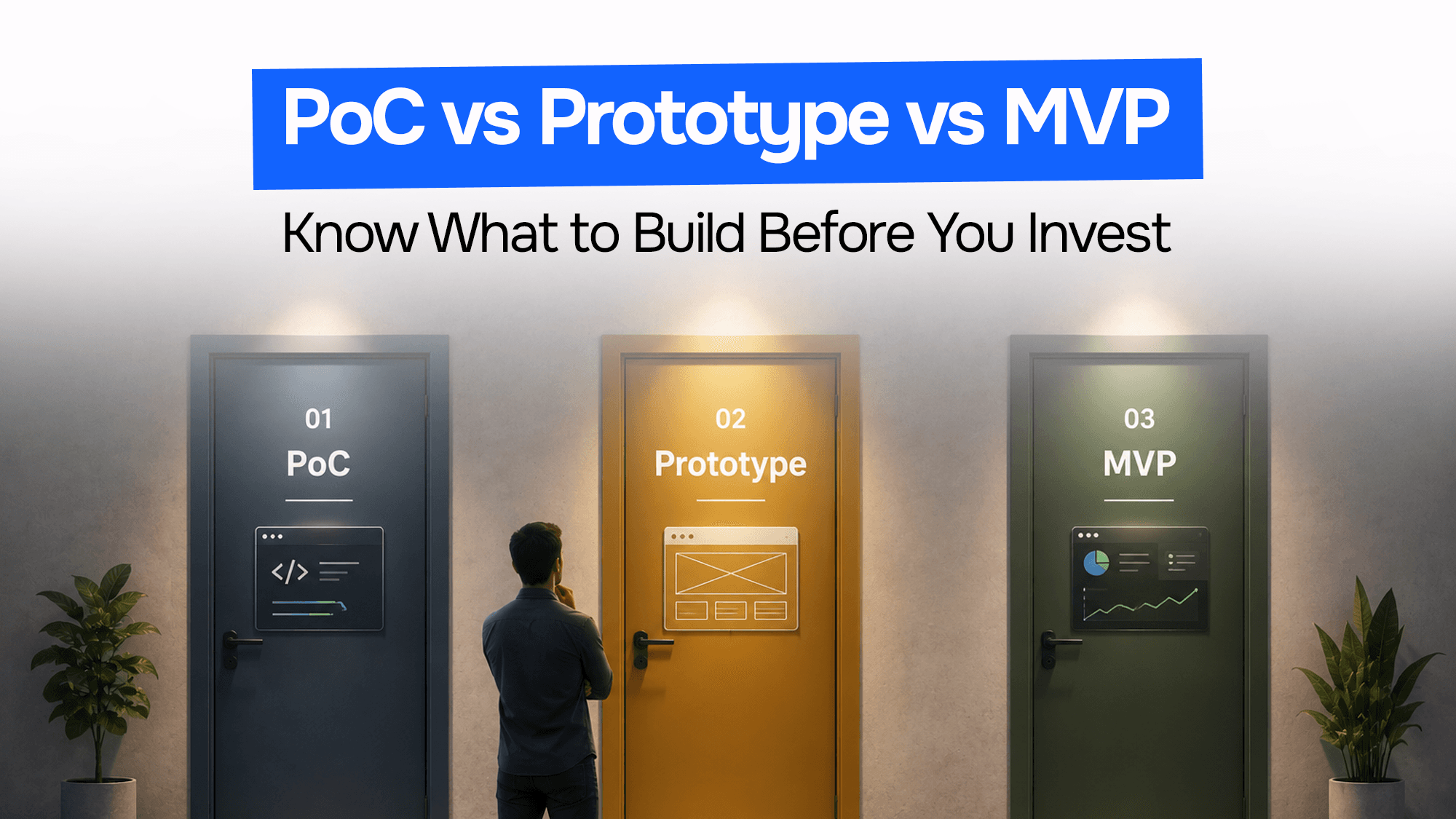
Confused about PoC vs prototype vs MVP? Learn the key differences, costs, timelines, use cases, and when to build each for your startup or software product.
MVP software development services explained: the process, cost, timelines, FinTech MVPs, post-launch support, and how to choose the right development partner.
Stuck on a web app, automation, or AI project?
Fifteen minutes, free. You describe the blocker, I tell you what I would fix first. No deck, no pitch — and if I am not the right fit, I will say so.
Book Your Free 15-Min Strategy CallRelated to: What Are the 7 Stages of App Development? A Complete Guide from Idea to Launch