

How Long Does It Take to Deploy Production-Grade Workflow Automation?
Short answer: two well-scoped AI workflows can be live in production in about 10 days. That is my fixed-scope package: a discovery call, build and deploy on days 1 to 8, and testing, training, and handover on days 9 and 10. Workflows that span many systems, need approval steps, or touch regulated data take longer, and the extra time is almost never the build itself.
A 10-day production automation timeline
| Phase | Days | What happens | Output |
|---|---|---|---|
| Discovery | Before day 1 | 30-minute call to pick the top 2 time-sinks and map the logic | Workflow map, access checklist |
| Access and setup | Day 1 | API keys, test accounts, staging copies of the tools | Working connections |
| Build | Days 2–6 | Triggers, integrations, AI steps, error handling, retries | Workflows running on test data |
| Edge cases and review | Days 7–8 | Bad input, duplicates, rate limits, human-review paths, alerts | Production deployment |
| Training and handover | Days 9–10 | Loom walkthroughs, documentation, a live session with the team | Team can run and change it |
| Post-launch support | 30 days | Fixing what real traffic reveals | Stable workflows |
The reason this fits in 10 days is scope: two workflows, one team, tools with usable APIs. Lead routing with enrichment, support ticket triage with summaries, and content operations pipelines all fit that shape.
What adds weeks to an automation project
| Factor | Why it slows things down |
|---|---|
| Waiting on access | No one can grant API keys or admin rights quickly |
| No clear process owner | Nobody can say what "correct" looks like for an edge case |
| Messy source data | Duplicates and missing fields need cleanup rules first |
| Many exception paths | Each branch needs logic, tests, and often a human-review step |
| Legacy or internal tools without APIs | Requires building a connector or working through exports |
| Compliance or security review | Sign-off cycles run on the reviewer's calendar, not yours |
| Scope changes mid-build | Each new workflow restarts design, build, and testing |
If three or more of these apply, plan for a multi-week project and split it into stages that each go live on their own.
Demo vs production: where the time goes
A demo takes an afternoon. Production takes the rest of the timeline because it has to handle what demos skip:
- Bad input: empty fields, wrong formats, duplicate records.
- Failures: API timeouts, rate limits, a downstream tool being down.
- Retries without side effects: not emailing a customer twice.
- Human review: routing low-confidence AI decisions to a person.
- Logging and alerts: knowing a run failed before a customer tells you.
- Documentation: so your team isn't dependent on whoever built it.
How to speed up your automation project
- Pick two workflows, not ten. Start with the ones that eat the most hours.
- Get API access sorted before kickoff. It is the most common delay.
- Name one owner who can decide edge cases the same day.
- Collect 20 real examples, including the messy ones, for testing.
- Agree what success looks like (hours saved, response time) up front.
Once the automation is live, track the right numbers: see what to measure after AI workflow automation.
Want two workflows live in 10 days?
I'm Rajesh Dhiman, an AI automation consultant based in India. I connect CRMs, helpdesks, Slack, and internal tools for teams worldwide. See the workflow automation service for scope and pricing.
Frequently asked questions
How long does it take to deploy production-grade workflow automation?
Two well-scoped workflows can go live in about 10 days: a discovery call, eight days of build and deployment, and two days of testing, training, and handover. Workflows that span several systems, need approvals, or touch regulated data take longer because of access, edge cases, and sign-off.
What makes workflow automation projects take longer?
Waiting for API access and credentials, unclear ownership of the process, messy source data, many exception paths, compliance review, and changing scope mid-build. The build itself is rarely the slowest part.
What is the difference between a demo and production automation?
A demo handles the happy path once. Production automation handles bad input, retries, rate limits, partial failures, and human review, logs every run, alerts someone when it breaks, and is documented so the team can maintain it.
Stuck on a web app, automation, or AI project?
Fifteen minutes, free. You describe the blocker, I tell you what I would fix first. No deck, no pitch — and if I am not the right fit, I will say so.
Book Your Free 15-Min Strategy CallRelated to: How Long Does It Take to Deploy Production-Grade Workflow Automation?If you found this article helpful, consider buying me a coffee to support more content like this.
Related Articles
Webflow handles your frontend beautifully. n8n handles the logic. Claude handles the intelligence. Here's how to wire them together into automation pipelines that actually work.

The eight metrics to track after implementing AI workflow automation, how to measure each one, and how to turn them into a payback number your team trusts.
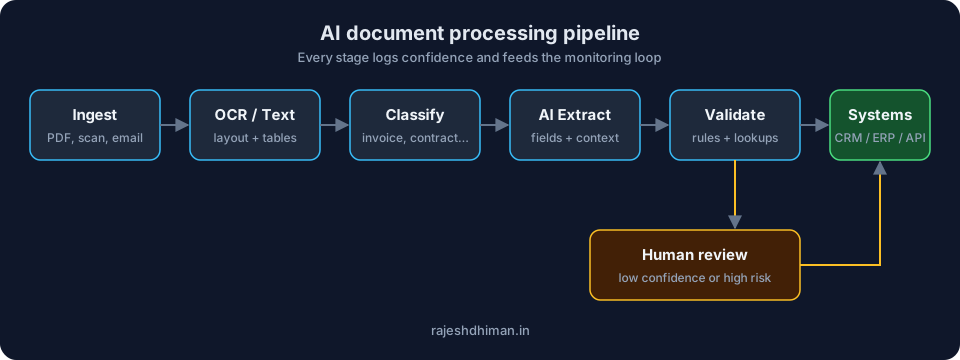
Learn how AI document processing automates data extraction, document classification, verification, and workflows while reducing manual errors and processing time.
Stuck on a web app, automation, or AI project?
Fifteen minutes, free. You describe the blocker, I tell you what I would fix first. No deck, no pitch — and if I am not the right fit, I will say so.
Book Your Free 15-Min Strategy CallRelated to: How Long Does It Take to Deploy Production-Grade Workflow Automation?